
Video editing is an essential part of content creation, whether it’s for personal use or professional purposes. However, the complex and technical nature of video editing software can be intimidating for beginners. That’s where MiniTool MovieMaker comes in. MiniTool MovieMaker is a user-friendly video editing software that is specifically designed for beginners. We have tested this software and review its features as below, to help you decide if it’s the right video editing software for you.
What is MiniTool MovieMaker?
MiniTool MovieMaker is a freemium video editing software that allows you to create and edit videos easily. It is available for Windows users. The software has a simple interface that makes it easy to navigate, and it comes with a variety of features that enable you to create professional-looking videos. MiniTool MovieMaker is designed for beginners who are looking to get started with video editing, but it’s also suitable for more experienced users who need a quick and easy way to create videos.
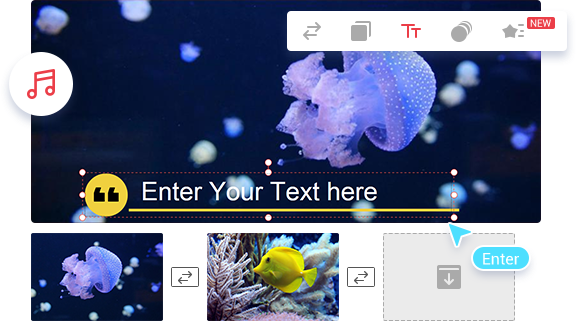
Features of MiniTool MovieMaker
- Easy-to-use Interface
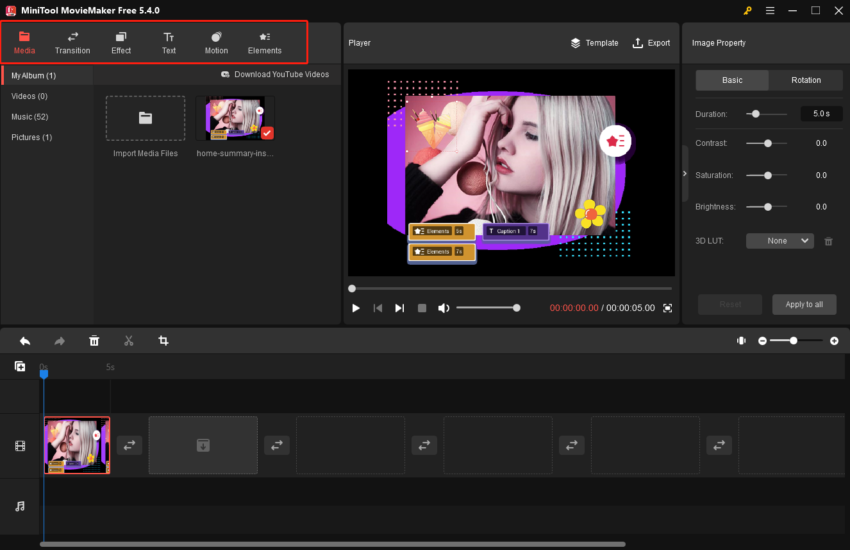
One of the most important features of MiniTool MovieMaker is its easy-to-use interface. The software has a simple and intuitive interface that makes it easy to navigate, even for beginners. The main dashboard displays all the essential features, and you can easily drag and drop videos, audio files, and images onto the timeline. The interface is designed to be user-friendly, and you don’t need any technical knowledge to get started with video editing.
- Variety of Video Templates
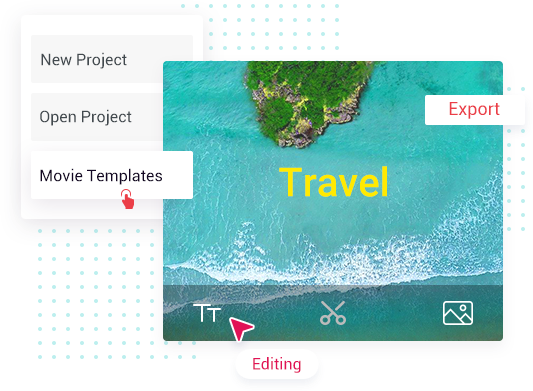
MiniTool MovieMaker comes with a wide range of video templates that you can use to create professional-looking videos. The templates are designed to be customizable, and you can easily edit the text, images, and music to suit your needs. The templates are organized into different categories, such as wedding, travel, and business, so you can easily find the right template for your project.
- Video and Audio Editing Tools
MiniTool MovieMaker offers a variety of video and audio editing tools that allow you to customize your videos. You can trim, cut, and split videos, add transitions, and adjust the video speed. The software also offers a variety of audio editing tools, such as volume adjustment, fade-in, and fade-out effects. Additionally, MiniTool MovieMaker has a library of royalty-free music and sound effects that you can use to enhance your videos.
- Effects and Filters
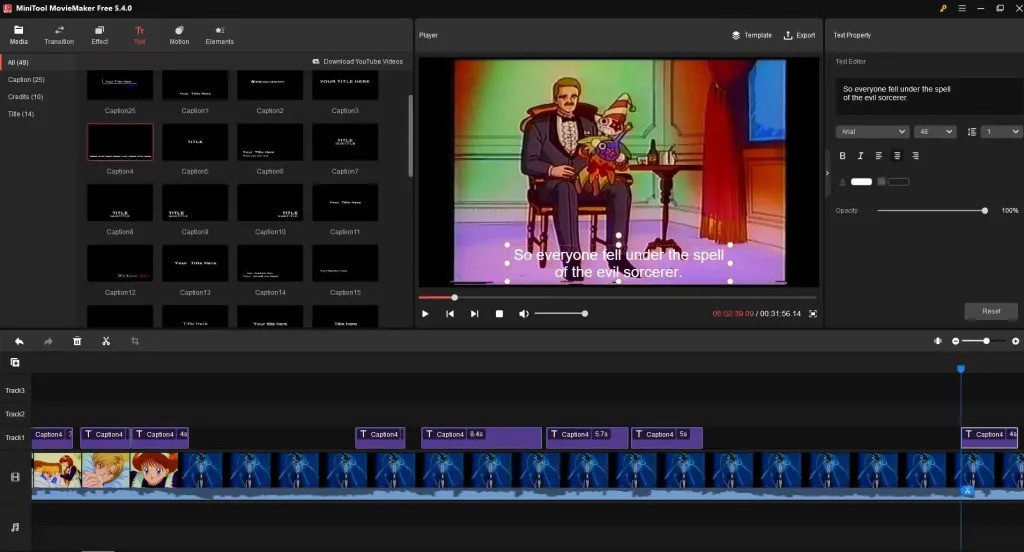
MiniTool MovieMaker has a variety of effects and filters that you can use to enhance your videos. You can add text and titles to your videos, and you can also add filters, such as black and white, sepia, and vintage effects. The software also offers a range of animation effects that you can use to make your videos more dynamic.
- Export and Sharing
Once you have finished editing your videos, MiniTool MovieMaker allows you to export them in different formats. The software Support all standard or HD output video formats like WMV, MP4, AVI, MOV, F4V, MKV, TS, 3GP, MPEG-2, WEBM, etc. With MiniTool MovieMaker, videos can be exported without a watermark. You can also adjust the video resolution and bitrate to suit your needs. Additionally, the software offers a direct upload feature that allows you to upload your videos directly to YouTube, Vimeo, and Facebook.
Pros and Cons of MiniTool MovieMaker
After using the software, in our opinion, MiniTool MovieMaker has the following advantages and disadvantages.
Pros:
- Easy-to-use interface
- Variety of video templates
- Variety of video and audio editing tools
- Variety of effects and filters
- Variety of export and sharing options
Cons:
- Limited advanced features
- No support for 4K video resolution
- No support for Mac OS 10.11 or earlier
Overall, MiniTool MovieMaker is an excellent video editing software for beginners. It has a user-friendly interface that makes it easy to create professional-looking videos, even if you have no experience with video editing. The software comes with a variety of features, such as video templates, editing tools, effects, and export options, which are all essential for creating high-quality videos. However, it’s worth noting that the software does have some limitations, such as the lack of advanced features, no support for 4K video resolution, and no support for Mac OS 10.11 or earlier. Despite these limitations, MiniTool MovieMaker is still an excellent choice for beginners who are looking for a simple and free video editor. It has helpful resources, is easy to use, and has all the essential features that you need to create great videos. If you’re a beginner who wants to start creating videos, MiniTool MovieMaker is definitely worth checking out.