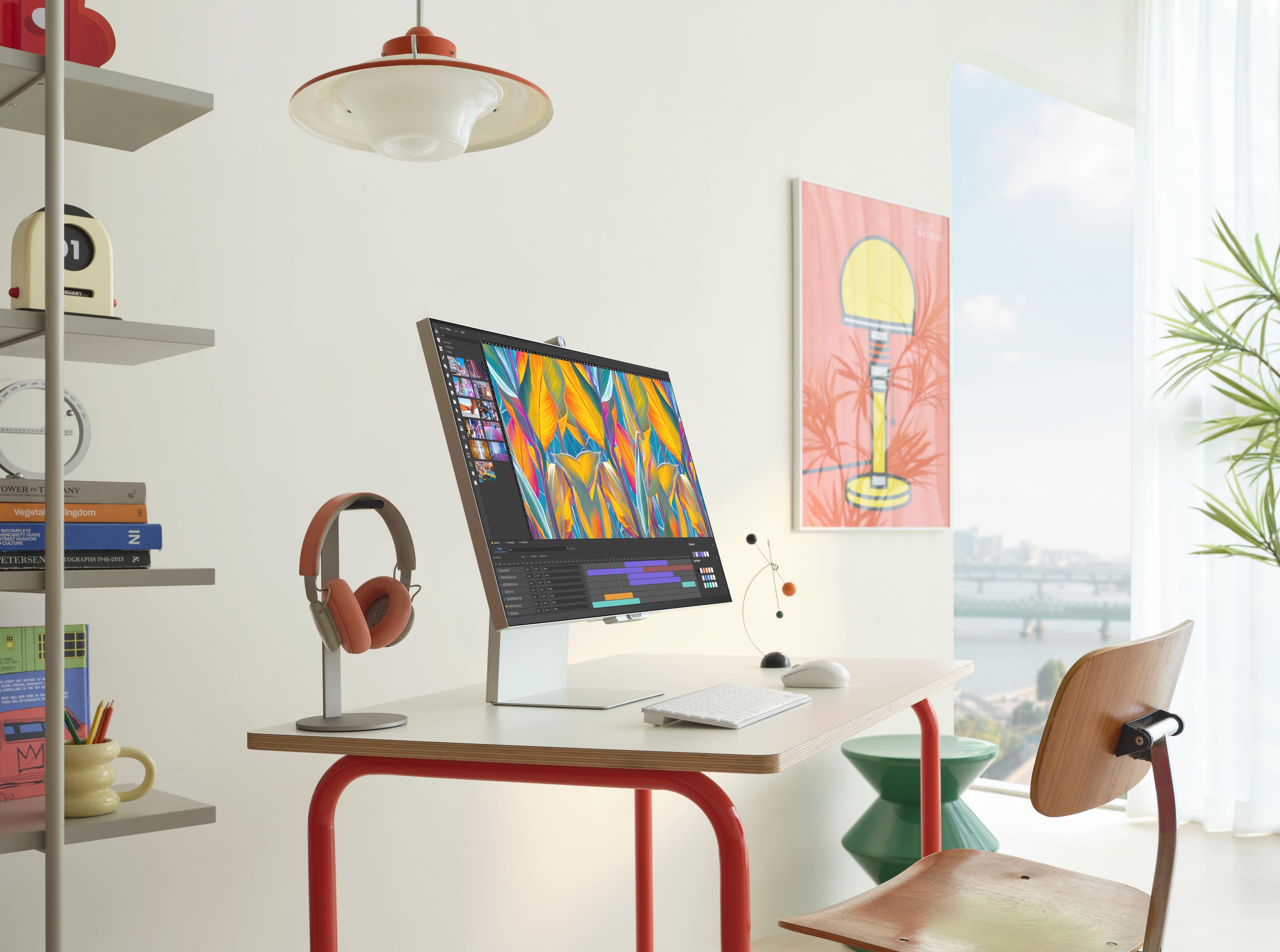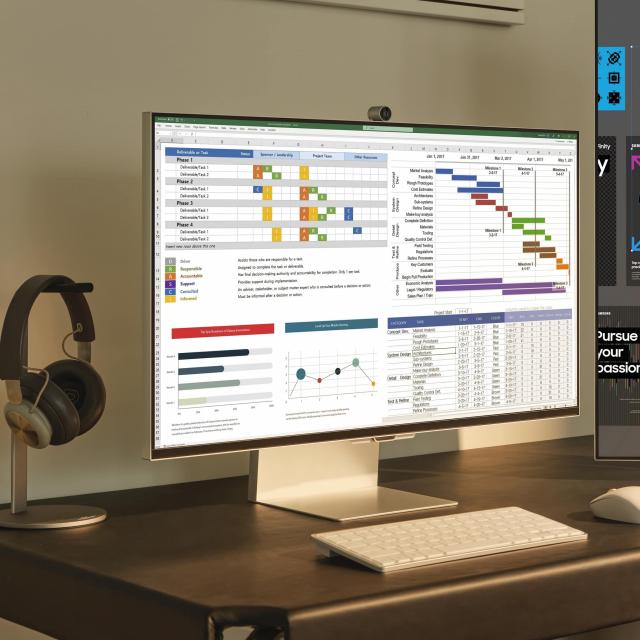
Samsung has unveiled the new 27-inch ViewFinity S9 5K monitor. According to Sasmung, this S90PC model should deliver true-to-life color reproduction and extremely high resolution quality image for work and entertainment on one monitor.
The launch of the new ViewFinity S9 follows the launch of the ViewFinity S8 (the S80PB model) in June 2022, which featured Ultra High Definition (UHD) resolution. The new ViewFinity S9 is optimized with all the tools needed in industries such as graphic design and photography.
Samsung ViewFinity S9 5K monitor
The new ViewFinity S9 has a 27-inch screen with a resolution of 5K (5,120 x 2,880 pixels). This gives it a workspace that is 50% larger than other UHD monitors, with image and text clarity. This allows professionals to work on ultra-high resolution content without having to zoom in, allowing them to view their projects in 5K while keeping all of their editing tools visible on screen.
With 99% DCI-P3 [1] and 218 PPI (pixels per inch), the ViewFinity S9 offers more saturated and vibrant colors with sharper details – ideal for those who need to rely on accurate visuals [2]. In addition, the typical brightness of 600 cd/m2 makes it easy to work in almost any lighting environment. Samsung’s calibration technology helps users to set the desired accurate color reproduction. During production, the color of the monitor is calibrated at the factory for a special Delta E <21 accuracy.[3]
Smart Calibration
The ViewFinity S9 is the industry’s first to use the Smart Calibration functionality that you control with your smartphone [4]. Users can adjust the ViewFinity S9 screen easily, accurately and whenever they want without expensive, complex calibration equipment. Using the SmartThings app, they can choose to calibrate in basic mode for quick and easy adjustment of white balance and gamma settings. They can also use the professional mode for full control over color temperature, luminance, color space and gamma settings. Users can initiate this process by simply pointing their smartphone’s camera at the ViewFinity S9’s screen. Once calibrated, they can view a report detailing the adjustments made and Delta E color accuracy.
Intelligent Eye Care and Matte Display
The ViewFinity S9 also offers TUV-certified Intelligent Eye Care features to reduce eye strain, even with prolonged use. In addition, Samsung’s Matte Display reduces light reflection and glare on the monitor, minimizing distractions while working. The ViewFinity S9’s visual performance is enhanced by features designed to make life easier for professionals.
Connectivity
The ViewFinity S9 offers versatile connectivity for both Mac and Windows PC users, with Thunderbolt 4, mini DisplayPort and USB-C inputs. Thunderbolt 4 compatibility allows users to charge devices at up to 90 watts and transfer data reliably at speeds of up to 40 Gbps.[5]
The monitor is equipped with a built-in 4K SlimFit camera, which connects via a pogo pin without additional cables or equipment. The high resolution of the camera provides nice clear quality for video calls via apps like Google Meet. The camera can be tilted to adjust to the angle of the monitor and Auto Framing [6] ensures that you remain visible and in view, even when you change position.
Ergonomics and TV function
The slim design of the ViewFinity S9 is suitable for any space. The ergonomic design provides comfort and improves productivity by adjusting the monitor to virtually any position or posture. The height-adjustable stand is adjusted to the user’s eye level and the screen can be tilted to adjust the viewing angle. This is possible up to 90 degrees so that users can read long documents with less scrolling. Thanks to the compatibility with VESA mounting, space can be saved and the desk can be kept free.
The integrated Smart TV apps provide a full TV experience when it’s time to switch to entertainment after work. Instant access to popular streaming apps and programs without the need for a separate computer, built-in speakers with Adaptive Sound+ that automatically adjusts noise levels, and a remote control make this an all-round monitor for both work and play.
Price and availability
The ViewFinity S9 has been available worldwide since June 26, 2023, with launch schedules varying by region. Unfortunately, the price is not yet known.
Specifications
| S90PC | ||
| Display | Screen size | 27” |
| panel type | IPS, flat | |
| Resolution | 5K (5120×2880) | |
| Color gamut | DCI-P3 99% | |
| Brightness (typical) | 600cd/m2 | |
| Refresh Rate (Max) | 60Hz | |
| Response time | 5ms (GtG) | |
| Contrast ratio (static) | 1000:1 | |
| Matte screen | Yes | |
| Characteristics | Calibration | Smart Calibration |
| Smart Eye Care | Adaptive Picture / Eye Saver Mode / Flicker Free | |
| Camera | 4K (3,840 x 2,160), included | |
| Smart TV apps | Yes | |
| Interface | Connection types | 1 Thunderbolt 4 (90W)
1 miniDP, USB-C (3DN) |
| Design | type standard | HAS / Pivot / Tilt |
| Wall mount | 100×100 | |
1]Color rendering calculated in CIE 1976.
[2] Color accuracy figures may vary based on the measuring device and point of measurement. Screen properties may vary depending on the system environment, such as computer components, operating time, or other factors.
[3] The factory calibration is measured for accuracy in sRGB under shipping conditions. The value may vary depending on the measurement environment. Users can find the factory calibration report in the on-screen display (OSD) settings.
[4] Smart Calibration is available on Galaxy S10 or later, Galaxy Note10 or later, Galaxy Fold devices, Galaxy Flip devices, iPhone 11 or later, and second generation iPhone SE 2 or later. This requires the latest version of the SmartThings app.
[5] Certain devices using MacOS 13 may have limited compatibility.
[6] Auto Framing works when using the built-in applications.