
WordPress is by far the most popular content management system in the world. What are the main points to consider when choosing a reliable hosting provider to run your own website?
The great popularity of WordPress is easy to explain: with this free software package you can set up your own website relatively easily. Professional organizations also make massive use of this user-friendly content management system. For example, the websites of Pinkpop and Diergaarde Blijdorp were built using WordPress. If you choose the right hosting provider, you will benefit from various (security) advantages. Create a stable website in no time!
Which hosting provider?
A hosting provider makes (a part of) an online server available. You can do whatever you want with it, for example adding WordPress files. In principle, any hosting package is suitable for this. Keep in mind that you can normally not fall back on the customer service of the hosting provider for installation and management. After all, you are responsible for your own site. Do you have little or no experience building your own website? In that case, specialized WordPress hosting is always preferable. This gives you access to additional services to start a secure website.
STRATO has enjoyed a high reputation for many years with its specialized WordPress Hosting packages. With this provider you can be sure that you are always using the latest WordPress version. Updating is fully automatic. A reassuring thought, because the WordPress development team regularly closes vulnerable vulnerabilities in the source code. Furthermore, you do not have to worry about installing the necessary software and making backups. You can also test new web parts, such as a plug-in or theme, via a temporary copy of your website without consequences.
Install WordPress automatically
You can install WordPress yourself on the online server of your hosting package. This is possible, for example, by uploading the installation files to the server via an FTP connection. If you don’t like that, outsource this job to a suitable hosting provider. In that case, you can be sure that the installation will run smoothly. Moreover, you do not have to create a database for all web content yourself and schedule backups, because that too happens automatically.
STRATO customers receive a customer number and password after registering a WordPress Hosting package. As soon as they log in to the STRATO customer login with this, the installation of WordPress is quickly beep. Simply click successively Website Apps and Install now. You have a choice between Flexible mode and Safe mode. For automatic (security) updates, choose the latter option. In the next step, determine on which domain you want to install the software package. By default, the login details of STRATO are already filled in for the WordPress account, but you can change these at your own discretion. You also enter a valid e-mail address and a website name, after which you confirm with Set up.

With a WordPress Hosting package from STRATO you can install the software on the server with one mouse click
Open Dashboard
The installation of the WordPress package takes about three minutes. Afterwards, an overview page with important data of the WordPress installation appears within the STRATO customer login. Check the version number, among other things. It is good to know that STRATO always uses the latest version of the content management system. You can now build the website within the so-called dashboard of WordPress. Click on Show Login URL and access the dashboard from the displayed web link.

After the automatic installation of WordPress, all necessary data will appear within the STRATO customer login
Building a website via a step-by-step plan
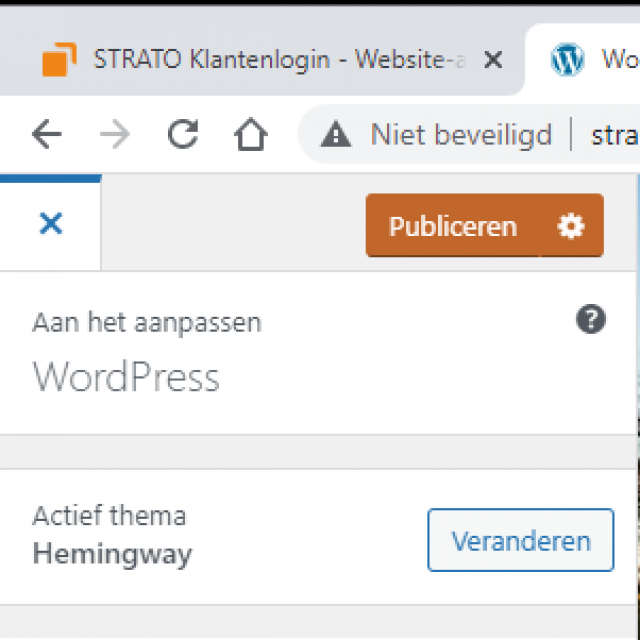
Once you are logged in to WordPress, you have complete freedom to design the website as you see fit. STRATO takes new users in tow with an optional step-by-step plan. click on To work! and then choose a theme that you like best. You can always switch to a different layout later. Indicate on the left what kind of website you want, for example a blog, webshop or company page. Then click on Install for the desired theme. Your website will now appear. Use the so-called Customizer menu on the left to set up your website. Take your time for that, because the possibilities are great. Choose a logo and header image, among other things. You can also change the colors at your own discretion and add a navigation menu to the website. You confirm the changes with To publish and then click on the cross at the top left. Through WordPress / Dashboard take a look behind the scenes of your website. Here you can add messages, pages and plug-ins, among other things.

Determine the design and navigation structure of your website with the tools in the left menu
Security Plugins
STRATO leaves nothing to chance with its WordPress Hosting packages. For example, an SSL certificate is included with every package, so that visitors can access the website via a secure connection. In addition, you can add various security plugins to the WordPress installation with one click. This way you are better protected against hackers. To do this, go to . within the STRATO customer login Website apps and click behind the WordPress installation on Details & Features. Then choose Set up security plugins / Install everythingn. You only need to activate the plugins. In the WordPress dashboard, navigate to Plugins and click on the new extensions Activate.
Safe testing
When building a new website, you cannot avoid trying things out. What do you like and what would you rather see differently? In practice, it is tedious to test a new theme or plugin in the live environment. You can easily create a complete copy of your website from the STRATO customer login. Click on Create test environment / Create now. Through To login you will then end up in the test environment. Now you can try out new features to your heart’s content and when you’re happy, put your new website live.

Use the test environment to safely try out new web parts
Also getting started with WordPress? For the WordPress Hosting Basic package from STRATO you only pay one euro per month in the first year. Look at strato.nl/hosting/wordpress-hosting/.
This article was produced in collaboration with STRATO