
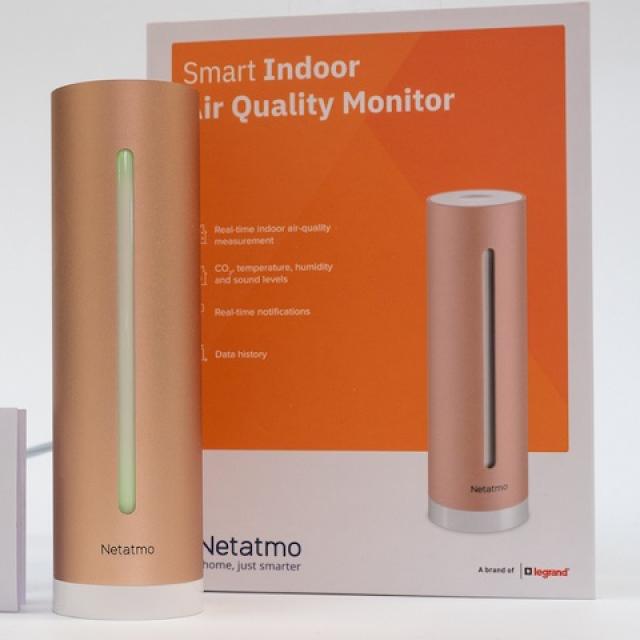
The Netatmo Healthy Home Coach is a measuring device with sensors that measure air humidity, air quality, temperature and noise. If you are at home a lot, it is good to know whether the air quality and humidity are good. Read the review of the Netatmo Healthy Home Coach here on how good it is at measuring.
Fred Baltus
Netatmo releases many smart home devices, such as the Netatmo smart video doorbell we tested and the Netatmo smart radiator valve. The Netatmo Healthy Home Coach contains sensors that measure air humidity, air quality, temperature and noise. Especially in times of working from home, it is good to know whether the air quality and humidity are good. If the air quality is insufficient (too much CO2), you can open a window or door to work in a good climate again.
Netatmo Healthy Home Coach
The Netatmo Healthy Home Coach comes with a brief instruction and power adapter. The HomeKit setup code is located on the instruction and on the Coach. Before you can use the Coach, you must first install the app, after which you can connect the Coach to the power. The app will guide you through the entire installation procedure. During installation, the coach will connect to your WiFi network and you can give it a (different) name. Then choose a profile. You can indicate whether the Coach is placed in an environment where there is a baby, whether you are asthmatic or for the whole family. Depending on your choice, the advice is tailor-made. The profile can also be adjusted afterwards. If you choose baby, for example, there is a difference in the temperature range. Unfortunately, you cannot adjust what is an acceptable temperature for you. For example, if you want a different temperature range in a bedroom than in the living room, you cannot set that. And a temperature of 20 degrees in a bedroom is not always pleasant.

Measurement data
Netatmo indicates on their site, but also in the app, why a certain metric is important. It also indicates what the correct value is for each measured value. If everything is blue or green, you live in a healthy house. If not, then you need to take action.
The app can send you warnings when the temperature is too high or low, CO2 concentration is too high, humidity is too high or too low, or too much noise. You can set yourself whether you want to receive a notification. If you have multiple Coaches, you can switch from one to the other via the app. You can also display the measurement data as a graph. The latter is then done per Coach and per measured value.

Unfortunately, you cannot export the measurement data. On an iPad, you would expect the graph to rotate as you rotate the tablet. Unfortunately, that doesn’t happen with an iPhone.
Colors
In addition to the app, you can also click on the Coach on top to see the ‘health’ of your room:
– Blue is excellent
– Green is good
– Yellow is fine
– Orange is bad
– Red is unhealthy
The app also offers options to calibrate the Coach, this is possible with the CO2 and temperature measurement. You can also grant other housemates access to the Healthy Home Coach via the app.
Conclusion Netatmo Healthy Home Coach
The Netatmo Healthy Home Coach does what it has to do. For me, a blue color at the temperature took some getting used to and that you also have two green tires. If you think about it a little longer, it’s a well-considered and right choice. Another advantage is that you can easily move the Coach in your home. It is automatically found by the app, all you have to do is change the location in the app and maybe a different profile.
Other than that, there are no significant shortcomings. It gives you a warning if the indoor climate is not good. It is therefore a very good aid if working from home is mandatory, so that you can adjust the living climate if it threatens to become unsatisfactory, for example by ensuring sufficient ventilation. Of course, the same also applies to your bedroom and the nursery!
Netatmo Healthy Home Coach
Price: 99 euros
Pros
+ perfect measurements
+ simple clear app
+ integration with the Apple Home app
+ elegant Coach
Downside
– you cannot set your own upper and/or lower limit for temperature.