
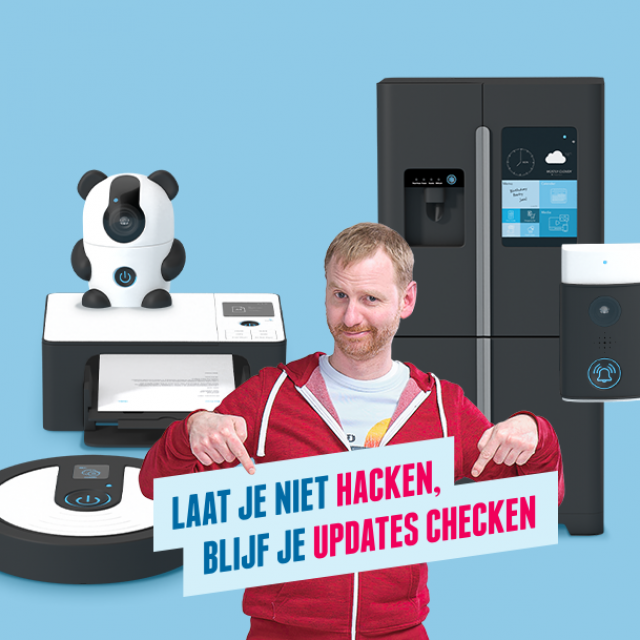
Nine out of ten households now have an average of four smart devices, but they are vulnerable to cyber criminals. Therefore, keep your software updates up-to-date to optimally protect them.
The Ministry of Economic Affairs and Climate (EZK) is once again using the ‘Doe your updates’ campaign to remind the Dutch to regularly update (update) their smart devices, so that it is more difficult for internet criminals to gain access to the data. .
Internet criminals can already encrypt files, view data or photos or watch/listen with you while working from home via a single device. According to previous research by the EZK, it appears that eight out of ten people are aware that they can be hacked in this way. More than 50 percent of the Dutch people forget to perform updates or postpone them.
By 2024, smart devices must be equipped with strong passwords. This means that the user must first set a strong password so that they can use the device. The products must also support software updates, be tested for security holes, protect stored personal and financial data and give consumers the option to manage and delete this data. Products that do not comply with this will soon be banned on the entire EU market.
Interesting smart devices for hackers
There are a number of smart devices that are extra interesting for cyber criminals to hack. Here they are in a nutshell:
– smart (security) camera: as soon as hackers have access to the cameras, they can monitor whether you are at home or not and when they can break in.
– Router: All smart devices are eventually connected to the router. When the hackers have access to this, they gain access to your entire network.
– smart doorbell: they can also monitor you and your surroundings via this device, just like with the camera.
– baby monitor: as with other devices, make sure that this device is always up-to-date to prevent unwanted people from watching.
Check updates
You don’t always get a notification when an update is ready for your smart device. That is why it is important to keep an eye on this yourself. To do this, go to the control app of the smart device after connecting to the device. Look in the app at Settings and click To update. Now the updates are performed. See if there is an option with the respective device to set up new updates automatically. If it is not possible, it is useful to note in your agenda that you check every two months to see if there is a new update.
Don’t get hacked, keep checking your updates
The ‘Do your updates’ campaign is an initiative of the Ministry of Economic Affairs and Climate with the aim of encouraging people to update their smart devices. The campaign can be seen through, among other things, online videos and advertisements. Early next year, ethical hackers will also show how easy it is to hack into a smart device if no updates are made. For more information about the campaign and tips for securing various smart devices, visit doejeupdates.nl.
