
iOS 15 for iPhone is finally available! Read here the best innovations of this major software update.
Edited by Rob Coenraads

iOS 15 will be the iPhone update of 2021! During the first presentation of the operating system at Apple’s developer conference WWDC, there was about 45 minutes of talk about iOS 15 alone. There have been presentations from Apple that have been shorter all in all. So there was a lot to announce. Big changes are coming for FaceTime, the Do not disturbfunction evolves through to Focus and your notifications are finally fun again.
AVAILABILTY
iOS 15 can be downloaded for free on the appropriate iPhones from mid-September. There is good news: all iPhones that are suitable for iOS 14 can be updated to iOS 15! That means that  you need an iPhone 6s (2015) or later. Yes, you can also update the first iPhone SE! We are happy to discuss the innovations of this major software update with you.
FOCUS ON WHAT’S IMPORTANT NOW
Is your attention always being swallowed by your iPhone? Focus is the magic word! If you need to focus on something or just want to relax, Focus Make sure notifications and apps are filtered. Think of it as a less rigorous variant of Do not disturb. You can activate different focuses, such as To work, Driving or In person – or configure one yourself. You use it to silence notifications, prevent distraction by apps and let your contacts know that you are temporarily unavailable. But is the focus, for example, To work at? Then you are available for colleagues.
You can even set up special home screens with only the apps and widgets that you really need during the relevant Focus. If you activate a Focus on your iPhone, it will continue to work on your iPad and Mac. As far as we are concerned, Focus is much more applicable than the current one Do not disturb, which has only two positions: on or off.
 WHAT IS SHARED WITH YOU?
Messages is the place to exchange information with contacts, but then it is difficult to find everything again. Things shared with you will appear in the special . from iOS 15 Shared with yousection in the corresponding app. You can find links in Safari, photos in Photos, songs or playlists in Music, etcetera. You can also respond immediately from those apps. Also nice: if someone shares multiple photos with you in Messages, these will appear as a stack that you can swipe through.
FACETIME WILL BECOME YOUR FAVORITE VIDEO CALL APP
Recently, for well-known reasons, video calling apps have been on the rise, which is why Apple thought it necessary to give FaceTime a thorough overhaul. Of course, it would have been nicer if these new features had been available a year ago, because the battle with the Zooms and Teams of this world now seems to be a done race. But better late than never: FaceTime comes of age in one go.
Apple is working with iOS 15 to get the biggest FaceTime frustration out of the way for starters. It was always Apple-only, but now you can also ‘facetime’ with people who have an Android phone or a Windows computer. You simply invite participants via a link that they can open in their browser. But Apple goes further. This makes it much easier to share your screen with your interlocutors or to listen to the same audio together. The more the merrier! And thanks to the new and quiet grid view, you can see everyone clearly in the picture.
 |
 |
 |
 |
|||
Member BenefitThis article is from the special The big iPad & iPhone book 2022. |
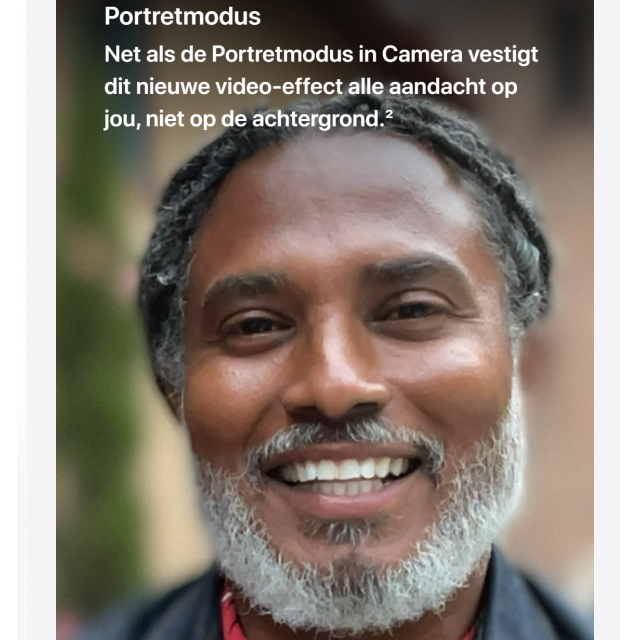
Your video calls will also feel more natural thanks to clever tricks with sound and images. Spatial Audio comes to the video calling app: if a participant is positioned at the top left of the screen, the voice also seems to come from that direction. Voice Isolation let your voice come through crystal clear, with no background noise.  Switch to Wide Spectrum, then you hear all the sounds. So in terms of sound it is fine and that also applies to images: FaceTime now works with the Portraitmode you already know from the app Camera. Your face comes into sharp focus, the background becomes blurred – so you focus more on yourself.
NOTIFICATIONS ARE FUN AGAIN
Perhaps you were so overwhelmed by all the notifications on your iPhone that you eventually turned them off. Feel free to turn them back on, because in iOS 15 they become a lot more manageable. Your iPhone compiles a notification overview for you several times a day, containing the most interesting notifications, ordered by priority. Incidentally, the really urgent messages are still delivered immediately. The notifications will also look clearer in the future, with a profile photo of contacts or a larger app icon.
THREE SMART FUNCTIONS OF PHOTOS
the app photos benefits perhaps the most from the artificial intelligence of your iPhone, and with iOS 15 you are that little bit smarter.
 Discover the smart functions of photos!
- Perfect music with your retrospective
Do you ever make Looking back in Photos? Those nice compilations of photos and videos with atmospheric background music? From now on, your iPhone will search for a music that fits your memories perfectly, from the enormous Apple Music catalog. Also nice: you will have much more influence on the composition of your Looking back, so that they become even more personal. - Live text Is there text on a photo?
Your iPhone can now ‘read’ it and then handle it. For example, take a photo of a phone number and tap the number to call it. Or copy the text in its entirety, and paste it into an app as Notes. It also works with handwritten text. Google Lens had something like this for a while, but better well stolen than badly conceived. - Visual Look Up
The search function in photos has gotten much smarter in recent years. For example, search for ‘flower’ and you will get all your photos with flowers and. But iOS 15 takes it one step further and recognizes exactly what kind of flower it is. The iPhone knows how to tell you everything about the world around you: about plants, pets, works of art, sights and books.
 LEAVE YOUR KEYS AND PASSES AT HOME
Do you still take your wallet with you when you go shopping? The digital versions of your debit card, boarding passes and loyalty cards all live in the app wallet. In iOS 15, a few things are added. How about keys? Your front door, your office, your hotel room: they can all be opened with your iPhone – provided the necessary support is built in. And it doesn’t stop there: it will soon be possible to store your ID card, driving license or passport as a digital version in wallet. Incidentally, this is still in the future for us: for the time being this only works in a few participating states in the US. We’ll catch up with you by the time iOS 20 is out…
 COOL WEATHER APP
the app Again is undergoing perhaps the most drastic changes of all apps. The new animated wallpapers give you an instant impression of the weather in a particular location. There are now thousands of variations showing clouds, precipitation, and the current position of the sun. Right below that, the most important data is displayed as a infographic. This way you can see at a glance what to expect. A very handy addition are the weather maps. These indicate the temperature, air quality and precipitation. Zoom in and out as far as you want. Do you open the Precipitationmap, you can also opt for moving radar images: these show the course of showers and their intensity. In the future you can also receive notifications when it starts to rain or snow, but that function is first being tested in Ireland, among others. Apps such as Buienradar and Buienalarm already see the shower.
DISCOVERY IN SAFARIA
You will probably have to get used to Safari the most in iOS 15. Everything is still there, but it takes some searching. What immediately catches your eye is that the address and search bar is now floating at the bottom of the screen. This makes it easier to operate your iPhone with one hand, for example when entering a web address. You just type with your thumb. If you have opened multiple tabs, you can swipe from one tab to the other in no time. There are also tab groups to store associated tabs. Of course, everything is synced to your Mac and iPad.
 |
|
 |
The start page of Safari in iOS 15 is very similar to Safari as we have known it from the Mac for a year. You can choose your own background image and adjust the order of the items displayed (such as Favorites and Frequently Visited). Or just hide certain items – a relief if you’re not fond of the previously discussed ‘Shared with you’ feature. Also borrowed from the Mac: extensions from other apps, to give Safari extra features. The developers of, for example, adblockers and password managers are already working on it.
And many more features…
- Organize your notes and reminders using custom tags.
- View your photos’ Exif data (such as location, time, and camera settings).
- drag & drop content from one app to another. For example, drag a photo into Notes.
- Handy new widgets, for example for your favorite contacts, Find my and the App Store.
- Data from the app Health you can more easily share with your family (or your doctor).
- In Health you can see trends in your movement pattern.
- Spotlight now shows richer search results and can be accessed from the lock screen and Notification Center.
- Accessibility lets you hear soothing background sounds, such as rain, running water, or ocean.
- maps shows a beautiful interactive 3D globe.
- Old familiar features are making a comeback: the magnifying glass to move the cursor, the time selector wheel.
- You will soon be able to download separate security updates if you don’t like a major interim iOS update.
- The swipe keyboard now finally works in Dutch.
FIRST JUDGMENT
iOS 15 is less in terms of innovations in your face than iOS 14 – you couldn’t get around the widgets and the App Library back then. Still, iOS 15 is a nice update, because what is already good is now getting better. FaceTime can finally compete with the other video calling apps. Do not disturb Has grown into Focus, which is much more subtle and will make you much more likely to actually use it. The notification overviews ensure that notifications are fun instead of intrusive. These changes will make you want to use your iPhone even more—or less. It is up to you!