
Smart televisions become less and less smart after a while. Apps no longer receive updates and become unusable or very slow, while the TV itself can still be used for years. Cheap streaming sticks keep it up to date.
Bert van Dijk
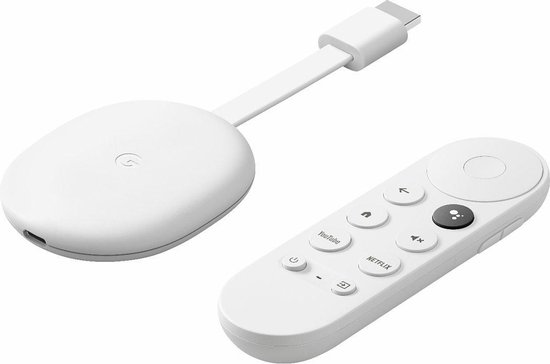
Smart televisions with the most beautiful 4K screens also become less smart after a few years as digital possibilities progress. Fortunately, you are not only dependent on the built-in cleverness, but you can also stream smartly with external devices. You can use so-called TV sticks at home, but you can also easily take them with you on holiday or if you regularly stay in a hotel. You plug the sticks into the HDMI connection of your television and operate them with their own remote control or with an app. Ziggo has also recently started selling the 4K Chromecast with Google TV, so that you no longer need a media box and can watch television anywhere in your house on a second TV, monitor or beamer. Amazon now also offers cheap Fire TV Sticks in the Netherlands.
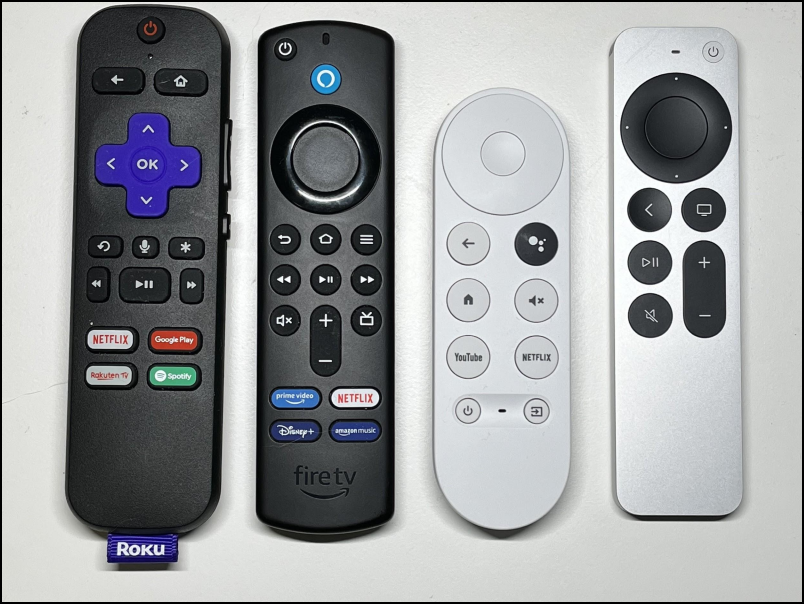 |
| In the middle the Fire TV and Google TV remotes, with which you can control multiple devices |
That’s why we now compare the pluses and minuses of some of these new TV sticks with the more expensive Apple TV 4K box. TIP: Typing letter by font often works very slowly with the supplied remotes. One or more handy remote apps are available for each stick, with which you can type much faster.
WATCHING TV WITH LESS ADVERTISING
With a TV stick you can watch many more channels for free and for a small monthly fee you will not see any advertisements when watching back via, for example, NPO Plus (€ 2.95 per month) or NLZIET (€ 7.95). You will only see advertisements on live TV. NPO Start, Kijk, NOS and RTL XL are apps to watch free programs (with advertisements). There aren’t that many TV channels in 4K yet, but with these 4K sticks you can take advantage of the higher resolutions and higher contrast images in Amazon Prime, Apple TV+, Disney+ and Netflix. For 4K image quality, a 25 Mbps connection is enough. Because those speeds are no problem in more and more places, more and more people are canceling their TV subscription. But even if you continue to use Ziggo, KPN, Canal Digitaal or T-mobile as a TV provider, a TV stick is useful for wirelessly watching programs on a second television via WiFi, which may also be a bit older. However, not every stick is suitable for all providers, see this table.
Overview app availability to watch live TV |
||||
Live TV apps |
Roku |
Fire TV |
Google TV |
Apple TV |
| Ziggo Go | Airplay | V | V | V |
| KPN smart TV | N/A | N/A | V | N/A |
| Canal Digital | Airplay | sideload | V | V |
| T-mobile | Airplay | N/A | V | V |
| NLSEE | Airplay | V | V | V |
| NPO Start | Airplay | sideload | V | V |
TIP:
For the Fire TV and Chromecast with Google TV, you can use a VPN app for more privacy and to watch more live TV channels securely (via an IPTV app and an IPTV service provider). With Roku and Apple TV, you can use VPN through your router or stream the IPTV channels through Airplay 2 from an iPhone, iPad, or Mac that has a VPN app activated.
CHEAP SOLUTION CHEAP SOLUTION
The latest 4K TV sticks from Roku and Amazon are regularly for sale for around 36 euros. They can be offered so cheaply, because the makers also earn from advertisements. If they put a certain film or app first, it often seems as if they are highlighting it, but you are actually looking at an advertisement. For example, the Fire TV Stick strongly promotes its own Amazon Prime channel. What sometimes makes that advertisement very disturbing are the recommendations of films for which you first have to take out a subscription. Since the beginning of December, moving ads suddenly appeared on the Chromecast with Google TV. This happened even to owners of expensive Android TVs with Android TV and the high-end Nvidia Shield media players. In comparison, the equally expensive Apple TV hardly sees any ads, and the cheap Roku Stick also has less noticeable ads.
TIP:
Via the system settings you can sometimes roll back the update on Google TV and Android TV with those animated commercials or install another launcher, such as the Basic Launcher, TVLauncher or Wolf Launcher.
WHICH STICK IS BEST FOR YOU?
Which TV stick is most suitable, of course, depends on what you want to do with it.
- If you don’t have any plans to game, the cheaper TV sticks will also suffice.
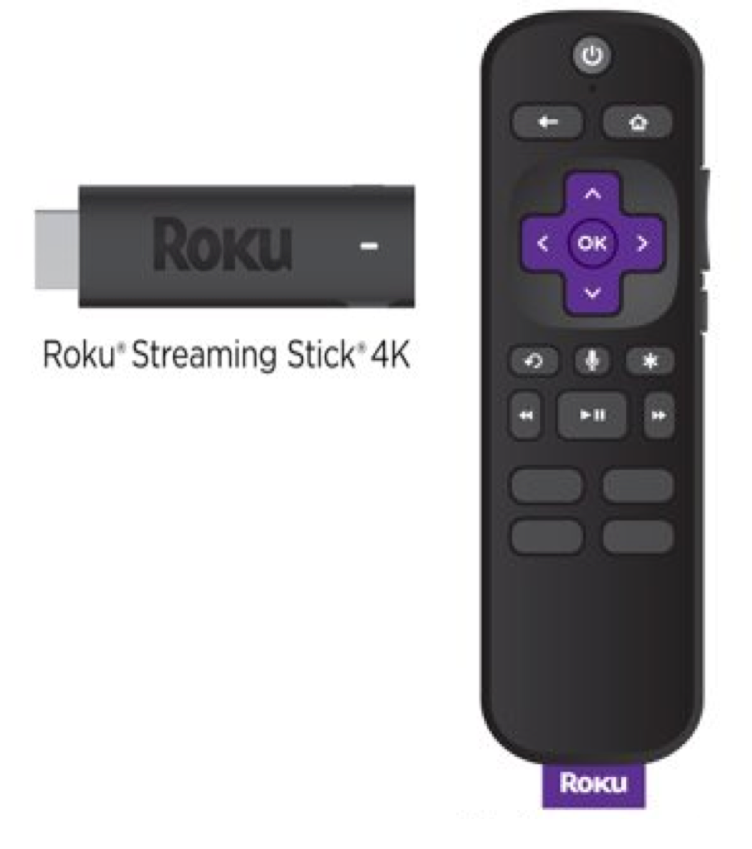
- Since several apps don’t work here, the Roku 4K Stick really only interesting if you want to use Airplay 2. But the cheapest Roku Express HD box will suffice for that, which was recently offered at Amazon in Germany for only € 16.
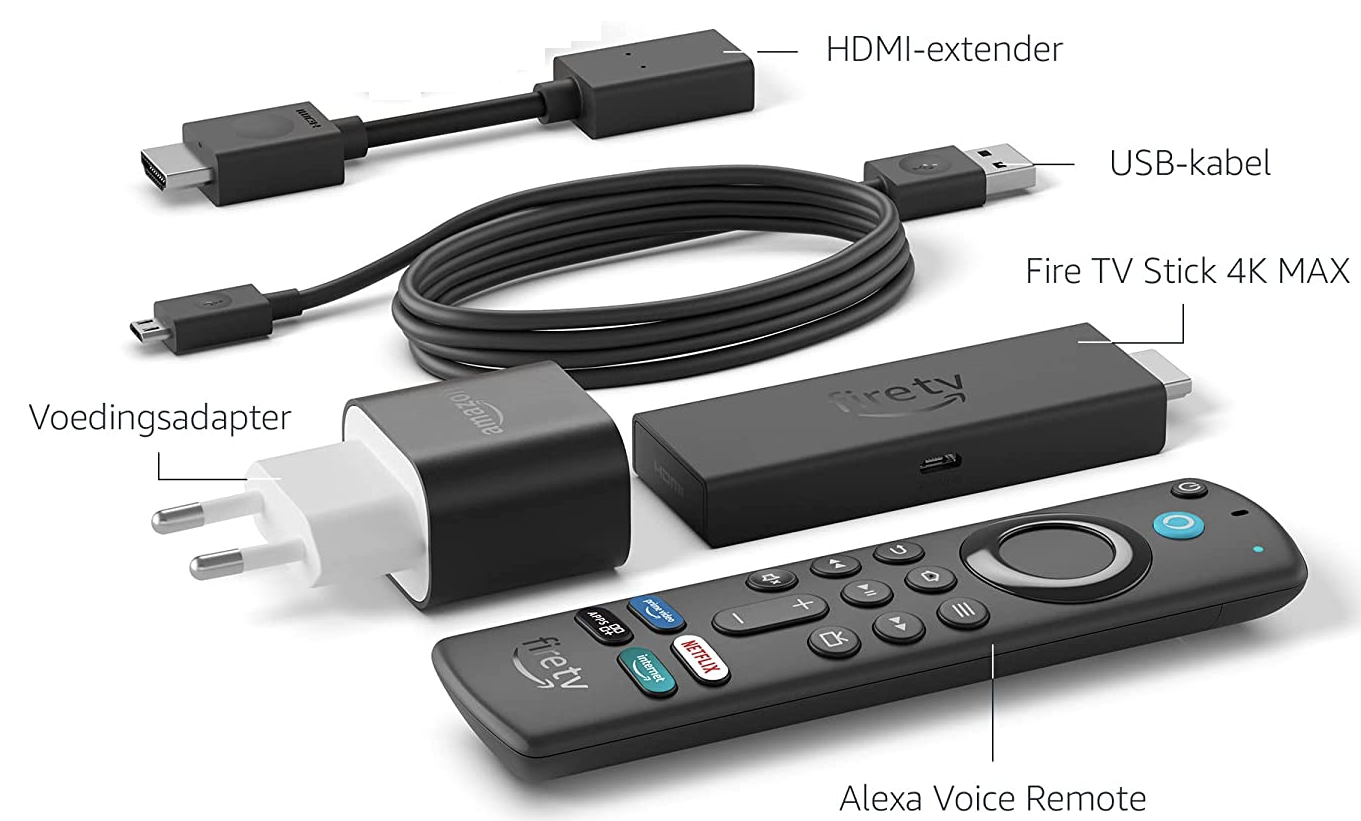
- The Firestick 4K Max is the cheapest and fastest new TV stick with Atmos sound and Wi-Fi 6. It also has the most features for users who are more handy with computers and enjoy exploring the many features.
- The Chromecast with Google TV is very user-friendly and gives excellent recommendations, but is quite expensive compared to the promotional price of the Fire TV 4K Max. A cheap alternative with the Chromecast function can be the Xiaomi TV Stick 4K with the new Android TV 11 software, Dolby Atmos and the Google Assistant, if Xiaomi now offers this version in Europe.
- For movie buffs, nothing beats the Apple TV 4K† It plays movies in all major streaming apps best at 24 frames per second in which they are usually recorded. With the other sticks you often see a slightly stuttering display during fast actions. You will see the least advertising and the larger storage space allows you to install many more apps and games. Please note that with an offer you do not buy the cheaper HD version that also includes the new metal-colored Siri remote control.
TIP:
Check whether your television has a USB port that outputs more than the standard 500 mA. Then you probably don’t need the supplied power supply for the stick and you won’t see an extra wire coming from behind your TV. The disadvantage of this may be that you can no longer switch on the TV with the remote control of the TV stick.
Control with your voice
|
||
|
All remote controls can be operated with your voice after pressing a button. This means that the device does not always have to listen to everything and it is of course also better for your privacy. When asked “What is the weather?” you can hear today’s weather in Dutch on the Chromecast with Google TV and you can also see the weather for the next eight days full screen. With the Apple TV you only see today’s weather and with the arrow up you see the weather for the next eleven hours. The “Tell a joke” command is always fun too: on the Firestick, you have to press the blue Alexa button for five seconds, after which you can give commands in English that weren’t always executed correctly. Fire TV, Google TV, and Apple TV remotes also let you control smart devices in your home with Alexa, Google Assistant, and Siri. The Roku remote only understands English and Spanish and can only be used in a few other countries |
REVIEWS
Below you will find 4 streaming sticks to keep your TV up to date.
| Screaming sticks | |||
 |
 |
 |
 |
|
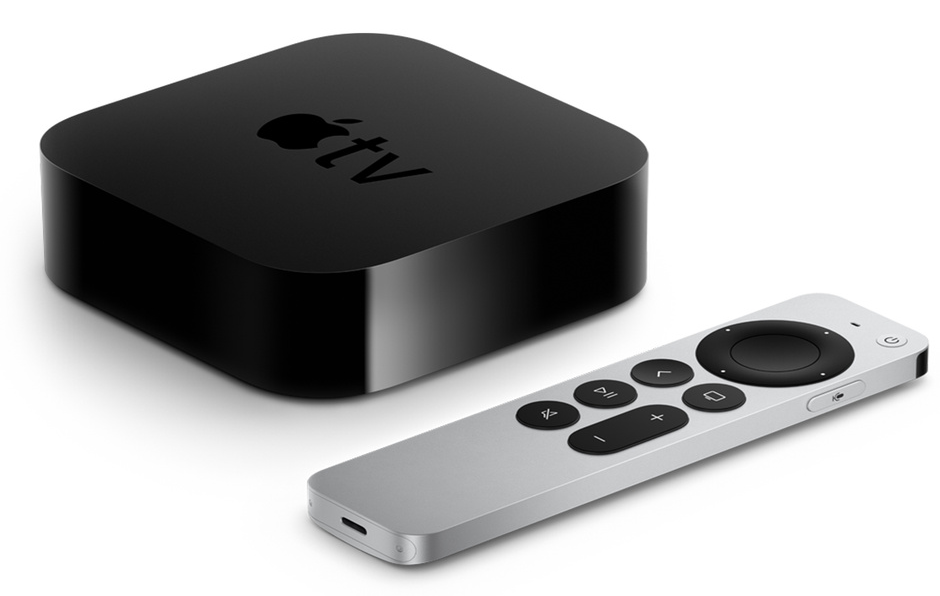
Apple TV 4K |
Chromecast 4K |
Roku 4K” |
Amazon Fire TV 4K |