

The web camera has of course experienced a significant revival in recent years.
By: Dennis Gandasoebrata
Of course you can use the standard software that comes with the camera or the built-in support in Windows, but with ManyCam you add extra functions to the camera. This is free software, with which you can not only set up a virtual camera, but also provide live streams.
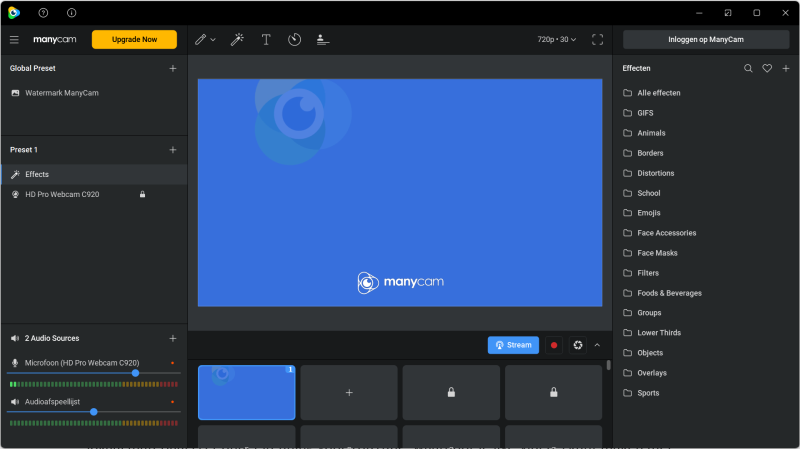
It is nice that you can use multiple video sources in the software: the software supports a maximum of 200 video sources. That can be cameras, but also other sources, such as your computer screen, previously recorded videos and images.
The aforementioned ‘virtual camera’ is also an option. You choose this ‘camera’ (for example during an online meeting) and can then feed various sources to this camera. Think of an image or video. This is shown to the other participants via the virtual camera.
In addition to local content, there’s support for YouTube, allowing you to create live videos using YouTube as the video source. Please pay attention to the applicable copyright rules. The mobile app is also handy: you can use your mobile phone as a video source. You can then ‘feed’ the stream to up to four different video sources, so that you are visible via different channels at once.
Product: ManyCam https://manycam.com

Platform: Windows
Pros:
* Virtual camera
* Source to feed to multiple platforms
* Simple in design
Cons:
* ManyCam Lite offers limited functionality