
You don’t have to settle for the standard iOS clock and alarm functionality. Instead, you can choose Alarmy.
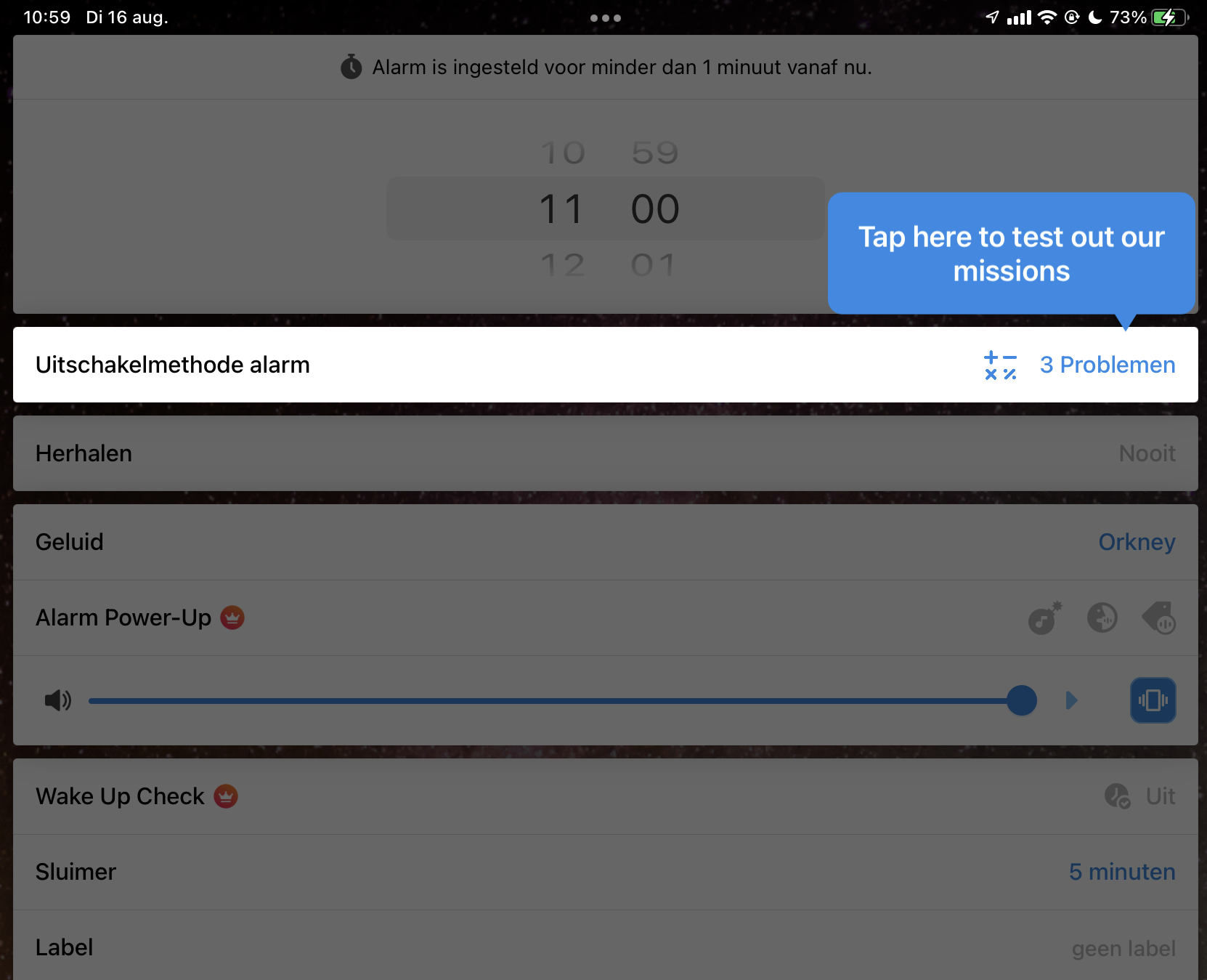
This app acts as an alternative to the built-in app. The program offers a number of useful options to better organize your day. First of all, with Alarmy you can choose a self-chosen ringtone for the alarm and also use self-recorded sounds or specific sounds (for example with a high volume). You can optionally indicate that alarm sounds should alternate automatically, so that you do not get used to them. Once the alarm is turned off, the app can provide a predefined list of news sources.
The app uses missions to make sure you actually wake up. For example, you are forced to physically leave the bed and go to another room (such as the bathroom) and show that to the app. For example, you may be asked to take a photo or scan a barcode. Instead of a physical move, you can also choose to wake up with some physical exercises or do some mental exercises, such as mathematical exercises. If you often fall asleep after the alarm goes off, you can activate the Wake Up Check. You will automatically be asked if you are awake, some time after the alarm has gone off.
Product: Alarmy (via Apple Store)

Price: from EUR 5
System requirements: iOS 13.0 and above
Language: Dutch, English