
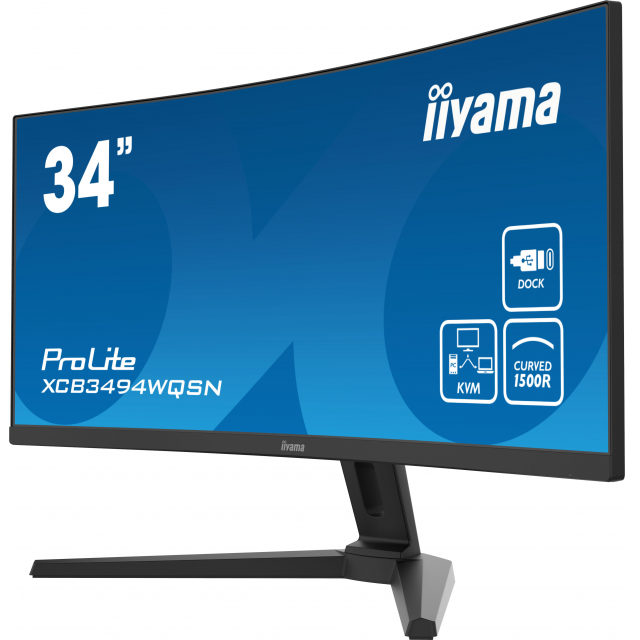
With the new webcams from iiyama and an iiyama monitor you can achieve a total solution for meetings. Read the review of the iiyama ProLite XCB3494WQSN-B1 and UC-CAM80UM-1 here.
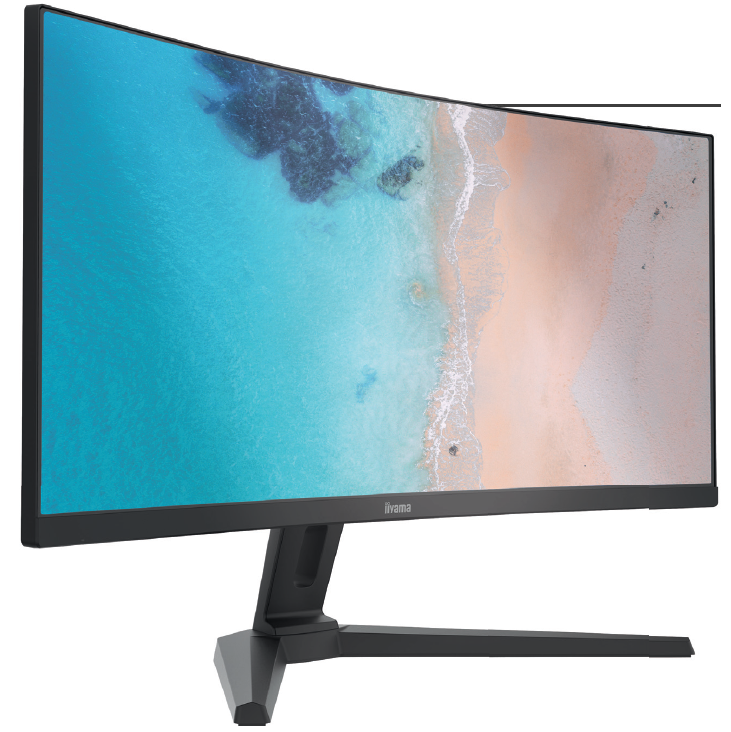
Recently, iiyama introduced a new range of webcams and speakers, which should ultimately provide a personal meeting experience. The five webcams and two speakers are suitable for a variety of environments, from the home office to large meeting and boardrooms. We started with the iiyama ProLite XCB3494WQSN-B1 and the UC-CAM80UM-1.
Iiyama ProLite XCB3494WQSN-B1
The ProLite XCB3494WQSN-B1 is a new 34-inch VA screen with a curvature of 1500R. This is a mild form of curvature that fits well with an extra wide screen and fills your field of view well. A curved screen is also very useful for office work, with the exception of activities that require straight lines, such as photo and video editing.
The matte VA screen has a resolution of 3440 x 1440 pixels (UWQHD) and corresponds to an aspect ratio of 21:9. VA (Vertical Alignment) is known for its superior contrast combined with wide viewing angles. The brightness of the panel is 300 nits, which is good for indoor use. The image refresh is 120 Hz and the pixel response time (MPRT) is 0.4 ms. Gamers are very happy with those values. Color support is 99% SRGB, which is fine for gaming and basic office work. The housing of the monitor is made of plastic in the color black, with the screen set in a frame with narrow edges.
Connections and ergonomics
There are three video connections: HDMI, where the refresh rate is limited to 100 Hz, a DisplayPort and USB-C with Displayport Alt Mode signaling that can handle up to 120 Hz. The video ports support FreeSync to prevent image corruption.
A USB hub and a KVM (Keyboard, Video and Mouse) switch are built into the monitor.
All systems, including keyboard and mouse, are connected to the monitor via USB. The Input switch and the joystick switch between the systems, so you don’t have to plug cables.
The USB-C port also provides 65W of power for the laptop. RJ45 LAN connection is also available via the USB hub, a 3.5mm audio jack is available for headphones. There are 2 x 2W speakers that produce a moderate sound. The OSD in other words On Screen Display –controls are located at the back right of the screen and are operated by a joystick and buttons. This is somewhat difficult to operate and takes some getting used to.
The ergonomic settings are the height adjustment over 13 cm and 23 degrees tilt. Rotation is only possible by moving the monitor via the base. The power, USB, HDMI, DisplayPort and USB-C cables are included. The energy consumption is 56 watts and in standby 0.5 watts.
Conclusion
We have connected the monitor to a laptop and see a surprisingly clear and sharp image with beautiful, natural color reproduction. The wide curved screen provides an intimate experience. This monitor is highly recommended given the quality of the image and recommended price.
 Product: iiyama ProLite XCB3494WQSN-B1

Pros:
* clear image with correct color reproduction
* built-in KVM switch
* cannot turn on foot
Curved screenCurved screens give a panoramic effect, which means that more depth is experienced. They come with a predefined curvature expressed in mm of a radius. With a curved screen, you sit in the middle and because of the curvature, the distance to your eyes is the same across the entire screen, so you don’t have to move your head too much, which also prevents RSI. To increase the panoramic effect, curved displays are always quite wide, so that you can enjoy the image to the fullest and, in effect, be drawn into it. This increases the experience, especially with games. |
iiyama webcam UC-CAM80UM-1
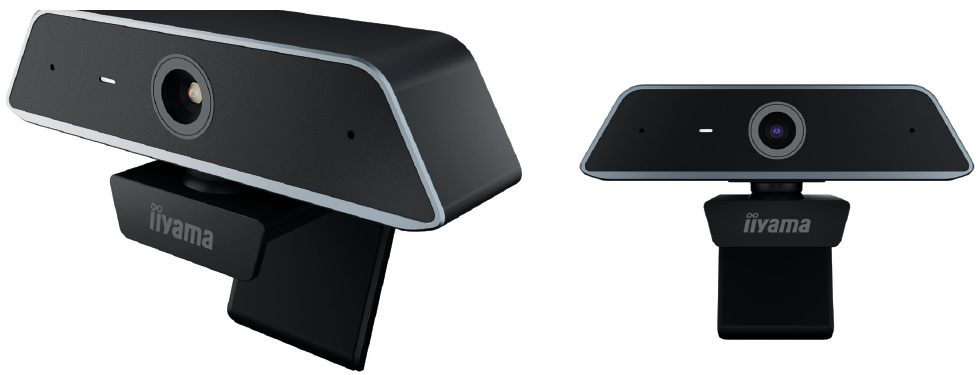
The UC-CAM80UM-1 is a 160 gram trapezoidal webcam with a base that can be clamped to the top of a screen. The webcam part is flexibly mounted on the base, so that the webcam can tilt slightly (10 degrees) forward and backward and can be aimed horizontally. At the back is a USB-C connection that you can connect to a USB-A port with the 1.5-meter cable. Next to the camera eye, which is equipped with a lens with F2.2 brightness and a 13MP sensor, are two holes for the dual microphone with noise reduction. According to the specifications, the image uses 2D and 3D noise reduction technology so that a good image is visible even in moderate lighting. The angle of view is 80 degrees, so that they are also clearly visible during a meeting with several people. Autofocus on faces ensures that the right subject is always in focus.
Connect
The webcam is immediately recognized as soon as we connect it to a USB port of a Windows laptop. The Windows Camera app immediately sees an image, so that the webcam is suitable for all known video conferencing programs such as Teams and Zoom. A photo of the screen gives a 4K picture of 3840 x 2160 pixels. The streaming is performed at 30 fps (frames per second), also at the lower resolutions 1440p and 1080p. It is immediately noticeable that the image is sharp. A point of attention is that the camera cannot process backlight properly and the subject then looks dark and gloomy. No setting has been found to adjust that, so make sure there is no backlight when using it. The autofocus works fine. We record the sound with Audacity and on playback it sounds loud and clear without background noise: even at a distance of about 4 meters, the sound remains perfectly intelligible.
Conclusion
In itself, this is a webcam that provides a clear, sharp image, but does not correct backlight. The microphone sound is fine, even over a longer distance.
Product: iiyama UC-CAM80UM-1

Pros:
* high resolution in combination with a beautiful, large image
* Integrated KVM switch and USB-C dock
* does not handle backlight well