
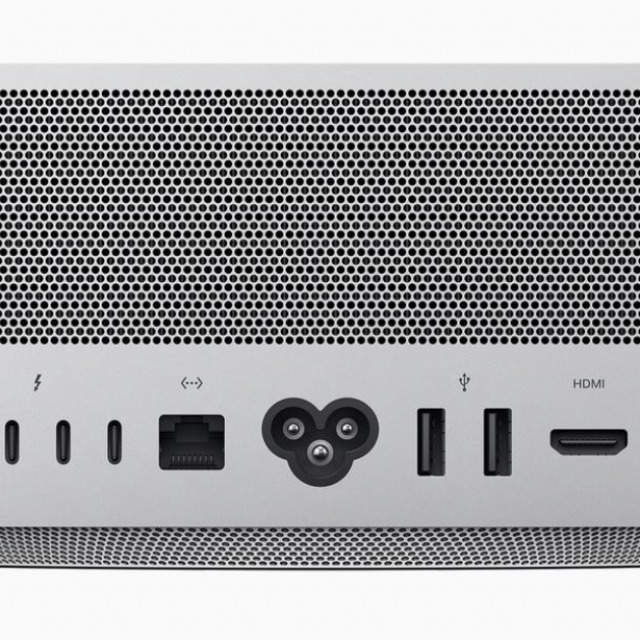
With the new Mac Studio, Apple recently launched a new workhorse for demanding users. Learn more about this powerhouse and other Apple devices such as the iPad Air and MacBook Air here.
Bert van Dijk
Apple recently released the new Mac Studio. At 2329 euros, the basic version with 32GB of RAM is about 1000 euros cheaper than the most comparable 16-inch MacBook Pro model with the M1 Max processor. In short, no computer for Jan and everyone. Since Apple switched from Intel processors to its own M1 processors, Mac sales have risen sharply. For less than 1000 euros, the Mac Mini and the MacBook Air offer a surprising amount of computing power with low power consumption. The Macs with M1 processors even consume 2 to 3 times less power than predecessors with Intel processors. Entrepreneurs with a lot of computers can thus save considerably on their energy consumption. You can also work on your MacBook for much longer while on the road.
Because there are few users who work with large video files every day, the MacBook Air offers more than enough processing power for most private buyers. Even if you are sensitive to computer noise, it is best to choose the quiet Macbook Air that will probably be equipped with the new M2 chip sometime at the end of 2022. This upgrade is also expected for the Mac Mini. That is not really necessary yet, because with the M1 processor, the MacBook Air and the Mac Mini are very fast and economical.
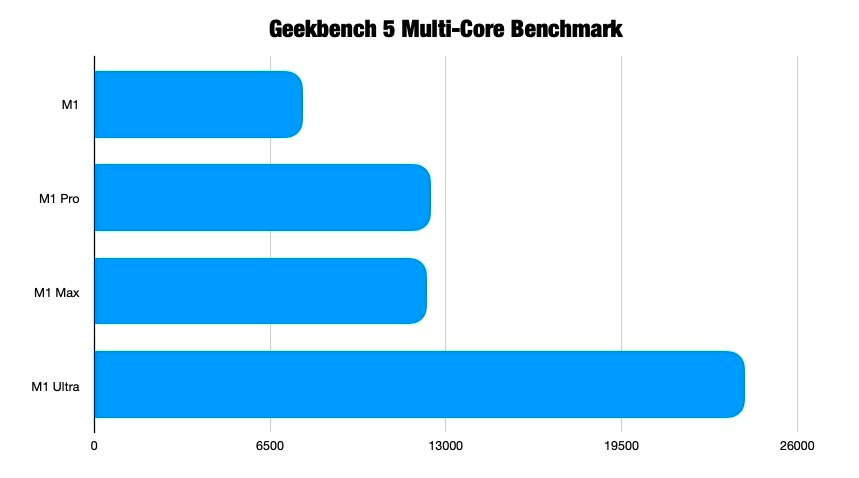
Major differences between Apple’s proprietary processors when using multiple cores (source: Apple Insider)
iPad also very useful for Mac users
To take advantage of the M1 processor, you can now even purchase an iPad Air for less than 700 euros. You can now also use such an iPad very conveniently as a second screen with your Mac. Of Universal Control you can even control the iPad apps from your Mac’s keyboard and trackpad. As far as I’m concerned, the iPad Air is currently the iPad with the best value for money. And if you look at what most users do with their computer, they could already do everything they need with the cheapest iPad of about 380 euros and a bluetooth keyboard + mouse. It’s very easy to keep everything up-to-date so that you can safely handle your banking matters. You can also work fine with 2 apps side by side and there are endless apps that are neatly adapted for the larger iPad screen.
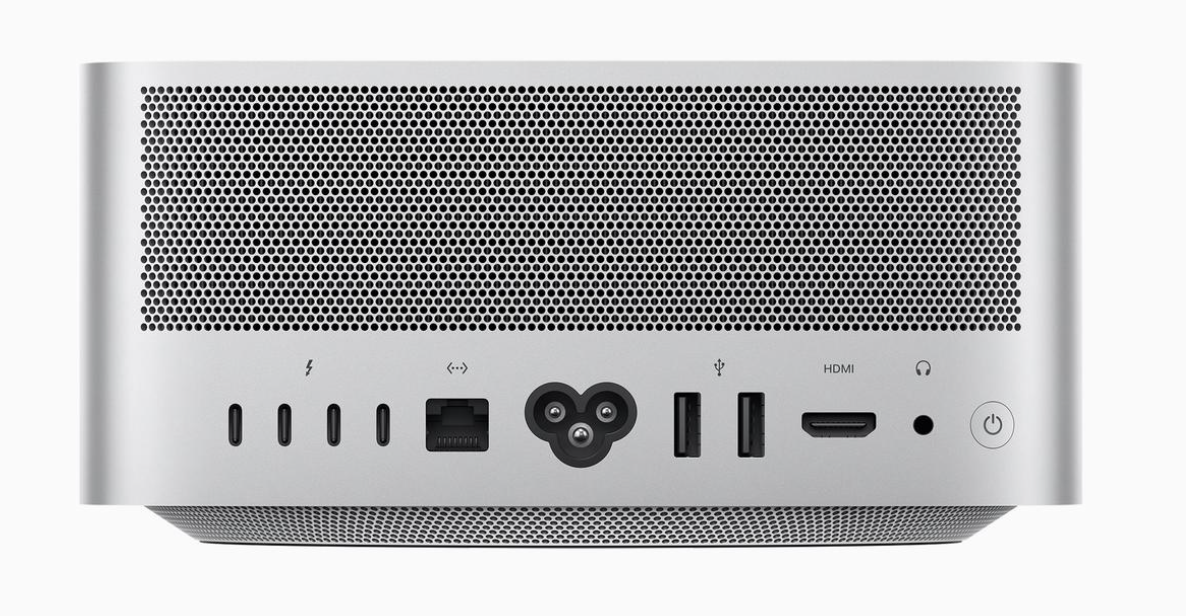
The Mac Studio looks like a tall Mac Mini with extra connections
Mac Studio, for whom?
Heavy video operations are performed many times faster thanks to the M1 Max or M1 Ultra chip. The M1 Ultra is equipped with 2x faster RAM for speeds of up to 800 GB/sec. Business users who often need this power will quickly earn back this device. A big advantage of the Mac Studio are the many Thunderbolt 4 connections on the back for speeds up to 40 Gbps in addition to two USB-a connections. Also very handy on the front are the SDXC card slot and the USB 3 (on the M1 Max) or Thunderbolt 4 (on the M1 Ultra) connections. With a Kensington lock on the bottom, you can secure the Mac Studio with an anti-theft cable.
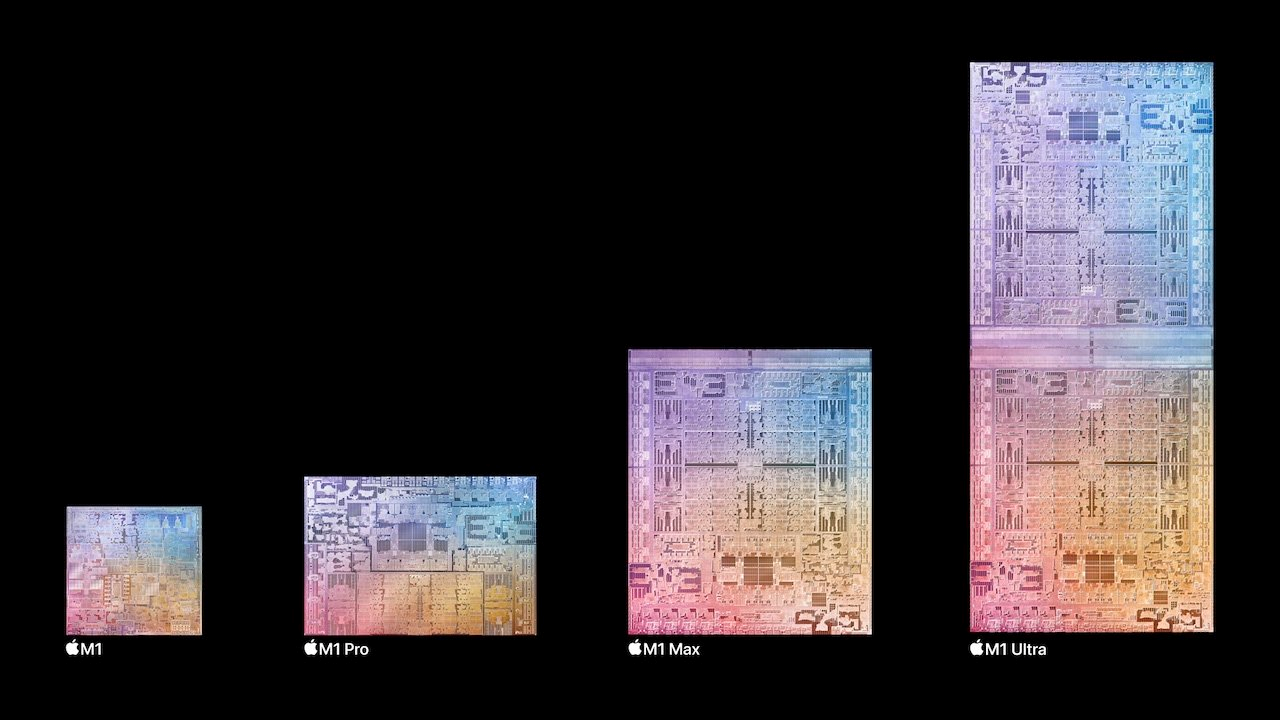
Apple’s processors contain more and more processor cores
With the Mac Studio you need a keyboard, trackpad or mouse. Apple’s trackpad works much nicer than Apple’s mouse that you still have to charge at the bottom. Because keyboards often cause problems over time, you can also see that as an advantage for use in a permanent place. You also need a screen with an HDMI or USB-C connection. Apple is happy to sell you their new 27-inch Studio Display screen for 1,779 euros, which you can further expand for 550 euros with a height-adjustable foot. For the price of that foot, however, you already have excellent screens from, for example, Dell, LG or Samsung. You can easily connect a TV or other 4K screen with 60Hz image refresh via the HDMI connection on the back. Compared to Apple’s Pro XDR screen with mini LEDs that cost more than 5,000 euros, it is relatively cheap again. The Studio Display contains a 5K screen with 60Hz image refreshment that has a built-in camera that follows your movements and is equipped with a good speaker. In addition to a Thunderbolt 4 connection, the screen has 3 extra USB-c ports.
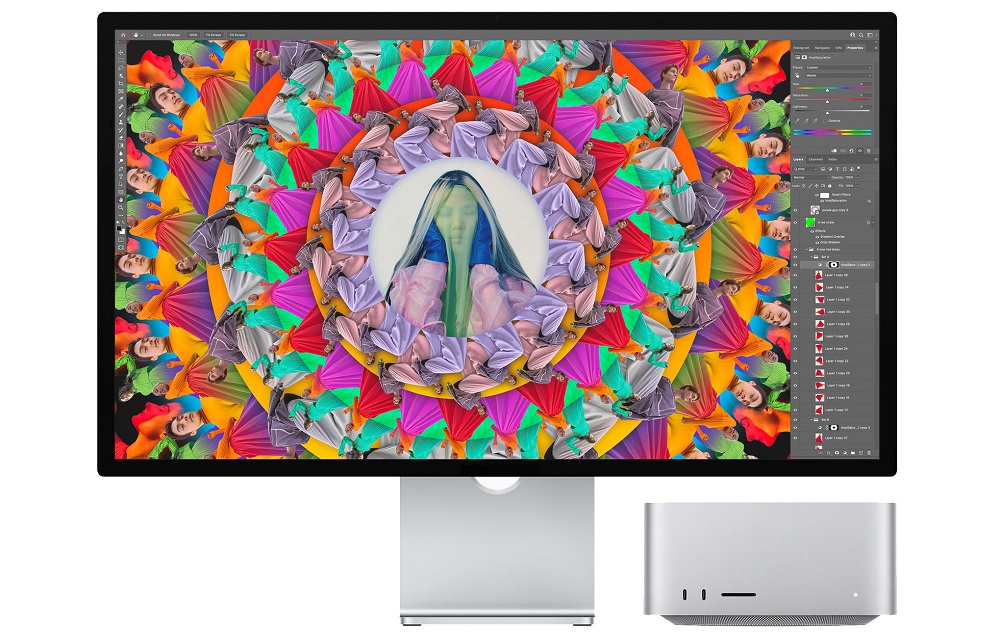
The Studio Display screen includes a built-in camera and six speakers
The top model with the M1 Ultra processor actually consists of two M1 Max processors that work together very quickly and is also slightly heavier due to a larger cooling. With a starting price of 4629 euros, the price of this racehorse is so high that probably few private individuals will buy it. Compared to the Mac Pro, it is a faster and cheaper computer. As the name implies, it is more of a computer for creative studios that often work with heavy video files and graphics programs. Because the graphics chip is part of the M1 chips, it is not possible to use an external graphics card.
Benchmark comparisons show that the Mac Studio with the M1 Ultra chip is quite similar in performance to an AMD RyzenThreadripper 3990X processor that costs € 4718 alone, and then you still have to buy a decent video card. The performance gain of the M1 Ultra compared to the M1 Max is so small for most users that it does not justify the purchase of the top model with the Ultra M1 chip in my opinion. Some reviewers have noted that you can often hear the cooling fan in the Mac Studio running in the background. Due to the long delivery times, we have not yet had the opportunity to test the Mac Studio ourselves. We have already had very positive experiences with the M1 Max processor in a heavy MacBook Pro version, which also turns out to be a bit quieter.
Extra saving tips
A general piece of advice that applies to most Apple computers is: avoid the cheapest and most expensive versions. You benefit more from a computer with some extra RAM (you can’t expand that afterwards with the Mac Studio, too) than a configuration with a lot of extra storage space. After all, you can easily expand storage space with external SSDs.
The fact that Apple computers are often just a bit more expensive, you earn back in practice because they retain an attractive residual value for longer. Because the hardware and software come from the same manufacturer, everything continues to work very smoothly due to the regular updates. The good cooperation between Macs, iPad, iPhone and Apple Watch is also a big advantage. For example, it is very useful to automatically log in to your Mac via your Apple Watch.
With our monthly tip lists and online meetings of HCC!apple you will receive many extra tips so that you don’t spend more than necessary. Anyone who is already a member of HCC can add HCC!apple to their membership for only EUR 2.70 per year in order to take maximum advantage of our tips.
Bert van Dijk
Volunteer apple.hcc.nl