
By now, more and more people have Windows 11 on their computers and Microsoft recently released the first major update for Windows 11, KB5010414. Read here what it means and how to download it, because this feature update is not an automatic update.
On February 15, the first major Windows 11 update was released by Microsoft, as you can see in the image below. This feature update can be found as KB5010414 and comes with a large number fixes (repairs) for problems in the first version of Windows 11. It should be noted that those problems were actually not too bad… However, if you go through the list of improvements and fixes or update features, you realize that Windows 11 might be a bit too released early by Microsoft. In quite a few cases we don’t talk about fixes, but about making up for overdue maintenance. Once again, the links with Microsoft Office and Microsoft Teams have been further implemented. So quickly to Windows Update and immediately get that new version of Windows 11.
Download Windows 11 Feature Update
The Windows 11 feature update is a so-called preview release and that is not an automatic update. Microsoft automatically implements system and app updates with Windows 11 for security reasons. So you will have to search for the update via Windows Update: tap Windows Update in the search box or go to the Homepageclick on Institutions and then on Windows Update† There you will see all updates that are available or have already been installed. Updates under Windows 11 are therefore normally installed automatically, but you will have to download and install KB5010414 manually. 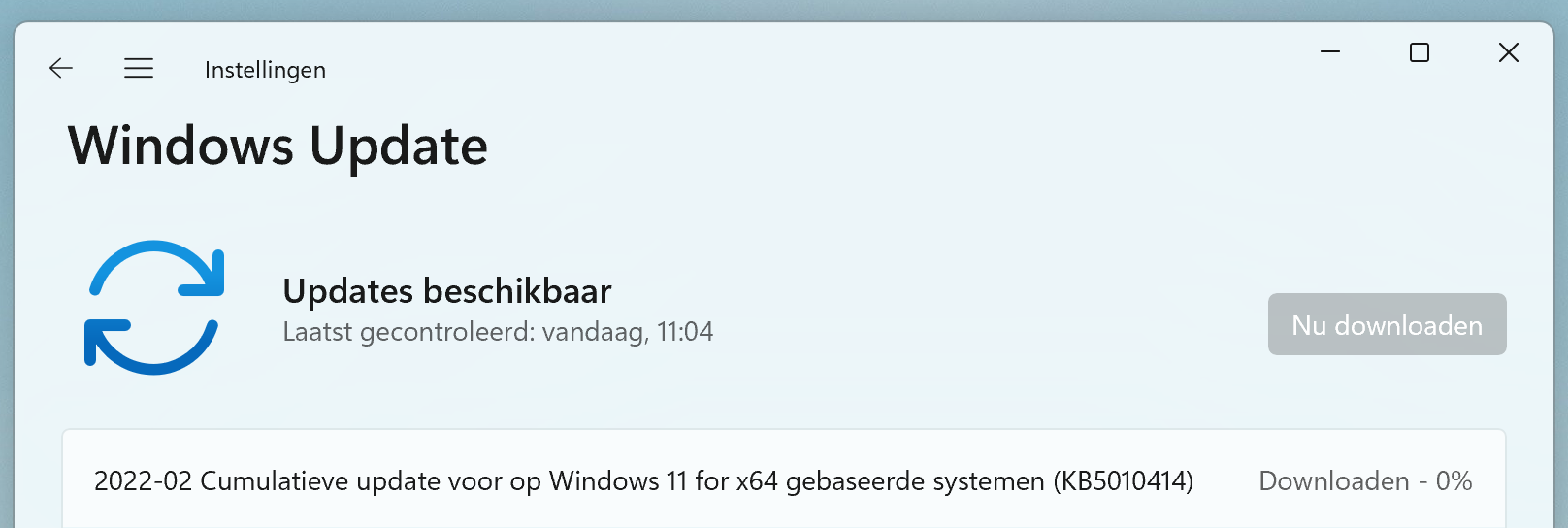
The latest version of Windows 11 can be downloaded and installed via the Windows Update function