
Since January 28, we are no longer tied to the modem that the internet provider supplies us. However, finding and connecting a suitable modem yourself is easier said than done. Read the main pros and cons for an alternative modem here.
Maikel Dijkhuizen
The approach to the internet has been the same for almost thirty years: customers take out a subscription and the provider then supplies all the necessary equipment to realize a working internet connection at home. A breeze, because on the basis of detailed instructions, new subscribers often only need to connect the modem router that was sent to them. The provider may also send a technician for the necessary connection work. This method does not change anything. However, it has recently become possible to install your own modem. How about that? And to what extent is this new option interesting for customers?
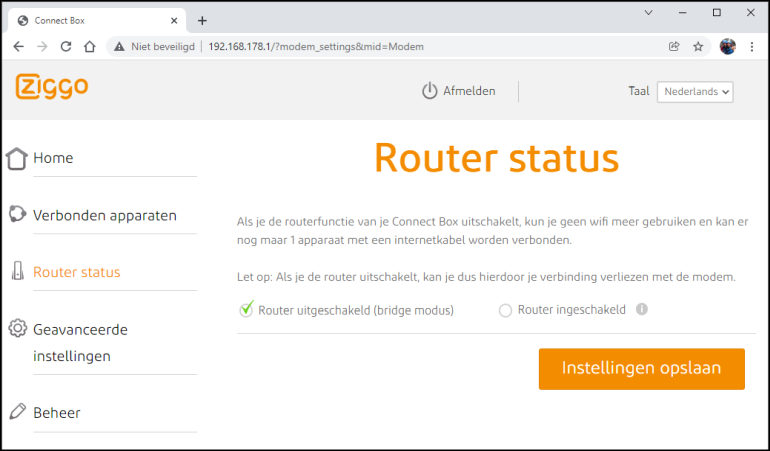
Bridge modeDoes the internet provider supply a (combined) modem router, but Does the internet provider supply a (combined) modem router, but would you rather use your own router? You can arrange this by activating the so-called bridge mode of the modem router. Switch off the integrated router function of the sent device, so that you can connect your own router behind the current modem. The existing modem simply remains active. Check with the internet provider for the exact instructions. Usually you can activate bridge mode in the management panel of the network device.
You use a combined modem router from an internet provider |
NEW REGULATIONS
The introduction of the free choice of modem did not just happen out of the blue. After years of resistance from various providers, the supervisory authority for Consumers & Markets finally got it done in the summer of 2021: from the place where the internet signal enters the home, the homeowner has free choice to set up the private network to their own taste. In practice, this means that customers can choose their own modem or router if they wish. Internet providers were given six months to prepare their services for this. From the end of January, the free choice of modem will be a fact. A provider such as KPN is therefore now obliged to support alternatives to the well-known Experia Box. Most internet providers always send their own modem router, but you are no longer obliged to use it.
ADVANTAGES
Why make it difficult when you can do it easily? Every internet provider is willing to send a suitable modem router with multiple physical network ports and a wireless connection (on loan). With that, the internet works immediately. The use of their own modem or modem router is therefore particularly interesting for customers with specific wishes. Think, for example, of supporting a faster WiFi standard or setting up a VPN connection for the entire home network. Demanding users also want full access to the network device so that they can customize advanced settings. For example, if you like to configure a firewall yourself, you will benefit from a modem router with more freedom. Incidentally, you can also combine your own router with the current modem (see box). That means fewer technical concerns.
CONS
Internet providers are not happy with the free modem choice. They are mainly afraid of a greater chance of malfunctions. In addition, providers cannot update third-party modems. The end user is responsible for the proper and safe operation of his own network equipment. That’s the crux of the matter, because most customers have insufficient technical knowledge to correctly configure the modem. So know what you’re getting into. In addition, the internet provider can (temporarily) close the connection if its own modem router is used incorrectly. If you have problems, the helpdesk will probably assist you to a limited extent or even not at all. So when you use your own network equipment, you are more or less on your own.
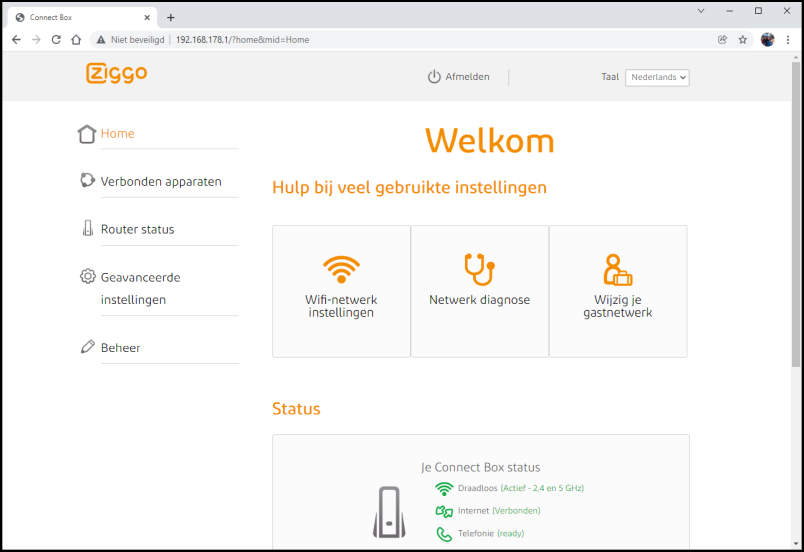 |
| Internet providers often provide modem routers with their own interface, such as Ziggo in this case |
SELECT MODEM
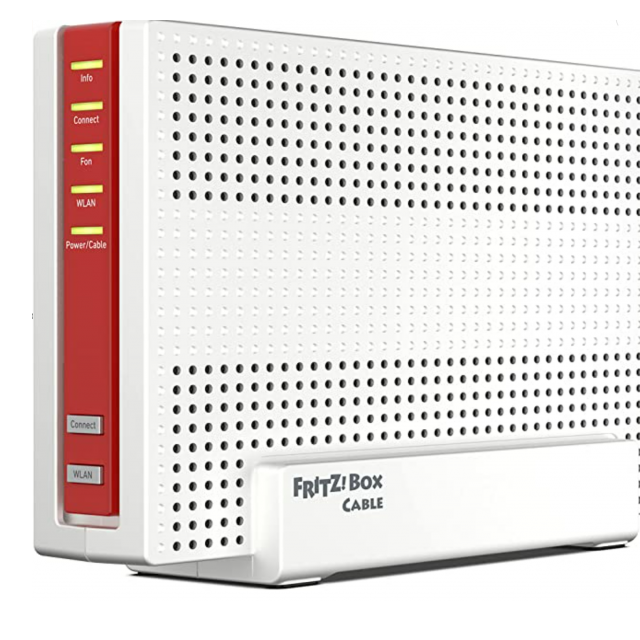
It is important that the intended network device is suitable for the available internet connection. Interested parties have the clean task of finding a capable modem for dsl, cable or fiber optic. Since January 28, every internet provider has been obliged to share the technical requirements of the network connection with customers. For example, KPN offers PDF files with lists of required standards on its website. In addition, this internet provider also has a so-called service tool with which you can request the network specifications of your home address. Other internet providers also provide such information. Based on this network data, it is possible to find a suitable modem, although that is quite a puzzle. In particular, the German company AVM (FRITZ!Box) manufactures various modem routers that are suitable for the Dutch market.
DO OR NOT OWN MODEM?
In countries where customers can already choose their own network equipment, only a small percentage use it. Presumably these are mainly technicians with specific wishes. For the vast majority of subscribers it is therefore not interesting to use their own modem. Modem routers from internet providers contain more than enough options for the average user. For example, in the management panel you can check which (wireless) devices are connected to the network and you can adjust the WiFi password if desired. If necessary, tune the 2.4GHz and/or 5GHz frequency band to a specific channel and activate a WiFi network for guests. Often you can also (at your own risk) open network ports and use UPnP (Universal Plug and Play) activate. In short, modem routers that internet providers provide on loan are fine for the majority of customers. Therefore, only consider your own modem if there is a specific reason to do so.
Useful LinksInfo Ziggo: ziggo.nl/customer service/devices/wifi-modems/eigen-modem |
||