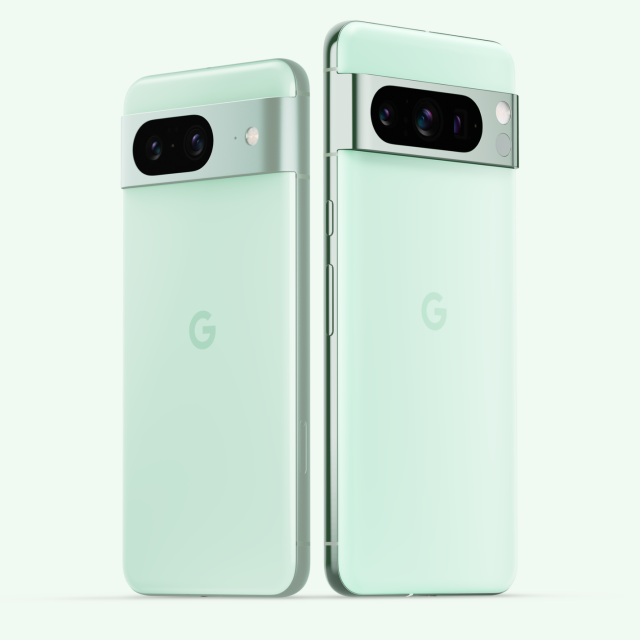
The Google Pixel 8 and 8 Pro are now available in Mint color. In addition, new functions Circle to Search and Magic Compose will be available on these Google smartphones from today.
The review of the Google Pixel 8 Pro was previously published and this and the ‘regular’ Pixel 8 are now available in a brand new, striking Mint color via the Google Store. Furthermore, new updates like Circle to Search (see also the article about the Samsung Galaxy S24 that has this) and Magic Compose even more AI-driven helpfulness to these phones. There are also new updates coming that make your Pixel phones even more helpful: from a new way to search on your phone to measuring your body temperature. These features will be rolling out today and in the coming weeks.
|
Take your temperature with the Pixel 8 Pro
The new medical feature in the Pixel 8 Pro’s Thermometer app lets you scan your forehead with your phone to accurately measure your body temperature. The results are easily saved to your Fitbit profile for better insight into your health and well-being.
|
|
|
|
Find anything on your phone with a simple gesture
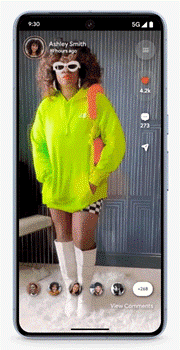
Circle to Search will launch on January 31 to make searching on your Pixel 8 and Pro 8 easier. Google AI introduces a new way to search on your phone, without having to switch apps. Press and hold the Pixel home button or navigation bar in the app you’re currently using and circle, highlight, or tap what you see to get more information from Google Search. Usage Circle to Search to find which clothes a creator contributed in a video, or to get extra help with a difficult crossword puzzle. This can all be done without leaving your app. And with the latest AI updates from multisearch, you can ask a more complex question about an image you’re looking for, such as whether a certain plant needs fertilizer.
|
|
|
|
Enhance your messages with Magic Compose for Google Messages
Use Google’s generative AI to rewrite a drafted message in different styles with Magic Compose, available on Pixel 6 and later phones. You can use this feature to make your messages more concise, more professional, or more dramatic – like Shakespeare. This is all possible on the Pixel 8 Pro thanks to Gemini Nano, Google’s most efficient model for on-device tasks.
|
|
|
|
Respond with a personal Photomoji
Would you like to respond to a message with a picture of you or your four-legged friend? Of Photomoji In Google Messages, you can turn your favorite photos into emojis on your device using Google AI. Select the photo, the app will then recognize the main object in the photo, and press send. Your creations are saved in a special tab so you can use them again. As a bonus, your friends in group chats can also use your sent Photomoji.
Share your content quickly
Earlier this month, Google announced an update to a beloved feature. Of Quick Share you can quickly share photos, files, and texts from your Pixel to billions of compatible devices across the Android, ChromeOS, and Windows ecosystem. Previously, Quick Share was known as Nearby Share. Tap the new one Quick Shareicon on the share sheet and you’ll see a list of nearby devices that you can share content with even when you’re offline. You have full control over your privacy and can choose in your settings who can find your device and send files: everyone, just your contacts, or just your own devices.
|
|
|
|
Audio Switch expands to Pixel Watch
Pixel Buds Pro connect automatically when you switch between paired devices – so you don’t have to switch them manually. Now you can switch your Pixel Buds Pro from your Pixel Watch to any Pixel phone or the Pixel Tablet, and get helpful notifications about where your audio is switching. This makes the experience of switching between devices even smoother.
|
|
|