
The makers of Bear make an app that helps you organize your thoughts.
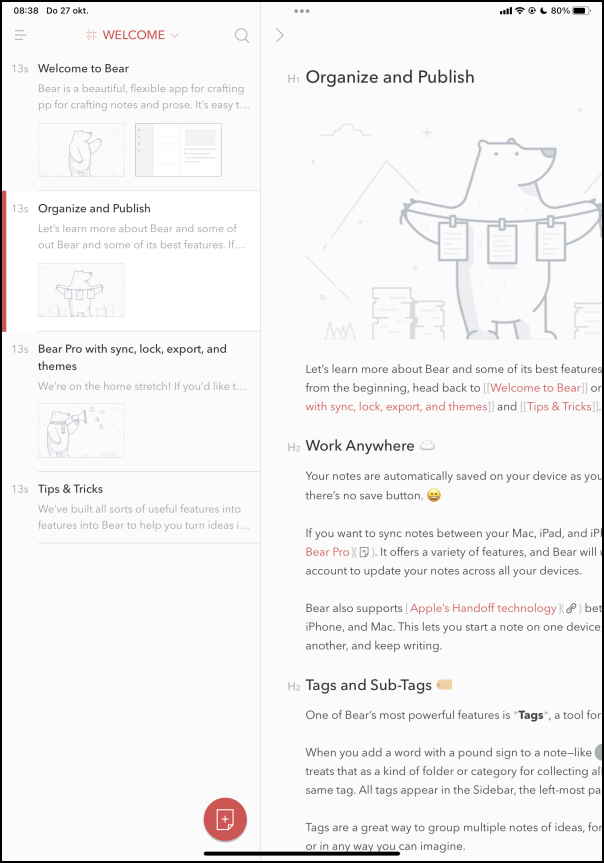
The app offers a focus mode, which ensures that you have as little distraction as possible while writing. You decide what look each note has. For example, you can make short lists without any frills, or opt for your own theme and typography, which gives the notes their own look.
You can pin messages that you want to read often or want to add to at the top of the list.
There is both a free and paid version of the app available. You can get a good end with the free version, but for more advanced functions you will soon have to rely on the paid version.
With Bear Pro you can encrypt and hide your notes, among other things. You get access via a password or via Face or Touch ID.
The wide support for file formats is striking if you decide to export your notes. For example, you can save your scribbles in PDF, Word and JPG format. You can also export them as an HTML file for online use. Bear supports iCloud: you can store your notes via the cloud and sync them with other devices.
Bear (https://bear.app)

Price: free (paid version € 1.50 per month)
System requirements: iOS 11 and above
Language: English