
Are you a video enthusiast and do you feel the need to subtitle certain videos? With Captionista you can add subtitles to video material.
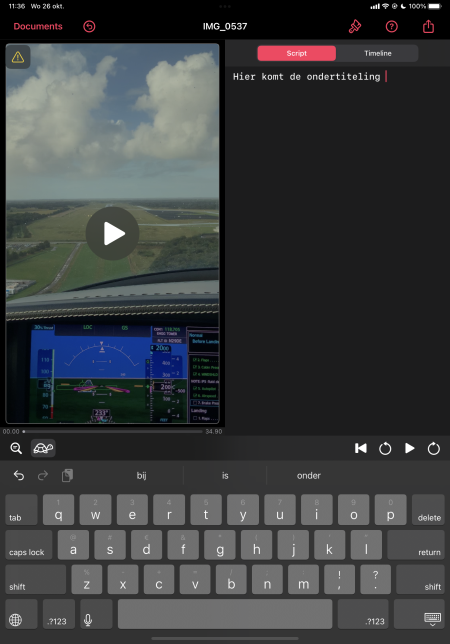
Nice: a free edition of the app is available. When subtitling, you have access to simple, but necessary functions. For example, you can adjust the speed of the titles so that they run synchronously with the image. You can also pull subtitles apart or merge them, depending on the scene you’re editing.
Captionista supports multiple styles, with which you can adjust the design of the video. You determine which font is used and choose a color scheme. This function comes in handy if you want to optimize the readability of the subtitles.
A paid version of the program is also available. This offers a number of additional options. This way you can further customize the subtitles with your own font and choose your own background styles. Once you have added the subtitles to the video, you can export the whole thing. Here you can perform a few basic actions, such as exporting the video without the audio. You can also ‘upscale’ the video if the source material is of low quality. The editor will then bring the video down to 1080p. If you have a large video, you can also do it the other way around: reduce the quality to an acceptable 1080p.
Product: Captionist (https://captionista.app)

Price: Free (paid version available)
System requirements: iOS 15.0 and above
Language: English