
If you have a Pixel phone, read on. With the new and especially compact app Magnifying glass (which is released by Google itself) you can use the phone’s camera to enlarge elements.
Dennis Gandasoebrata
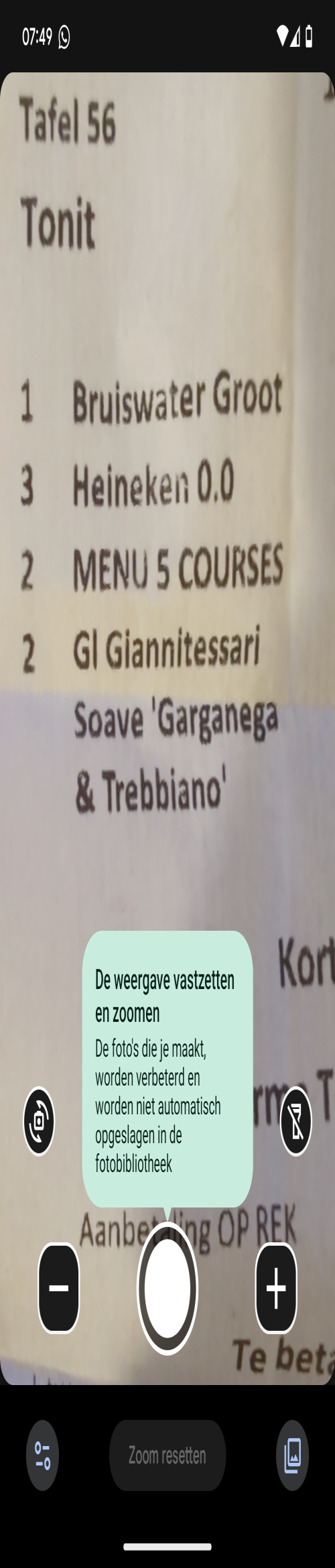
You point the camera at a small element (such as a nameplate or price tag) and can then not only enlarge the image, but also further optimize it. A good example of this is adjusting the brightness so that the enlarged elements also become clearer. You can also adjust the contrast.
The Magnifying Glass app also has a number of filters that you can use to make texts more readable (for example on a shop window). The phone’s built-in light is also used to make elements clearer. The app can reduce the brightness of the lamp, so that you are less bothered by reflections. For example, if you want to enlarge elements on a laminated menu in a dimmed room, such as in a restaurant. Furthermore, the app has few additional options. At the bottom we find a few standard buttons with which you can reset the set zoom and with which you operate the aforementioned light. You can use Magnifier for free. The app may also be made available for other Android phones over time.
Magnifying Glass (via Google Play)

Price: free
System requirements: Pixel phone
Language: Dutch