

On July 31, 2022, the highly anticipated and one of the most popular Linux distributions became available: Linux Mint version 21 ‘Vanessa’. What innovations can you find in this latest version?
Peter Brown
 |
|
|
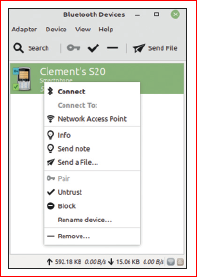
The Blueman bluetooth manager |
Linux Mint 21 is a distribution that will be supported until 2027. New are the updates, the new functions and the many refinements, resulting in a renewed user experience.
A new bluetooth manager
In Linux Mint 21, the module Blueberries is replaced by Blueman. Blueman offers more functionality, is better at supporting different desktop environments and has better linking options. The benefits are particularly noticeable with Bluetooth-connected headphones and sound profiles.
For Linux Mint 21, the Blueman user interface has been improved and the use of icon symbols added. Active development takes place in various Linux environments.
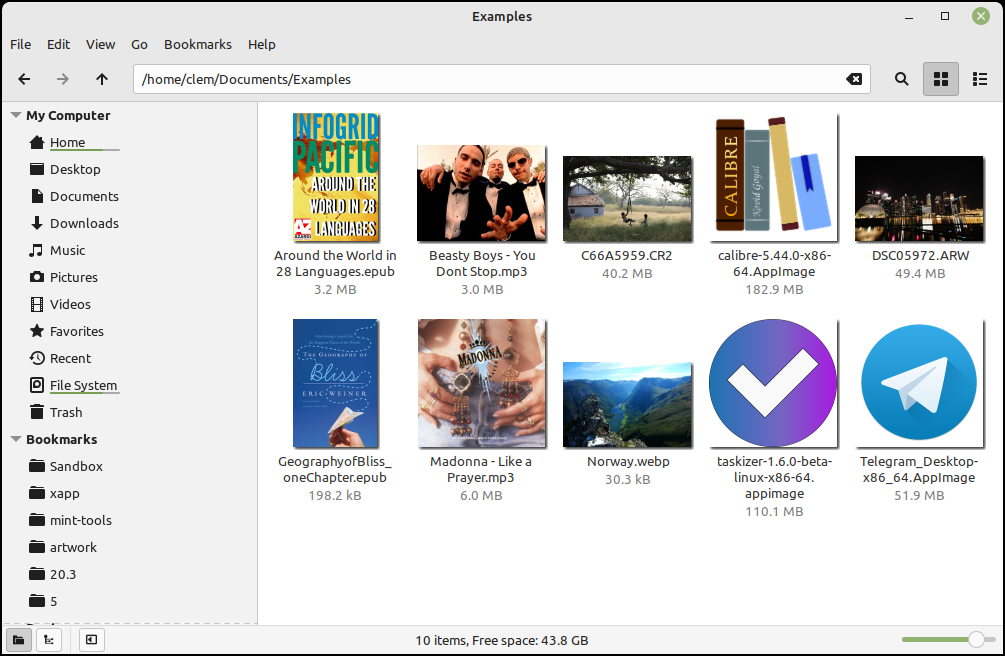 |
| Better icon support |
Thumbnailers
The absence of thumbnails for some commonly used file types has been addressed. A new Xapp project called xapp thumbnailerswas started and this has led to a better icon support in Linux Mint 21. The following file types are now supported with icon images: AppImage, ePub, MP3, RAW images, and Webp.
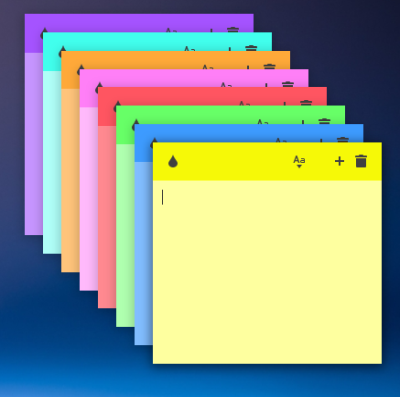 |
| Texts can be different fonts and sizes |
Sticky Notes
The application Sticky Notes now supports copying notes. Sticky Notes can assign different colors to new notes. This can now be done cyclically through a color set. A click on the new note icon in the system tray displays a new note if one was not already present. The position of a new note is related to its predecessor.
New Process Monitor icon
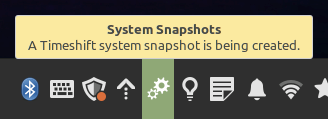
A very handy tool for every type of user is the new one icon for monitoring running processes. It provides insight into processes running in the background. If your system is a little slow to respond, this is the place to look to see what might be going on
 |
|
|
become running processes |
Enhancements XApps
Timeshift is now an XApp with direct support from the Mint team. In rsync mode, the required storage space is calculated in advance. If the available space is less than 1GB, there is not enough space to store the backup and it will be skipped.
Furthermore, Xviewer, Warpinator, Thingy, and WebApp manager feature improvements such as smooth slideshow, folder browsing, and user interface improvements.
Cinnamon 5.4
Linux Mint Cinnamon has undergone several not immediately visible but important changes. The standard windowsmanager Muffin is now based on the new base Mutter 3.36 to achieve uniformity of the graphical interface. Some minor changes to the user interface, such as themes and animations, have also been made. In Cinnamon 5.4, all windows like Mint-X and Mint-Y are now GTK themed to even out the minor differences that were in the previous version. The rounded corners are now available everywhere for a fresher look.
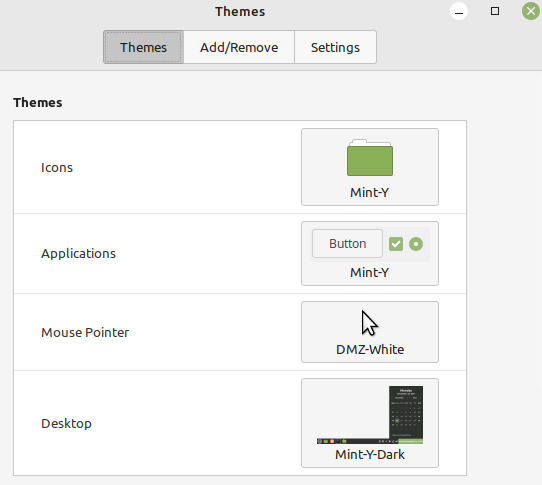 |
| Theme settings |
The Window animations have been improved but it is no longer possible to set this yourself.
vprinting and scanning improvements
Linux Mint 21 uses IPP, which is also known as Driverless Print and Scan. Allows most printers and scanners to run without the drivers from the hardware supplier. The devices are detected automatically. If IPP turns out not to work, you can reactivate the old method. You can disable driverless printing/scanning by removing the ipp-usb and airscan packages. After this you install the drivers from your supplier. See: https://linuxmint-user-guide.readthedocs.io/en/latest/printers.html.
 |
|
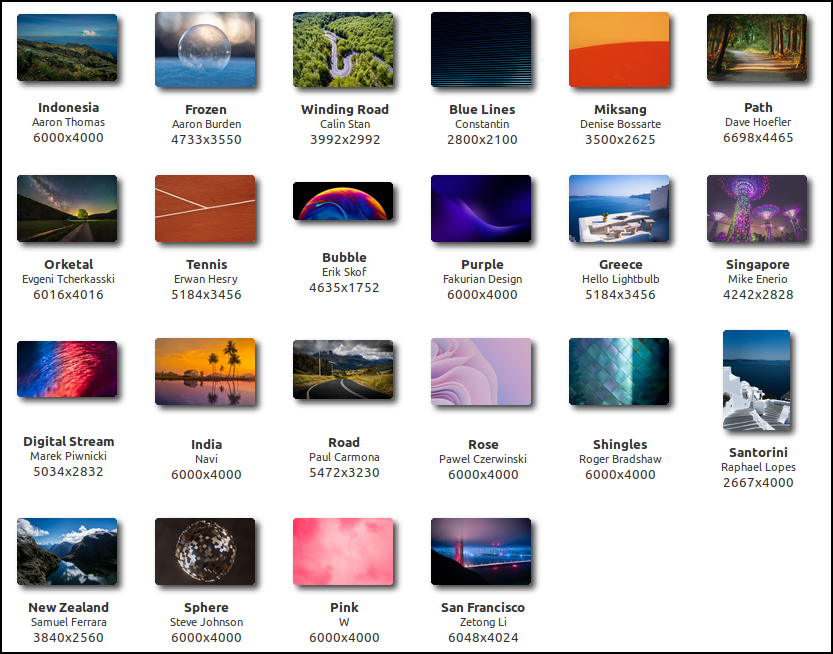
Overview of the new desktop backgrounds |
Other improvements
Removing an installed application via the menu (right click -> uninstall) now triggers a dependency check for that application. To prevent important components for other applications from being removed as well, an error message is generated when a dependency is detected.
Linux Mint 21 brings a new collection of wallpapers and includes Cinnamon 5.4, a Linux kernel 5.15 and an Ubuntu 22.04 package base. It will continue to receive updates until April 2027.
New Upgrade Tool
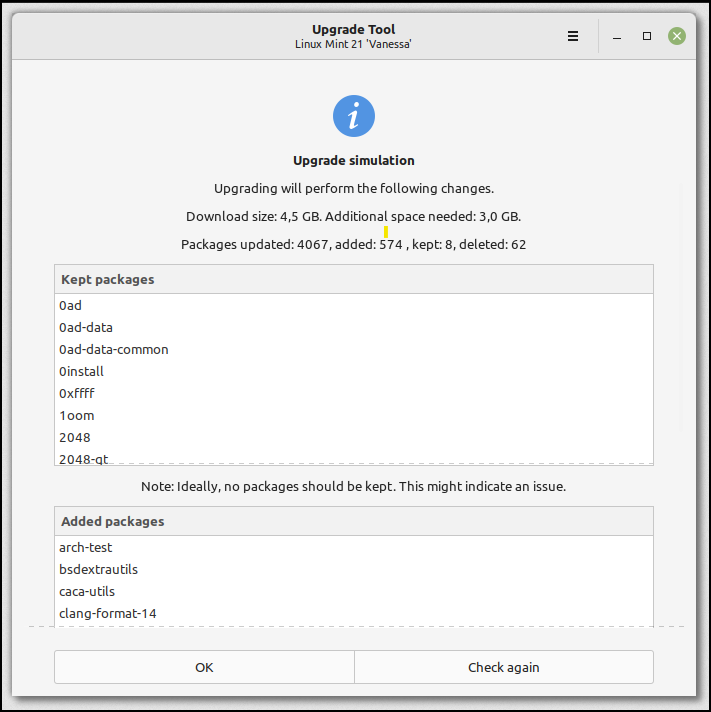
The updatefeature for current users of Linux Mint Cinnamon 20.3 is still in beta. This tool is still under development and not yet released. Use at your own risk! But here’s what’s coming: “Existing Linux Mint 20.3 users can easily upgrade their system by using the new GUI-based upgrade tools. This one tools shows a list of packages to update/install. PPA packages from third parties are also checked.”
 |
|
Upgrade Tools |
Conclusion
Linux Mint Cinnamon 21 brings a number of technical and graphical improvements, without affecting the necessary hardware. The specifications of the previous version still apply (minimum 64 bit architecture, 2GB RAM, 15GB free disk space).
The new solution for driverless printing and scanning (IPP) can in practice solve the regularly recurring link problems of the past. Plug and Play is nevertheless very pleasant.
We are eagerly awaiting the new one upgrade toolsbecause that will make it very easy for us.