
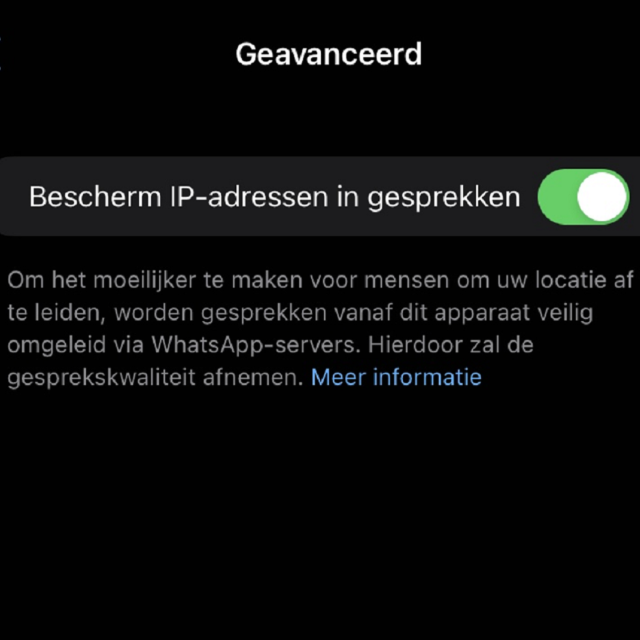
WhatsApp has a new feature to better protect your IP address against hackers. This new feature provides extra security for your data while calling. Read here how to enable this.
Bram Veldt
Almost everyone uses WhatsApp to send messages or a nice photo and/or video. This WhatsApp traffic is very well secured via the servers of Meta (parent company of WhatsApp), so that others cannot read your messages. Meta itself cannot read your messages either. However, there are also plenty of people who use WhatsApp to make calls and this calling traffic via WhatsApp is less secure. WhatsApp immediately connects you to the person you are calling, so Meta’s servers are not used. This has the advantage that there is better call quality and it is still reasonably secured, but not sufficient: conversation partners can still obtain your IP address. WhatsApp therefore has a new function to send conversations via Meta’s servers and thus better protect your IP address. Earlier this year, WhatsApp also introduced the chat lock feature that protects your most personal conversations with an extra layer of security.
Step-by-step plan to protect your IP address
WhatsApp is now offering new protection for your IP address to make obtaining your data much more difficult. You set it like this:
1. Make sure you have the most recent version of WhatsApp installed on your smartphone
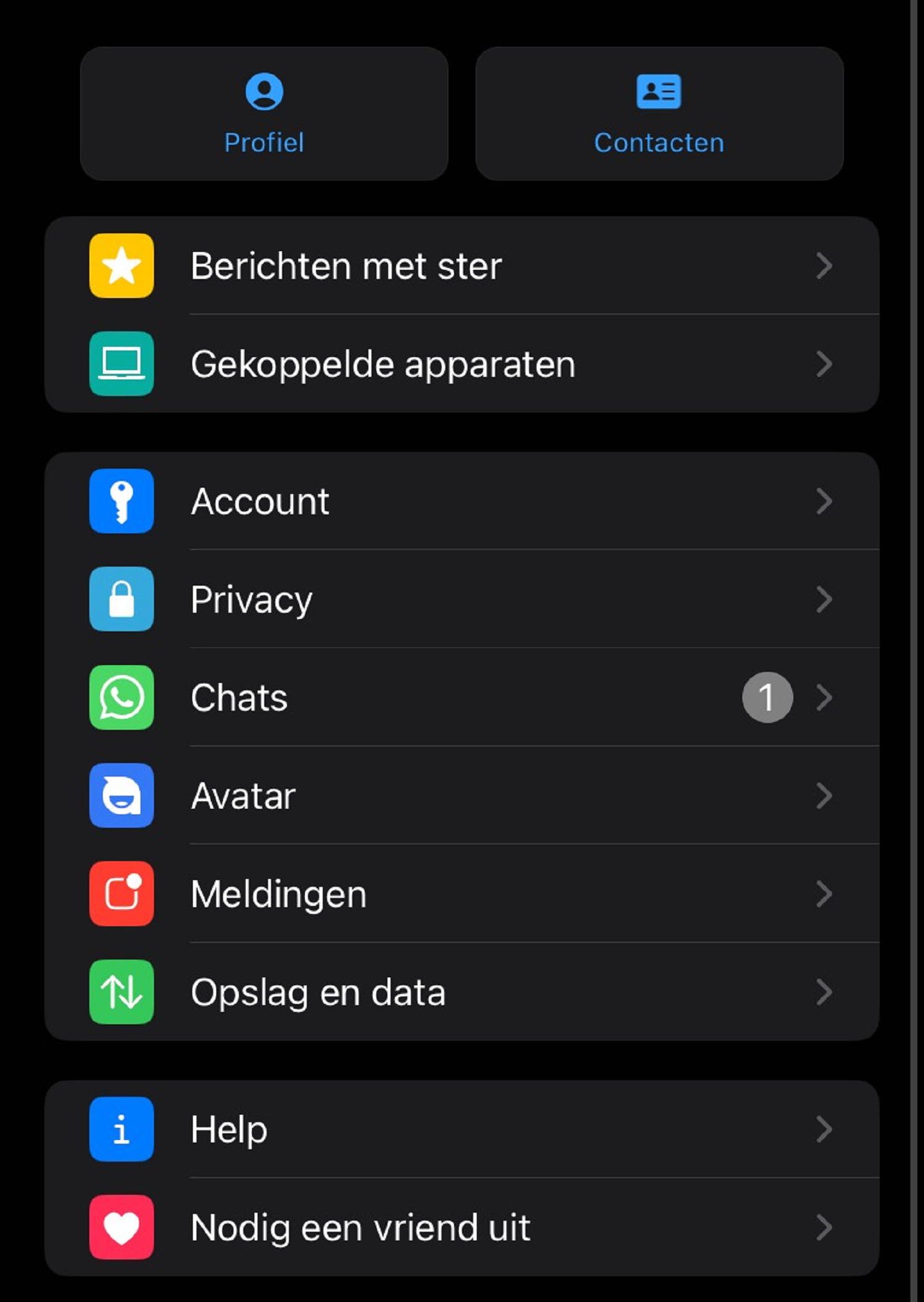
2. Open WhatsApp and go to Institutions by clicking on the 3 vertical dots at the top right and then Institutions to push (article continues below the image):
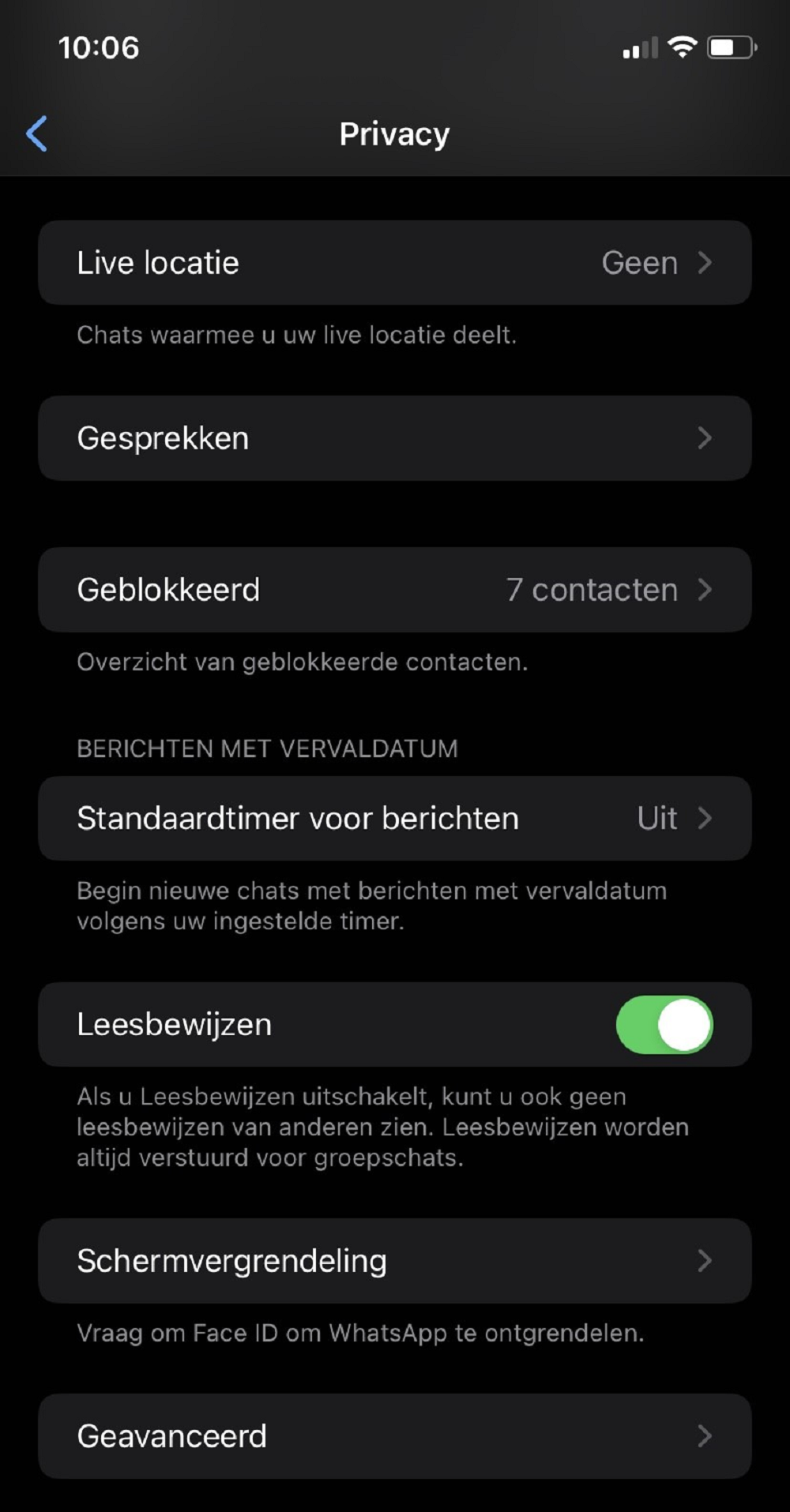
3. Select Privacy and then Advanced (article continues below the image):
4. Click Protect IP addresses in conversations to enable the feature (article continues below the image):
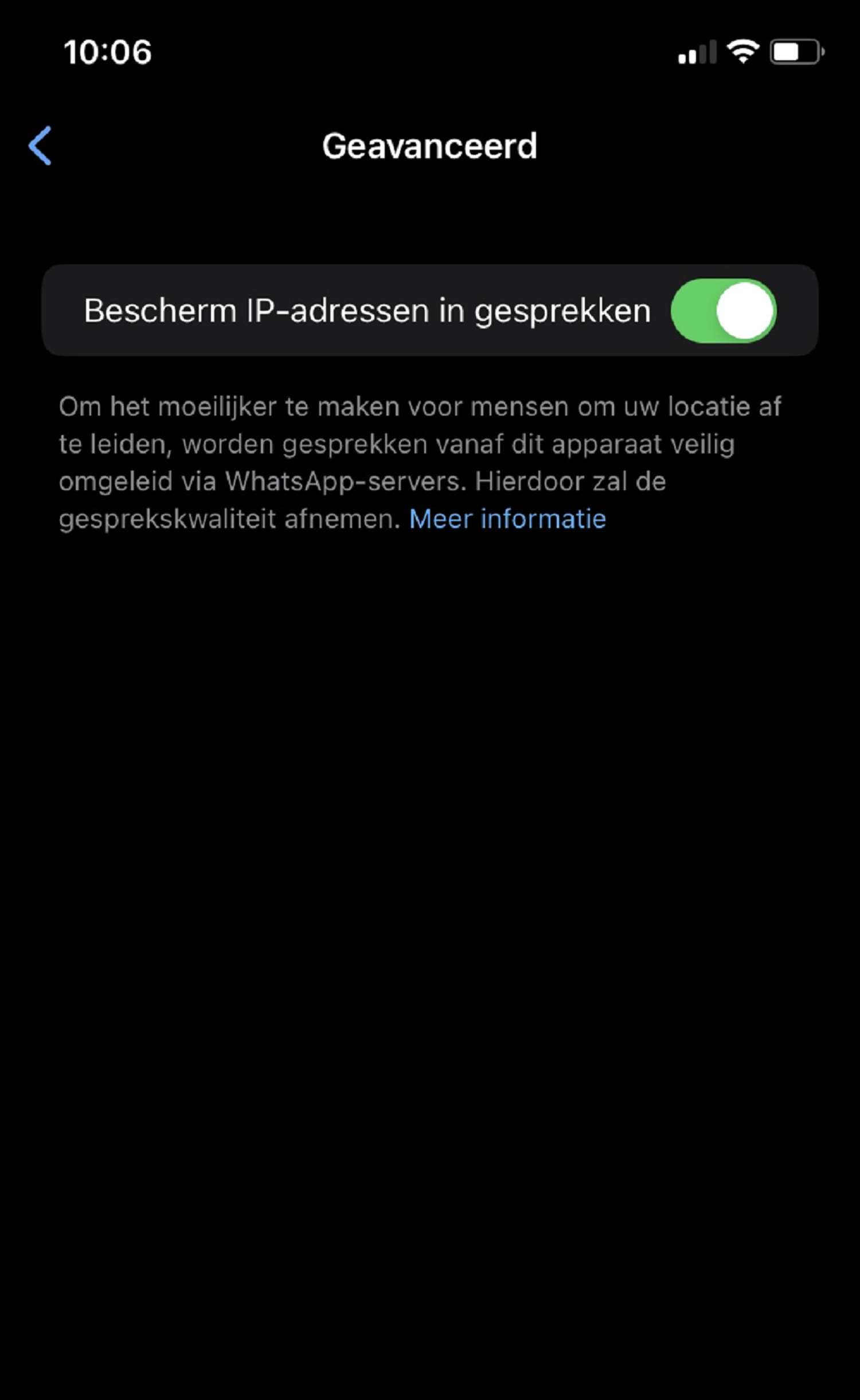
If you now call via WhatsApp, your call will be sent via Meta’s servers and your IP address is protected.
What can hackers do with your IP address?
Your IP address is a unique code for a device that connects you to the internet. This code is shared non-stop with others when, for example, you visit a website or click on an advertisement. Hackers would like to know your IP address, for example to find out your location and/or login details, or to hack your device. Hackers often do not target ‘ordinary’ citizens, but when you receive a call from an unknown number, it is useful that your IP address is protected.