
Between feature additions and image quality improvements, discover a selection of applications to replace your native camera on Android and iPhone.
Not very ergonomic, too superficial, devoid of editing tools or sorely lacking in filters and nice visual effects, most cameras integrated into smartphones disappoint photographers in search of originality and pictorial perfection. Telecharger.com has therefore selected five photo applications to replace that of your Android or your iPhone.
CameraMX
With its clean and carefully structured interface, CameraMX offers a serious alternative to native Android devices. All essential features are accessible from the shooting screen, whether visual effects, flash, rear camera/front camera switching, or photo/video switch.
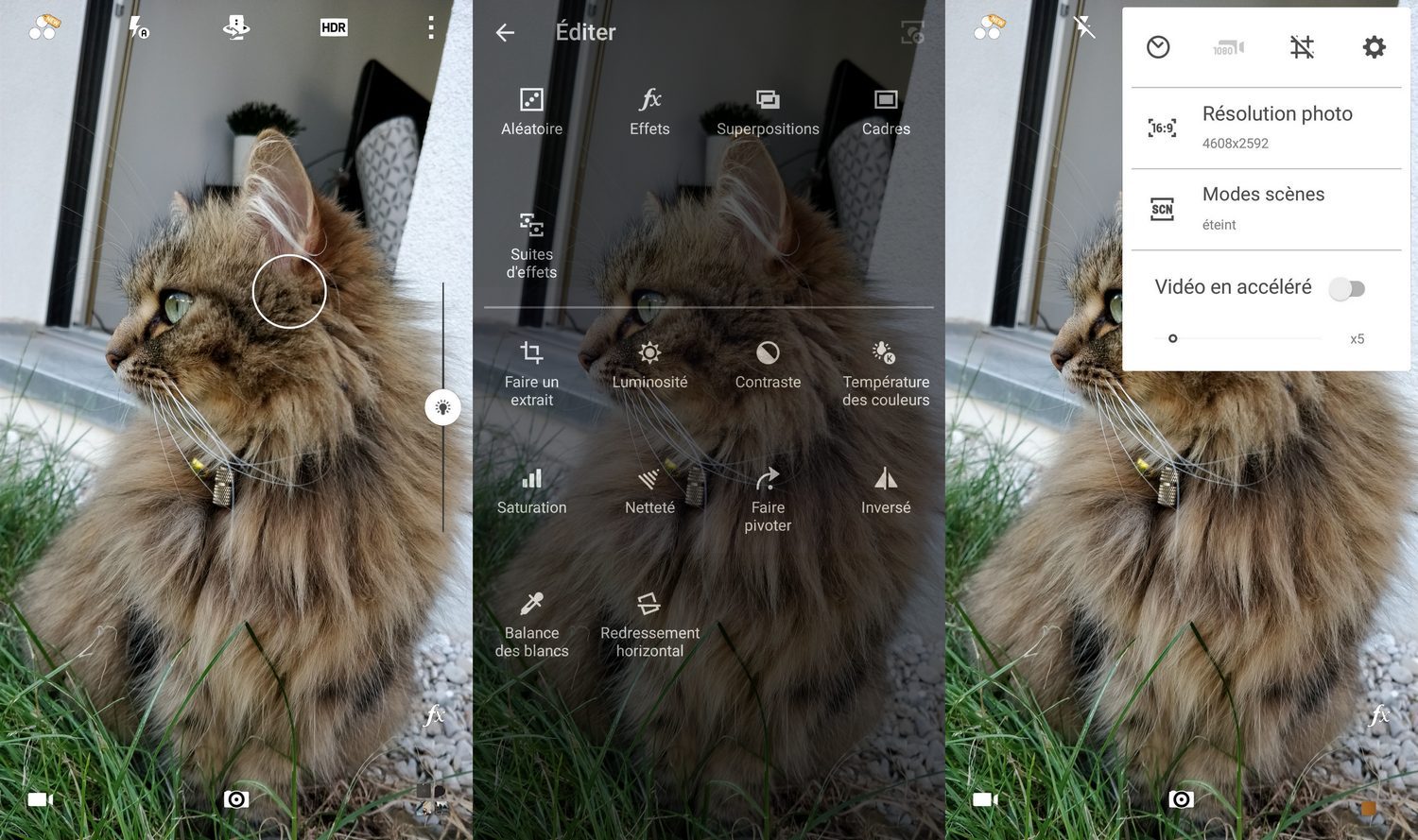
Focusing on the quality of photos thanks to a powerful image processing algorithm, CameraMX asserts its superiority thanks to its collection of filters and various visual effects. The Live Shot function also attracts attention since this mode records the few seconds preceding the moment to be photographed, making it easier to capture the ideal photo.
The +:
+ Functional interface
+ Live Shot function to capture precise moments
+ Collection of various filters and visual effects
+ High photo and video resolutions (up to 15.9 MP and 4K UHD for the rear camera; 15.9 MP and 1080p for the front camera)
The – :
– Pronounced latency between capture and recording of the snapshot
Download CameraMX for Android (Free)
Open Camera
Open Camera finds its audience among hackers and photography enthusiasts. Despite its simplified design, the open-source application is packed with features from the most basic to the most complex, giving you complete control over the configuration of the device.
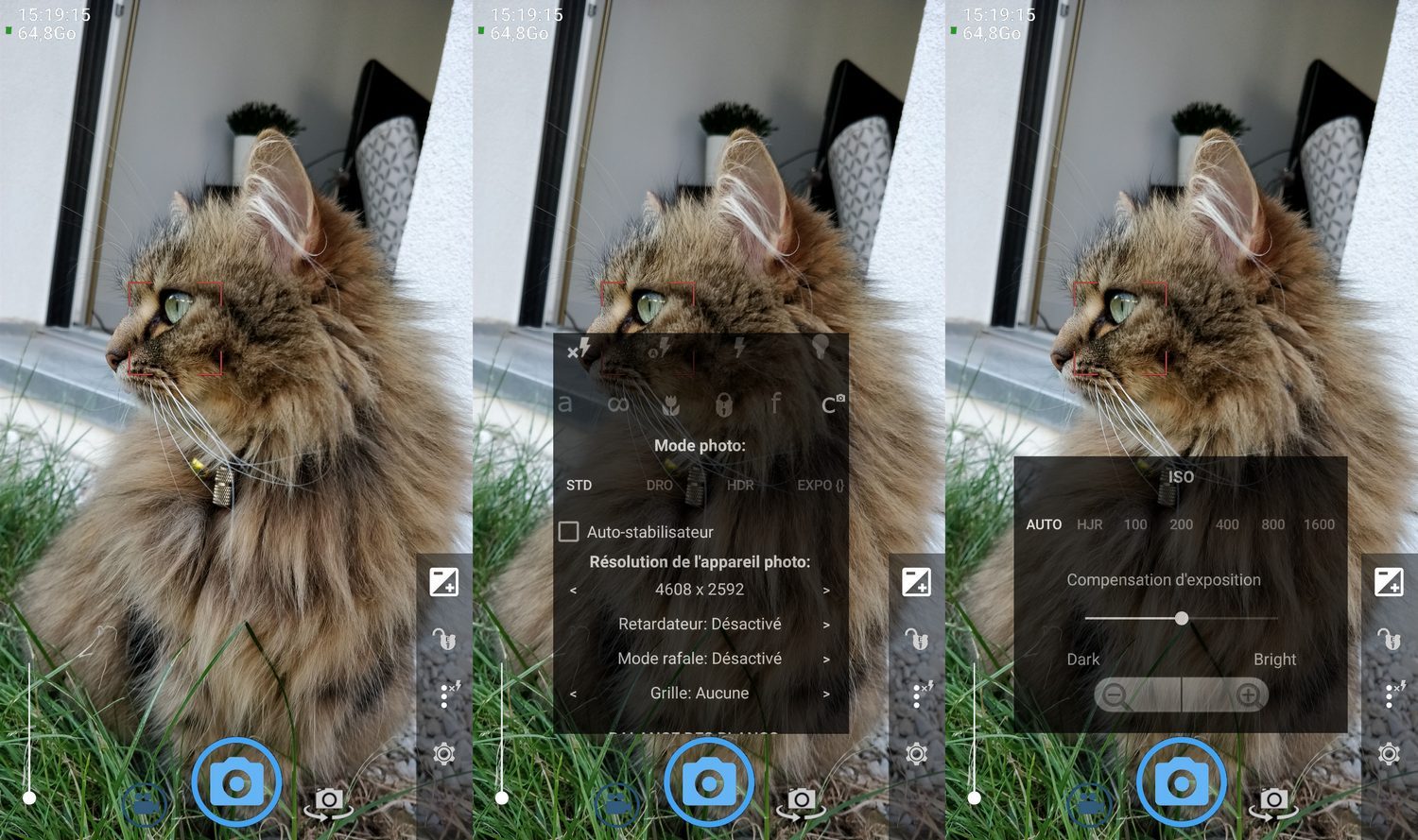
Focus, ISO sensitivity, white balance, exposure blocking, scene mode, definition of burst intervals, or even face detection, Open Camera adapts to the most specific habits and needs. As a bonus, we retain the display of the orientation angle to capture perfectly framed shots, as well as compatibility with an external microphone. To perfect its use, the app supports up to 120 frames per second depending on the capabilities of your native sensor.
The +:
+ Open-source app
+ Exhaustive fully configurable functionalities
+ Support for external audio sources
+ High photo and video resolutions (up to 15.9 MP and 4K for the rear camera; 15.9 MP and 1080p for the front camera)
The – :
– Latency between capturing and saving photos
– No panorama option
Download Open Camera for Android (Free)
Cardboard Camera
Cardboard Camera finds its originality in the management of photos in virtual reality. On the one hand, the application allows the capture of 360° panoramas. On the other hand, the use of the microphone allows the app to capture the sounds that surround you at the time of capture. Those who own a VR headset experience a near-perfect sense of immersion thanks to screen mirroring and simulated 3D rendering.
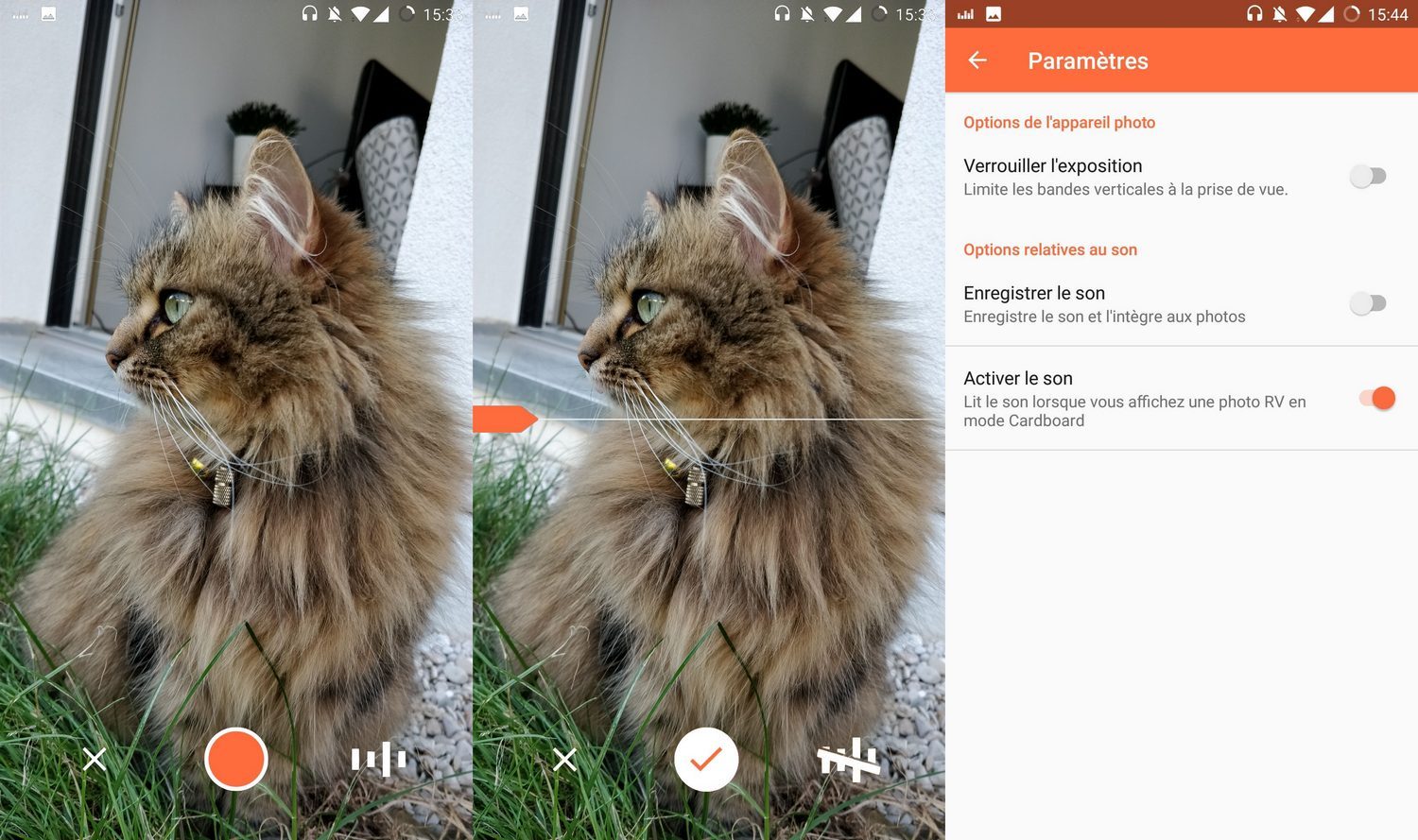
Advantage and disadvantage of Cardboard Camera: the lack of options and settings. Other than exposure lock and sound recording, the app does not allow any customization of camera settings.
The +:
+ Management of 360° panoramas
+ Capture snapshots in virtual reality
+ Sound recording for better immersion in the scene
The – :
– No possible customization of the settings
– No built-in editing tool
Download Cardboard Camera for Android (Free)
Download Cardboard Camera for iPhone (Free)
VSCO
If social networks are an integral part of your daily life, VSCO offers an effective camera coupled with a sharing platform bringing together amateurs and image professionals. As a result of its clean and elegant design, the application displays few features on the screen and requires that you take the time to navigate through the various menus.
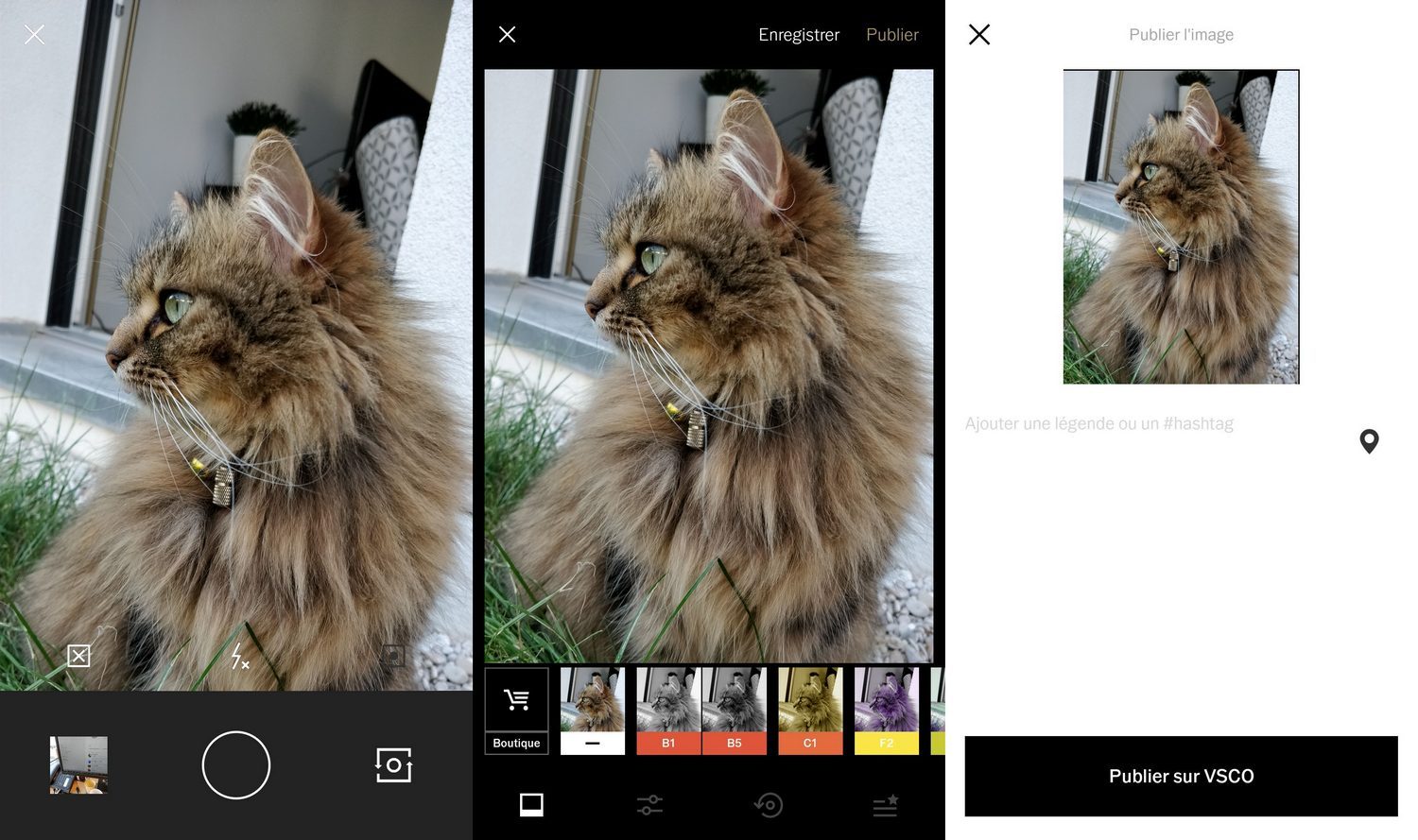
In order to best meet your work requirements, VSCO nevertheless offers the possibility of modifying the structure and order of the elements that make up your toolkit. The most creative will find a wide range of filters and retouching options for an impeccable pictorial result to share, or not, with the rest of the community.
Please note: remember to decline the paid VSCO X offer when you register on the platform.
The +:
+ Device coupled with an online sharing platform
+ Synchronization of images on all connected devices
+ Customizable filter toolkit and order
The – :
– No video support
– No panorama option
– No zoom
– Tricky menu navigation
Download VSCO for Android (Free)
Download VSCO for iPhone (Free)
Retrica
Selfie fanatics will find in Retica a powerful camera and an exhaustive selection of filters. Its functional interface provides you with a palette of preset tools to give free rein to your creativity, including a convincing focus effect dedicated to the simulation of depth of field.
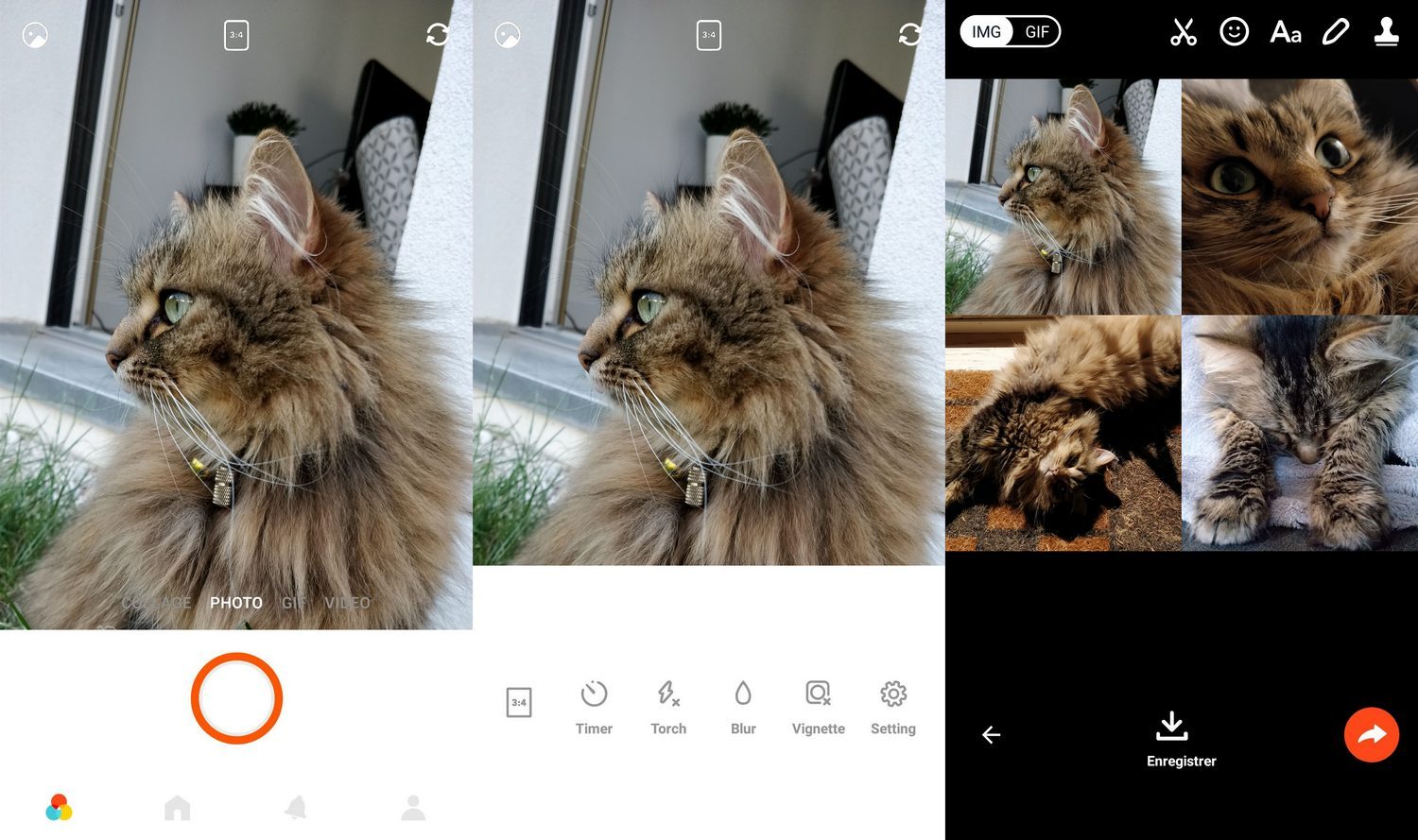
Retrica also stands out for the possibility of making instant montages like an automatic photography booth, as well as animated gifs generated from a succession of shots taken in bursts. Something to bring a touch of originality to all your images.
The +:
+ Comprehensive filter palette
+ Instant photomontages
+ Generates animated gifs from a burst of snaps
The – :
– Superficial configuration tools
Download Retrica for Android (Free)
Download Retrica for iPhone (Free)
Verdict
Efficient at all levels, Open Camera wins hands down the support of the editorial staff. Its multiple functionalities and the possibility of freely configuring them make this open source application a must for all mobile photography enthusiasts. Given the power of the application, we quickly pass the sponge on the latency time a bit long between capturing and saving the shots.
iPhone owners can, for their part, turn to Retrica, whose filters and presets guarantee simplified and fun use of the camera.