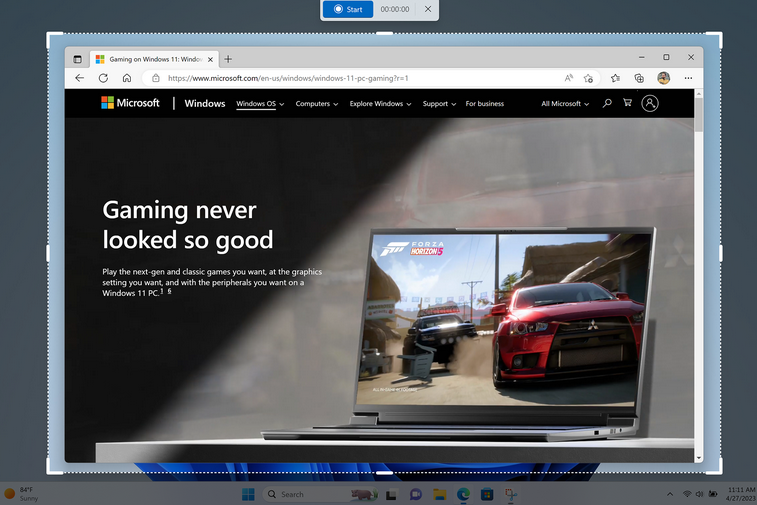
Microsoft comes with a major Windows 11 update with AI chatbot Bing Chat in the taskbar, iPhone users who can pair their device with Windows and a video mode in the Snipping Tool.
Microsoft published information about the latest in a blog FeatureUpdate for Windows 11. The CPO (Chief Product Officer) from Microsoft Panos Panay announced, among other things, the integration of the chatbot Bing Chat in the Windows 11 taskbar. You can read below what you can do with that and also about the iPhone connection to Windows and a video mode in the Snipping Tool.
Bing Chat integrated into Windows 11
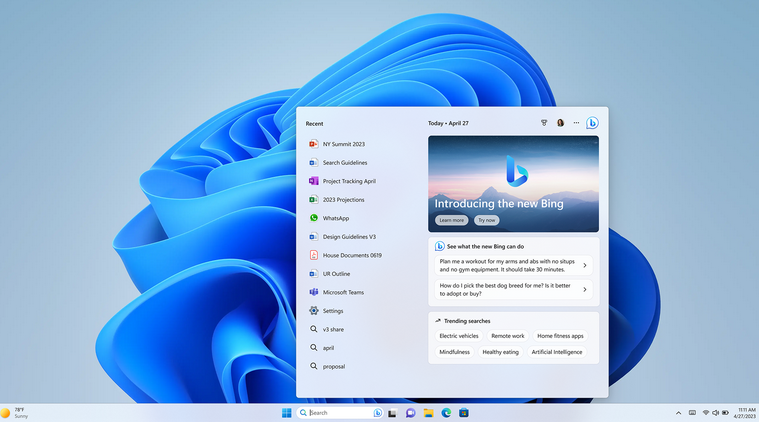
Microsoft’s new Feature Update should bring search engine Bing’s new AI chat feature to the taskbar. That way you can easily ask questions if you are looking for a recipe, want to write a poem or have it written or are planning a trip, as Microsoft indicated as examples. In the Windows 11 taskbar there is a search field where you can type your question or command, as shown in the image below. For the answer, however, you will be redirected to Microsoft’s browser Edge. In addition, you also need early access (early access) until the preview of the AI feature and that may take some time. You are not the only one who wants this, there are a few million people waiting for you.
Finally, it is important to know whether the answers are correct, and that is not really easy to check at the moment. It is striking that Sam Altman of OpenAI recently said that the hype around AI is rather exaggerated. (text continues below the image)
ChatGPT and limit
The well-known ChatGPT from OpenAI is used by Microsoft for the AI chatbot Bing Chat. Microsoft is investing heavily in OpenAI and ChatGPT. By the way, you can of course also use this AI chat function in Bing. Microsoft did report at the beginning of February that the Bing chatbot could derail after 15 questions. That is why, as a user, you are now only allowed to ask a maximum of six questions in a row. The search engine Bing could use some good features, because it is not really popular among many users.
Pair iPhone with Windows
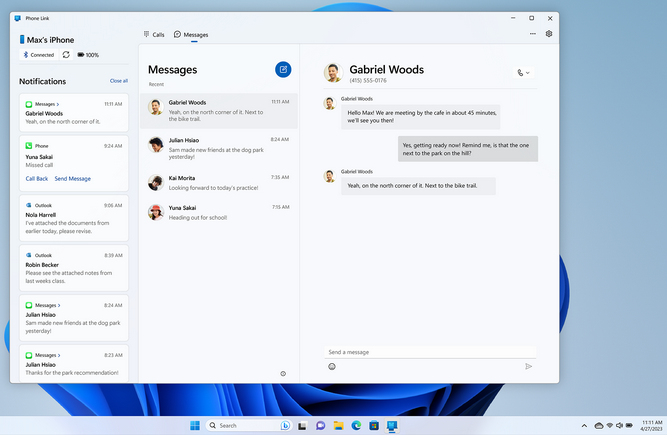
In addition to introducing the AI chatbot Bing Chat in the toolbar, the Feature Update brings more new features. For example, iPhone users will soon be able to link their device to Windows thanks to the Phone Link off function, just as it has been possible for some time with Android phones. Displays messages and notifications you get on iPhone on a Windows computer. You can also easily exchange files. If you want to do this with an iPhone, Microsoft now offers Insider Preview. (text continues below the image)
Video mode in Snipping Tool
Windows 11 also gets a video mode in it Snipping Tool (Snipping Tool). With the Snipping Tool you can now quite easily take a screenshot and it is the intention that this can now also be done from a video. Just as it is now the case with an ‘ordinary’ image, you should soon be able to do the same with a full screen or part of it. These are then stored in a folder instead of in the working memory.