
Getting trapped by ransomware can prove fatal to your data. Here are some simple rules to prevent this malware from blocking your activity and cutting you off from your data…
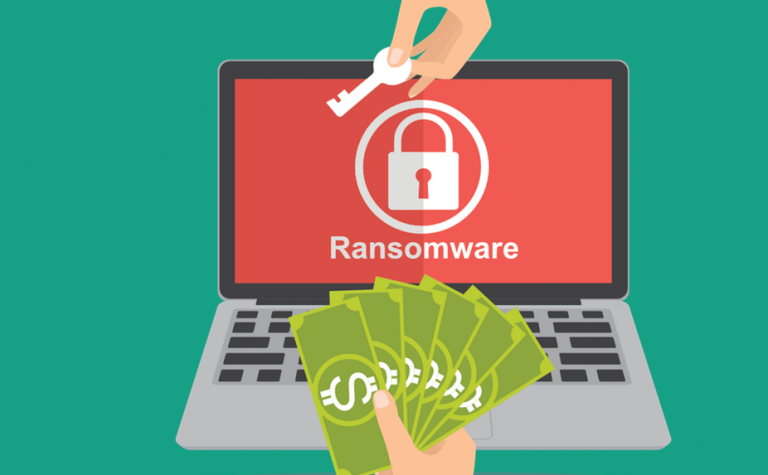
In 2017, the terrible WannaCry attack brought the ransomware, this malware that blocks computers by encrypting the contents of the hard drive and demands payment of a ransom. In 2018, the use of ransomware fell in favor of cryptominers, but the threat continues to remain relevant, as evidenced by the dissemination of GandCrab, a particularly sophisticated specimen that adjusts the amount of the ransom according to the type of the victim.
If hackers love ransomware, it’s because it’s very profitable and doesn’t pose a lot of risk. They launch their operations incognito, well hidden in the darknet and protected by a barrier of proxy servers and bulletproof hosts. The police take years to trace the channels. If the malware’s cryptographic architecture is well designed, victims have little chance of recovering their data without paying. The best protection against ransomware is therefore prevention. Here are the three rules to follow to avoid getting stuck in the water.
To remain vigilant

To reach their victims, hackers often use so-called “phishing” techniques. This was not the case with WannaCry, but this one was – for now – an exception. Fake banking or administrative emails trick recipients into clicking a link or opening an attachment. And once the click is made, the wolf is in the fold. We must therefore always remain vigilant. Before opening an attachment or clicking on a link in an email, verify that it is a legitimate email from someone you know and trust.
To do this, we must first inspect the email address because a hacker will often use a fake domain that will closely or remotely resemble the spoofed identity. If in doubt, do a Google search to see if the domain really exists and make a request. “Whois” to see who the custodian is. However, the information we get from this register is not always very explicit. Another solution: call the issuing organization by phone to find out. In the same way, it is necessary to check the domains of the links incorporated in the mails. We can also try to open these links in a virtual machine, which limits the risks. If ransomware is running, it will not infect your host PC. An easy method to create a virtual machine is to download the software Oracle Virtualbox and create a machine under Ubuntu Linux.
Protect your systems

When it comes to infecting computers, ransomware hackers are not original. They usually rely on already known vulnerabilities and malware. If the system is properly updated and has security software, the infection will be much less likely to be successful. In Windows 10, you can activate “ransomware protection”, which consists of blocking access to certain folders for processes unknown to the battalion. Most antivirus software also has anti-ransomware protection. It is also recommended to create a simple user account and not to permanently use the administrator account of the machine. The day the malware arrives, it will not have full powers and will therefore be slowed down in its actions.
You should also not neglect your devices that are connected to your private network, such as network storage hard drives. Here too, it is necessary to regularly check if there is no update available. To do this, you have to connect to the administration interface of the product, which is often done through a web page accessible only on the internal network. Next-generation devices can sometimes be managed by a mobile app. In any case, do not forget to change the passwords defined by default for the administrator account. This is usually done at the time of installation.
Make backups
:max_bytes(150000):strip_icc()/how-to-backup-a-computer-to-an-external-hard-drive-5184117-11-73338a1b93454808a3feb155858e8a81.jpg)
If you open a corrupted attachment and your computer is not updated, you have one last line of defense: backup. If you regularly back up your data, you will be able to restore the contents of your computer even if it has been infected with ransomware. It might take a few hours, but at least you won’t have paid a ransom. Caution: the backup solution must be prevented from being permanently connected to the storage medium, as ransomware is able to propagate itself through this connection. As a result, hackers could encrypt the contents not only of the computer, but also of the backup media. This can be the case in particular for synchronization agents, as offered by the Dropbox or SugarSync services.
Good backup software only connects to the storage medium at well-defined times (once a day for example). There are many backup solutions. You can use those provided by Windows or macOS, but there are more sophisticated ones, allowing you to make backups both on hard drives connected to the local network and on storage spaces in the cloud, and this in an encrypted way. This is the case, for example, of Duplicate which has the good idea of being free and open source.
What if all has failed? …
Even if we show good will, we are never safe from a disaster. A moment of inattention when reading your emails, a delay in system updates, a backup that crashes, and presto you join the silent cohort of ransomware victims. All is not necessarily lost, however. With any luck, security researchers managed to find a loophole in the ransomware in question and developed a decryption tool to recover the data. To find out, the best is to consult the site nomoreransom.org. Created by Europol in partnership with IT companies, it references decryption tools for nine ransomware families. The use of these tools can be quite technical. If necessary, it is therefore prudent to get help from a geek friend.