

John Vanderaart answers a question every day on pcactive.nl. Today he discusses what to do if you get the message ‘No bootable image found’.
My computer will no longer boot to the desktop. Immediately after entering the BIOS I get this message “…No bootable image found…” What should I do now?
Julian deJ.
Yesterday John Vanderaart answered the question of how you can look directly in OneDrive. Today he tells you about what to do if you get the message ‘No bootable image found’.
A bootable image is what the BIOS needs to boot an operating system. It doesn’t even necessarily have to be an operating system, as long as it can be read the way you want and run the way you want. You can (to name a few) boot a Linux Live distribution, but also a virus scanner, an installation procedure or (of course) a complete operating system. But then the BIOS should be able to find it! The operating system is usually located on the primary hard drive that is marked as the first boot device in the BIOS setup. An installation procedure often comes in the form of a USB stick and then you have to select an option such as Boot from USB on Enabled put. So: “The BIOS boot procedure must be able to get to the storage device that contains the bootable OS.” And then we come to the next requirement: “That bootable OS must be able to be read and executed in the correct way.” For example, an ISO file must be placed as a 1-to-1 image file on a USB stick or a DVD and not as a ‘separate’ file on a FAT32 partition, for example. Furthermore, the bootable OS must also match (…) with the hardware. As for the error mentioned, “It’s also possible that the primary hard drive just crashed.” In short, you will have to go through the above list…
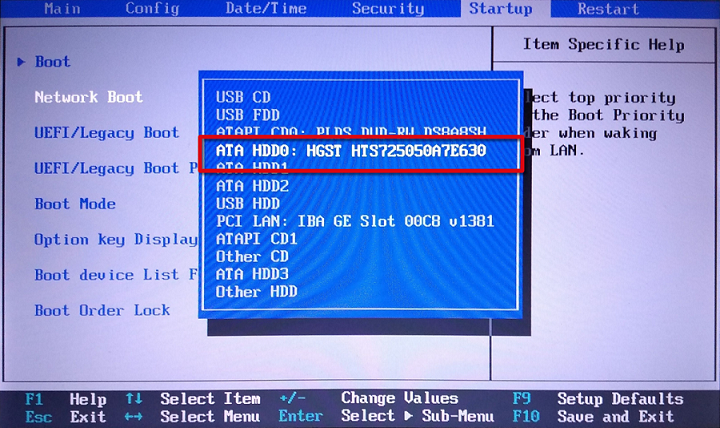
An example of just any boot sequence in just any BIOS. The primary hard drive is always allowed to boot as the (almost) first device.