
CCleaner has been around for many years, but is still usable in Windows 11.
By: Dennis Gandasoebrata
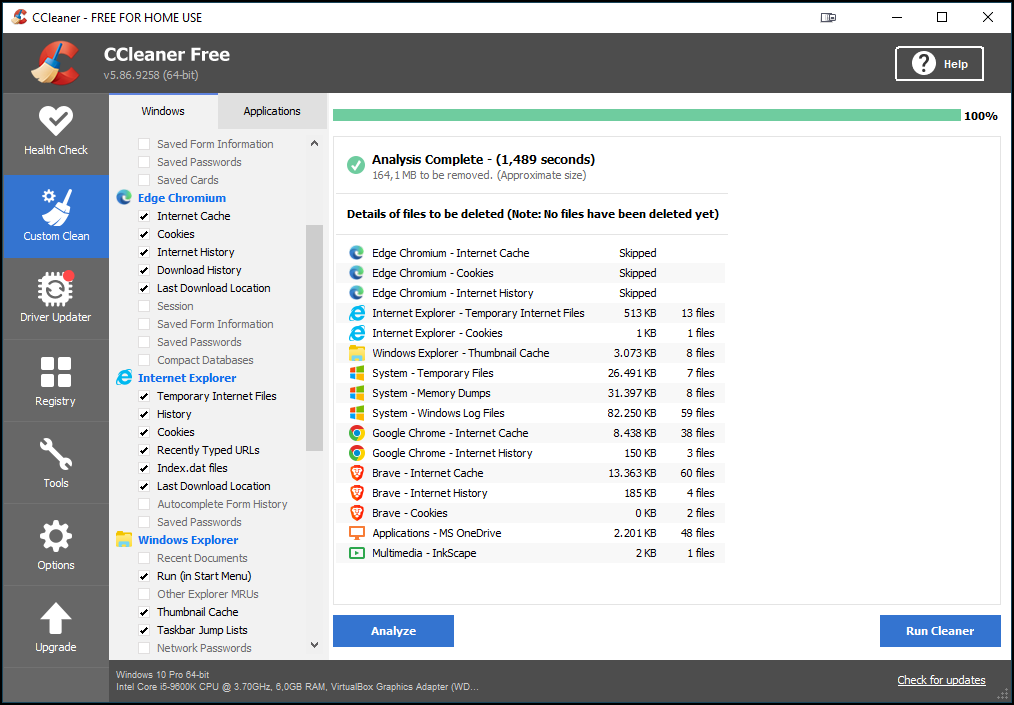
You use it to run the dust comb through your computer. You can, among other things, remove default programs from Windows and thus circumvent any limitations of Windows itself. In addition, you can thoroughly clean the sub-components of programs from a central environment: for example, the Internet history of Edge, without having to open the browser for this.
The main added value of CCleaner lies in its ability to keep the computer clean from one place. On the left side of the program window you will find the different parts. CCleaner distinguishes between Windows on the one hand and programs on the other, so you can quickly determine which parts you want to clean. In addition to the cleaning part, space is reserved for Driver Updater to update drivers. Not all components are available in the free version. If you need more automation, where the program keeps track of which parts need to be cleaned or updated to a new version, consider purchasing the paid version.
With the free version, make sure that you do not blindly click away all windows immediately after installation: the program offers to install the Chrome browser.
Product: CCleanerhttps://www.ccleaner.com/nl-nl

Price: free (paid also available)
System requirements: Windows 10, Windows 11
Language: English, Dutch