
To further customize Windows 11 and not be limited by Windows’ default settings, you can use external programs.
By: Dennis Gandasoebrata
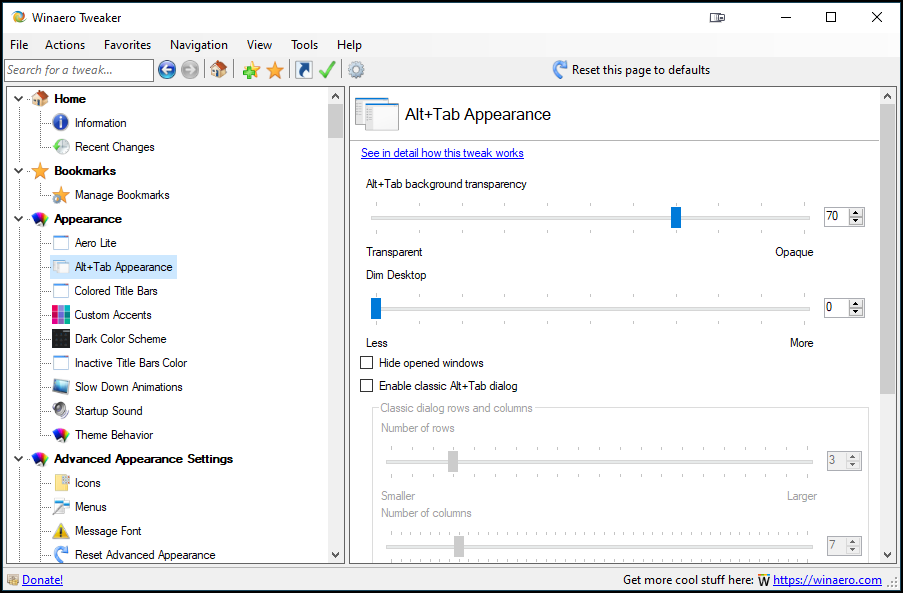 A good example of external programs is Winaero Tweaker. This allows you to customize the operating system in various ways. On the left side of the main window you will find the categories. This is how we find Windows 11 options to activate the classic Windows taskbar, but also to change the position of the taskbar.
Winaero Tweaker also allows you to disable specific Windows components. For example, you can temporarily interrupt updates via Windows Update (although this is now also possible by default in Windows 11) and you can Windows Defender to restrict. The makers have not simply made the software suitable for Windows 11, but also added specific functions. For example, you can have Windows 11 show all menu options in the right-click menu, while by default this is only possible after a click on More options to display. You can also use the classic menu bar Explorer activate it again and adjust the size of the taskbar. Winaero Tweaker is free to use.

Product: Winaero Tweaker, https://winaero.com/winaero-tweaker

Price: free
System requirements: Windows 10, Windows 11
Language: English