
Regular backups of the system and valuable files also include email. In practice, how you make the backup strongly depends on the e-mail service you use.
By: Dennis Gandasoebrata
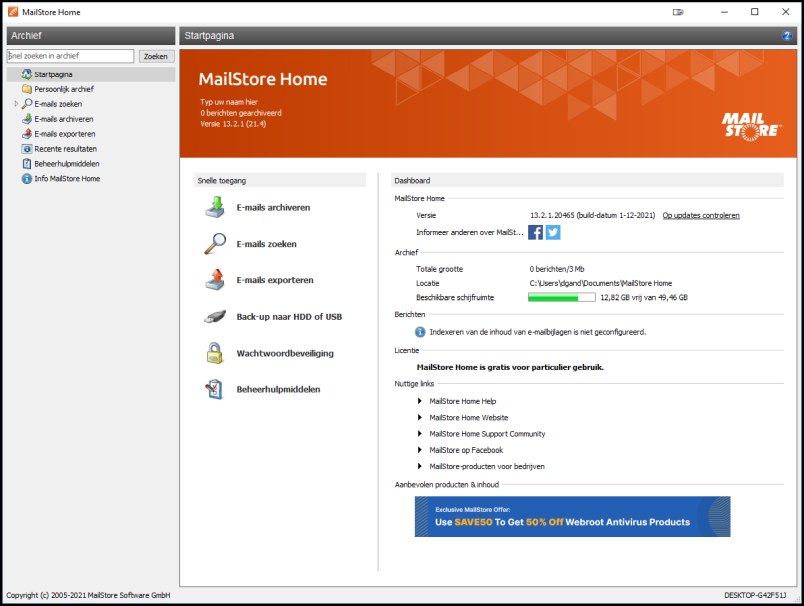
With POP3 and IMAP accounts you can use MailStore Home. This program can be used free of charge in a private environment and allows you to make backups of e-mail from clients such as Outlook (Express) and Thunderbird, but also e-mail from online accounts, such as Gmail. Local, trusted formats such as PST and EML archives are also supported.
The makers have especially paid a lot of attention to making the process as user-friendly as possible, although in practice this is often done manually by more advanced users. However, the program can also be useful for that target group. For example, the main window allows you to easily search archived emails and export portions of the email or entire archive files. In the left part of the window you will find the main categories: this section allows you to search recent e-mail and restore e-mails in case of problems.
The makers also release a portable version of the software. You don’t have to install it, but you can run it right away. Useful for situations where you help an acquaintance and help make backups on a guest computer.

Product: MailStore Homemailstore.com

System Requirements: Windows
Pros:
* wide support email and archive formats
* restore backups via wizard
* also available in portable version
* extensive Help section
Negatives:-