
Do you have a new computer and decide to say goodbye to the current one? In that case, make sure that the existing data is safely deleted, especially if you sell, transfer or dispose of the computer.
By: Dennis Gandasoebrata
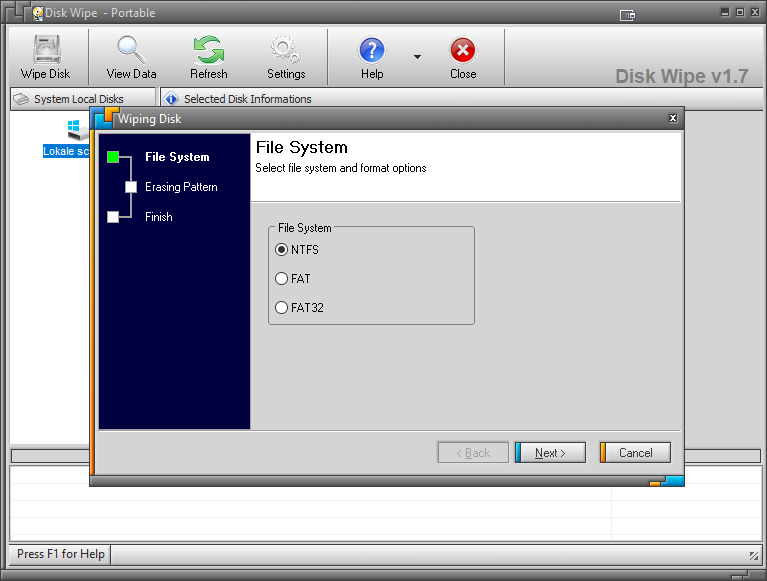
If you choose to ‘only’ format the disk, then in theory the files are still relatively easy to access for malicious parties. Instead, it’s a good idea to use a program like Disk Wipe to “really” make the disk contents unreadable. Disk Wipe causes the existing contents of the disk to be overwritten with new data. This will make the original data disappear.
Disk Wipe overwrites the data with a random dataset using an algorithm (as opposed to simply overwriting a disk with fixed data).
You can use the program to erase various media. For example, there is support for USB sticks and memory cards, as long as an NTFS, FAT or FAT32 disk format is used. The program itself is portable and therefore does not need to be installed. You can use Disk Wipe for free.
The program only works on partitions. If you have a disk with multiple partitions, you have to clean each partition separately. The creators themselves recommend in such a case to merge the existing partitions, so that you only have to perform the operation once.
Product: Disk Wipediskwipe.org

Price: free
System requirements: Windows 10, Windows 11
Language: English