

From individual invitations to group invitations, find out everything you need to do to encourage your loved ones to sign up for Signal messaging.
Migrating to a new messaging app like Signal, after years of using WhatsApp, can only work well if your contacts do the same. So how do you get your family and friends to delete their WhatsApp account to sign up for the Signal instant messaging app?
Like all applications of its kind, Signal offers a function to directly invite its contacts by sending them a message in which there is a link to download and install the application.
But you can also reach more people by going directly to the chat groups you participate in on WhatsApp. In the following lines, you will discover everything you can do to encourage your loved ones to join Signal.
Download Signal for Android (Free)
Download Signal for iPhone (Free)
Download Signal for Windows (Free)
Download Signal for macOS (Free)
Download Signal for Linux (Free)
1. Invite your contacts individually
The first possibility to find loved ones on Signal is to invite them individually using the module provided for this purpose within the application.
To do this, open the app and tap your avatar to access Signal settings. You should find an Invite your friends option there.
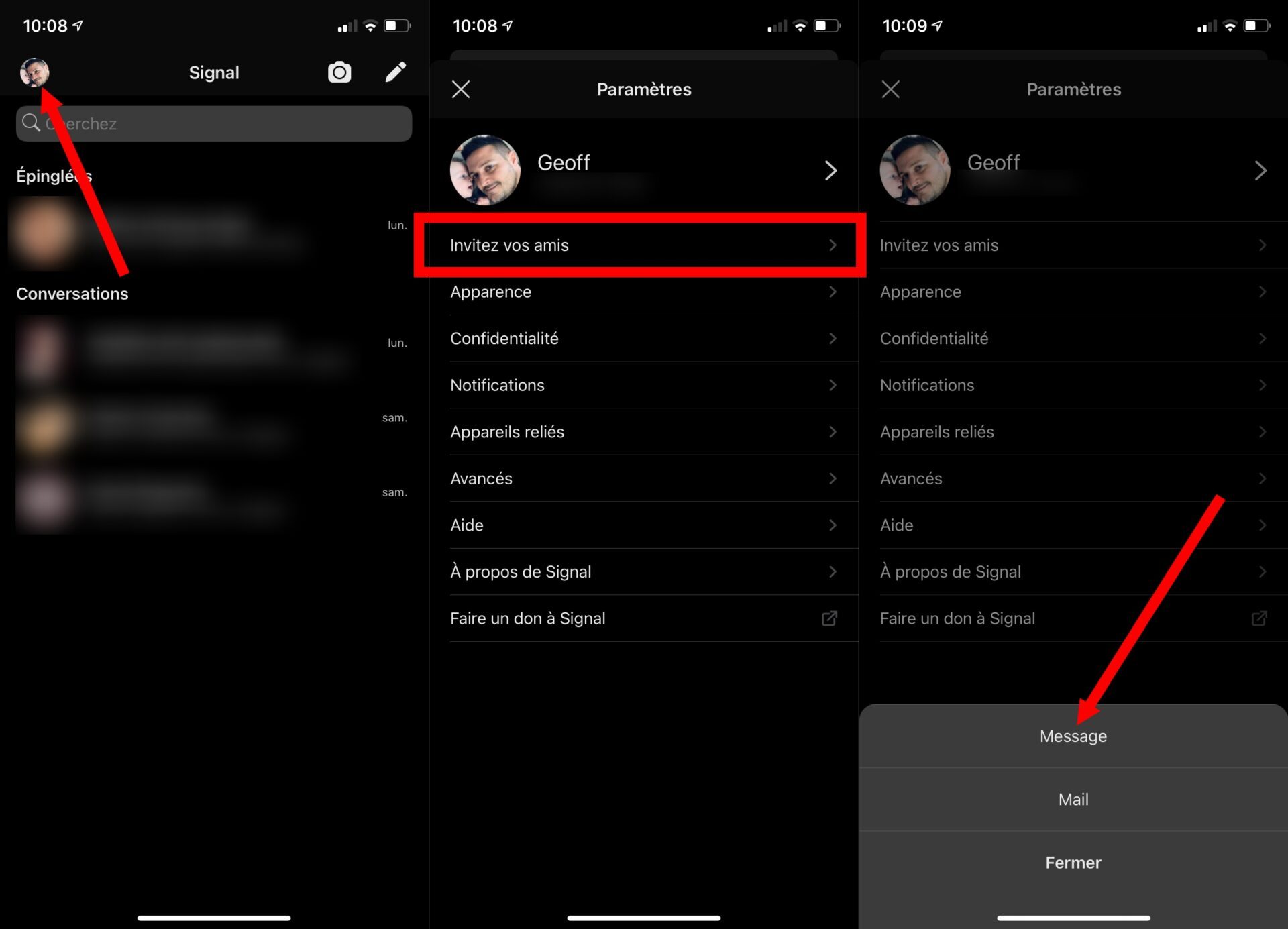
When you press it, Signal will offer you to send an invitation by Message (SMS) or by e-mail. Your loved one will receive the link allowing him to download the application on his smartphone.

Prefer the invitation by SMS rather than the invitation by e-mail which requires that the contact card of your relatives contains their e-mail address, which is not always the case unlike the mobile number.
Note that you can also invite your friends and family by tapping the pencil icon (as if to write a new message), then selecting the option Invite friends to Signal.
2. Migrate your WhatsApp groups to Signal
Signal offers another possibility to invite your contacts to join the application. You can indeed address a WhatsApp group directly by sending them a direct link that will allow them to join the same discussion group, but on Signal, provided of course that they are registered on the application.
To do this, open Signal, tap the pencil icon to initiate a new conversation, and choose to create a New Group. Without selecting a member for the moment, press the Next button directly, fill in the name of your group and validate it by pressing Create.
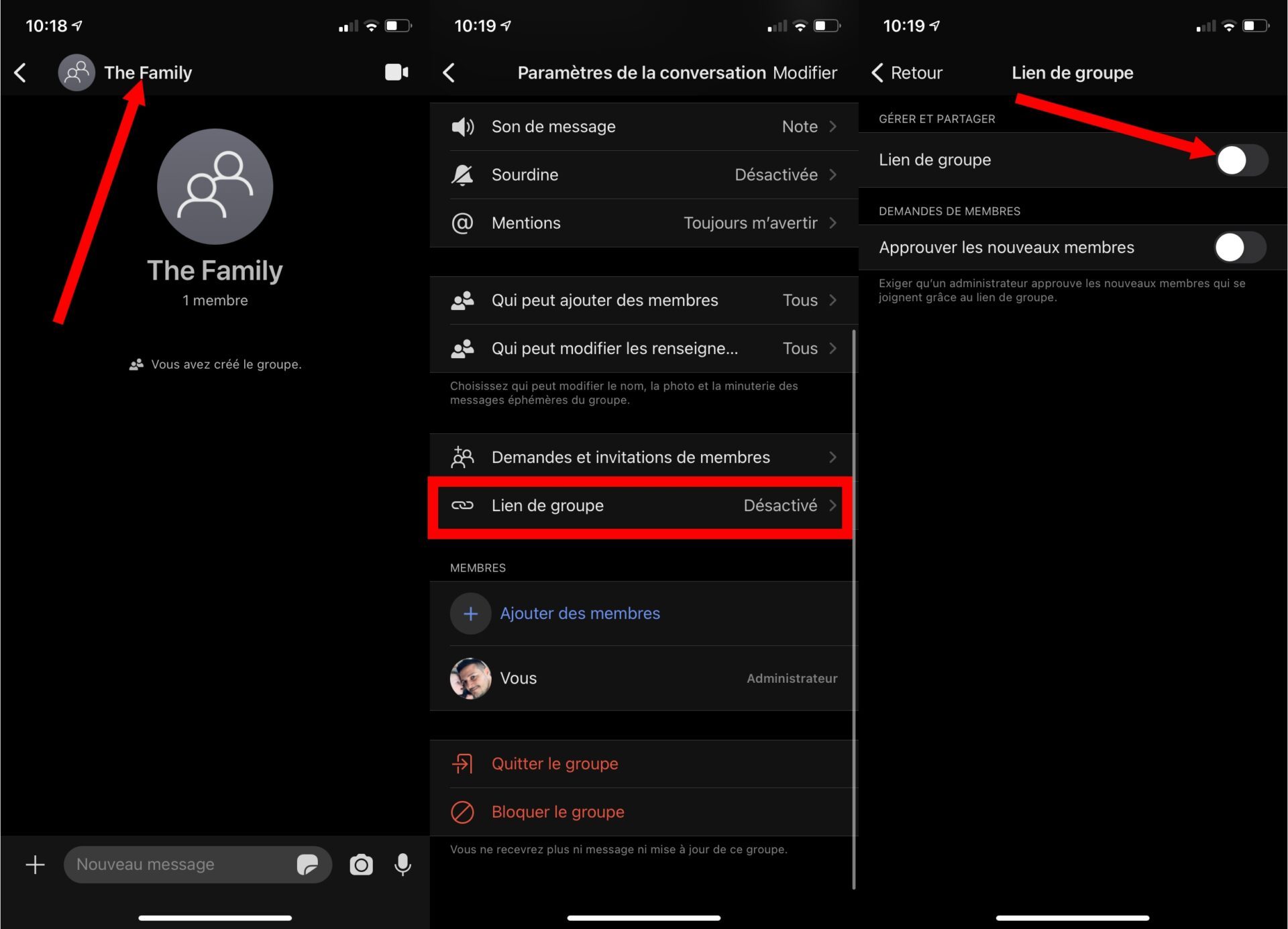
In the conversation that appears, tap the name of the group to access the options. Come in then in the Group link menu and activate the option of the same name.
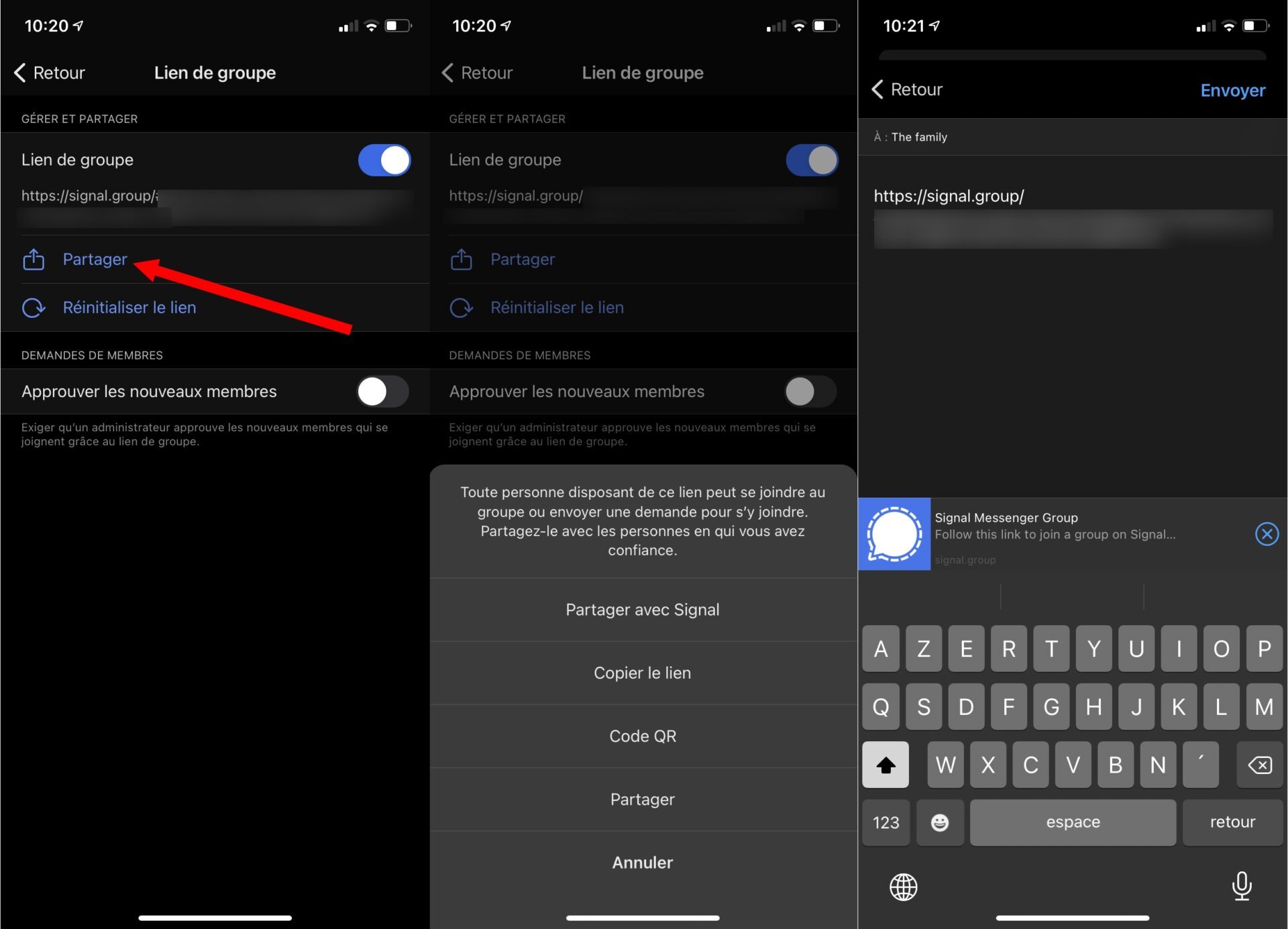
Now tap on the Share button and choose the option that suits you best. You can then share the Signal group link directly in the relevant WhatsApp group, or copy the link and send it another way to the people you want to join the group.