
Change a setting in Google’s web browser to be able to close it directly without having to hold the keyboard shortcut Cmd+Q.
Regular macOS users are usually familiar with the keyboard shortcut to quickly close an open program. To quit an application, it is sufficient, in principle, to use the keyboard shortcut cmd + Q. In principle, because on some applications this shortcut does not work immediately. This is the case, for example, on the Google web browser.
To close Chrome using the native macOS keyboard shortcut, Google forces users to hold down the cmd + Q shortcut by default for the shutdown request to be taken into account.
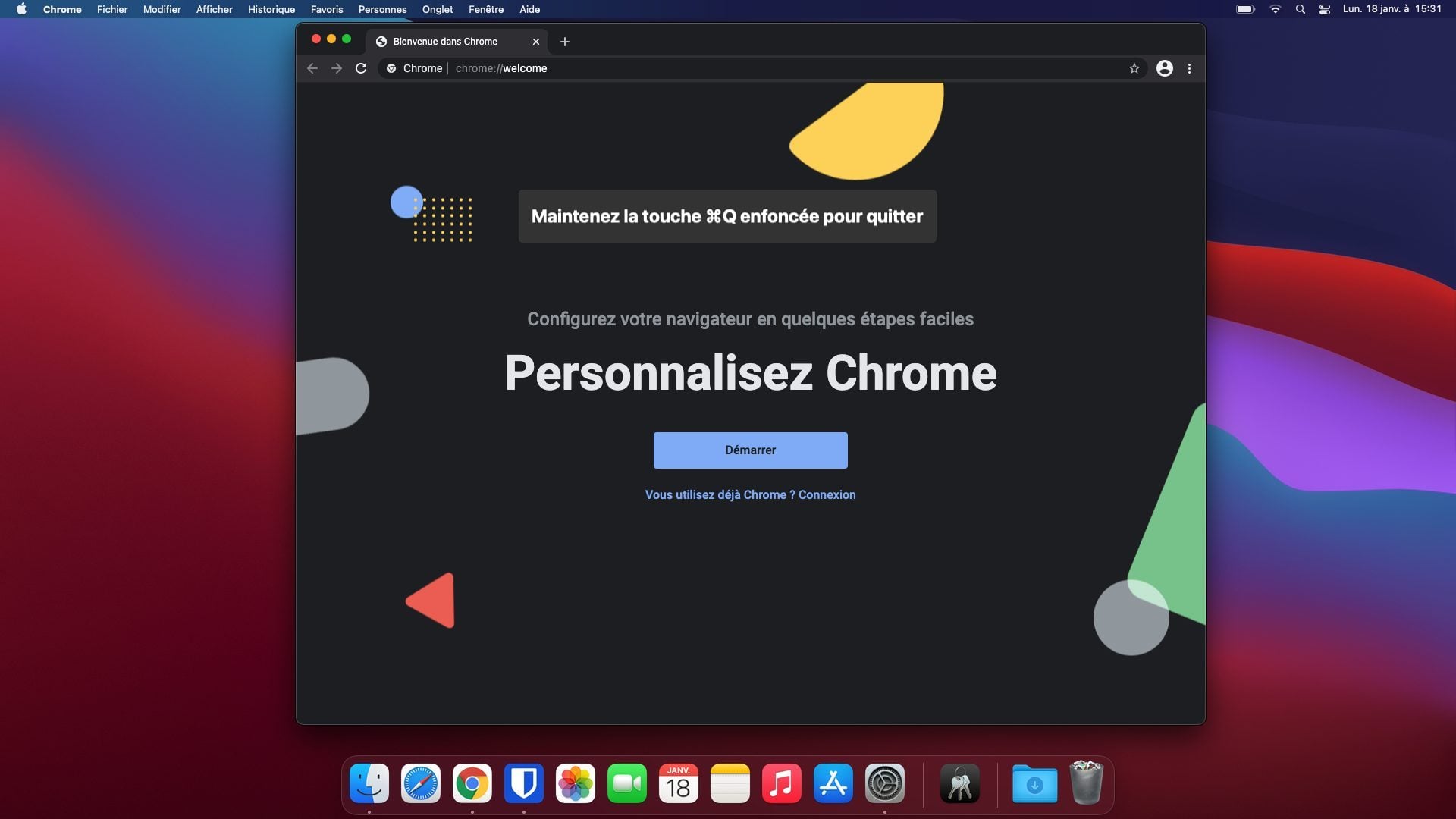
This function is actually a security put in place by the Mountain View giant to prevent Chrome users from accidentally closing the browser when they use another keyboard shortcut, cmd + W, to close a tab, because of the too close proximity between the letters Q and W on the keyboard.
However, those who would be annoyed by this obligation to hold cmd + Q to close Chrome can easily override it in a few clicks.
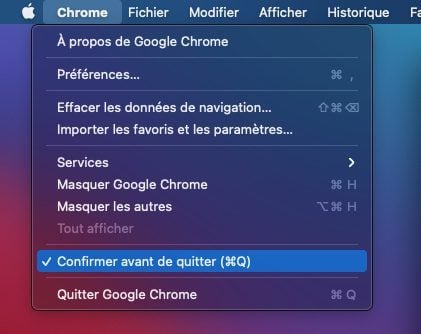
To disable this protection, simply click on the Chrome menu, then uncheck the Confirm before exiting option. Once this setting is disabled, Google Chrome will close just like other installed apps when you use the dedicated hotkey.