

01net.com –
Find and restore content deleted by mistake from your Instagram account up to one month after deletion.
Instagram announced a few weeks ago the deployment of a new feature to easily recover content deleted from an account. If the option was not available until now, it seems that Instagram has just started to deploy its trash among French users.
Thanks to this system, it is now possible to recover for a period of thirty days, all photos, videos, Reels, IGTV videos, and stories that have been deleted from your account.
This mode of operation is reminiscent of what exists in the Photos application on iOS and on Google Photos, which also allow you to restore items deleted during a given period.
But in the case of Instagram, the implementation of this system is supposed to allow users to easily recover their content in case of hacking of their account. The permanent deletion of items from Instagram’s trash is indeed subject to a second authentication on the part of the user.
Download Instagram for Android (Free)
Download Instagram for iPhone (Free)
As this feature is being rolled out, it may not yet be available on your account. If the option was available on our account from the iOS application, it was however not yet activated on Android.
Also see video:
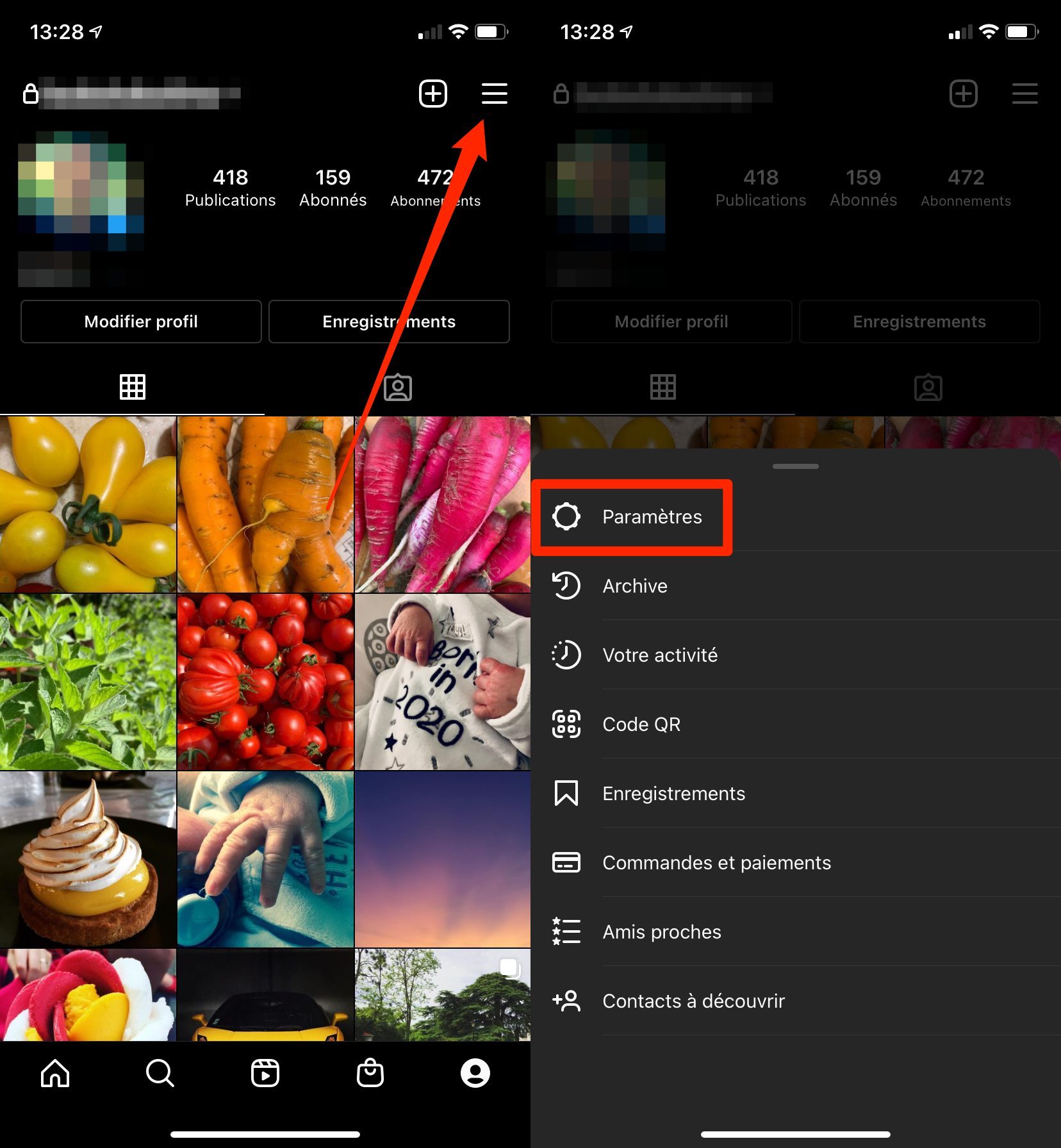
1. Go to account settings
Open Instagram, go to your profile page and go to your Account Settings.
2. Restore your content
Once on the Settings page, enter the Account menu, then navigate to the Recently Deleted menu. All content that has been deleted from your account in the last thirty days can be found there. To restore an item, open it, tap the options menu with three dots, and choose Restore.
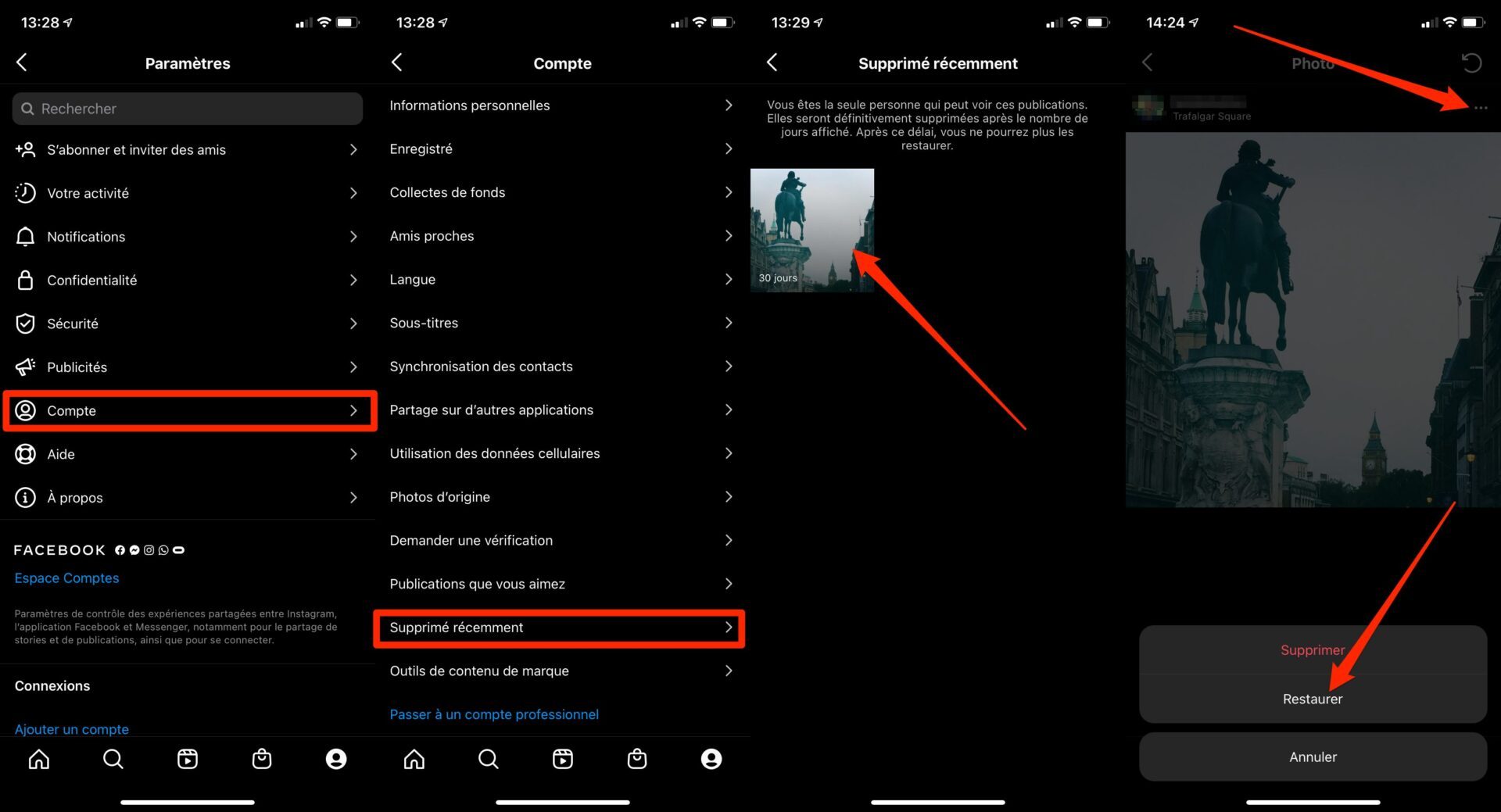
You will have to repeat the operation for each of the deleted items that you would like to recover.
3. Delete Trash contents permanently
Now that you’ve recovered the items you didn’t want to disappear, you can, if you want, permanently delete the other items from Instagram’s Trash, without waiting for them to be automatically deleted after the thirty day period. .
To do this, view the photo or video, tap the three little dots to show options, and tap Delete. Validate by pressing Delete in the pop-up that appears.
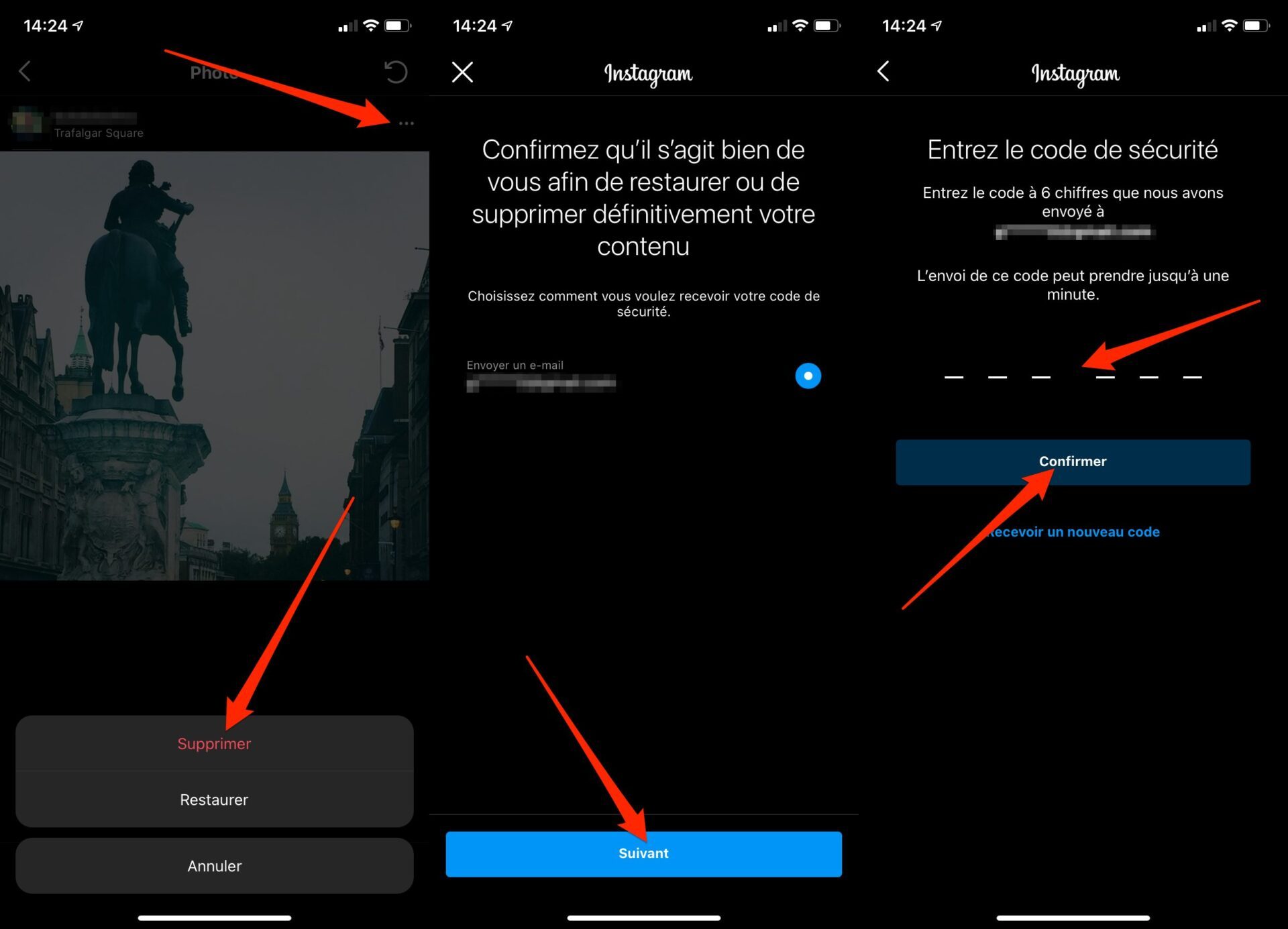
To prevent hackers who have taken possession of your account from deleting your content without your knowledge, Instagram has implemented a safeguard. Permanent deletion of photos or video requires a second authentication.
On the Confirm it’s you to restore or permanently delete your content page, make sure the partially hidden email address is correct and tap Next. You should receive a security code by email that you will need to enter in order to Confirm the deletion of your content.