
© 01net.com
The community navigation application includes a little-known but very practical feature for refueling at the best price.
While fuel prices continue to soar despite the fuel discount put in place by the government, refueling your vehicle at the best price has become a new reflex for many motorists.
If there are free applications to find cheaper gasoline on iPhone and Android, it is also possible to directly search for the cheapest gas stations on your route directly in Waze. The community-based GPS app that has built its reputation on the quality of the routes it offers, and its real-time reporting features, can also be used to find fuel at the best price while you are driving.
The option, although less complete than what a dedicated service can offer, has the merit of being easy to access without having to change applications. Here’s how to use it.
1. Fill in your vehicle information
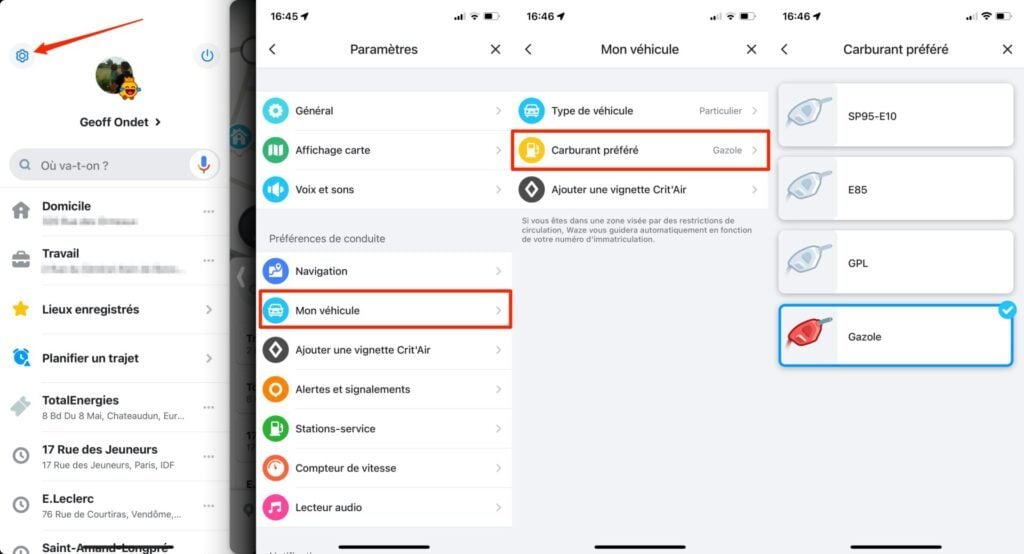
Open Waze and tap My Waze to display the app’s main menu. Then enter the Settings by pressing the button with a toothed wheel at the top left, then enter the My vehicle menu. Then fill in your Vehicle Type, and above all, select your preferred Fuel.
2. Look for a gas station
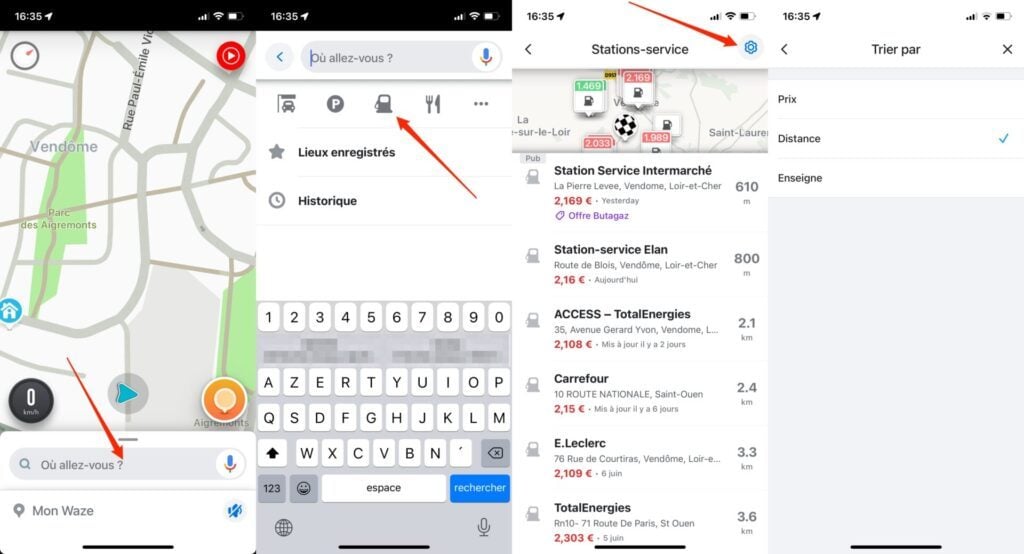
If you haven’t launched a route in the app yet, you can easily search for a gas station near your location by tapping the “Where are you going” search field.
Once it opens in full screen, simply tap on the icon featuring a gas pump and Waze will automatically search for all surrounding stations.
To sort the results by price, distance or brand, go to the settings by pressing the icon with a toothed wheel.
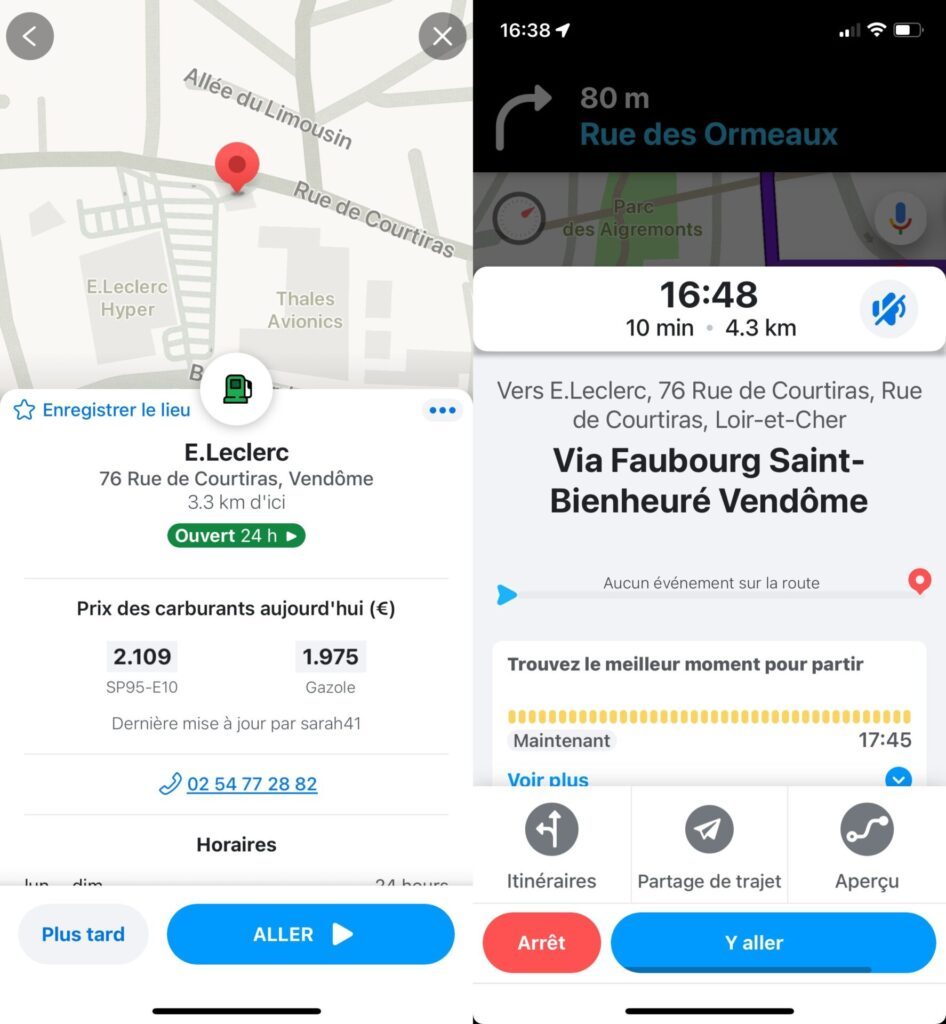
You then just have to select the station of your choice to access its detailed file, then press the Go button to launch the route in Waze.
3. Add a pit stop during a route
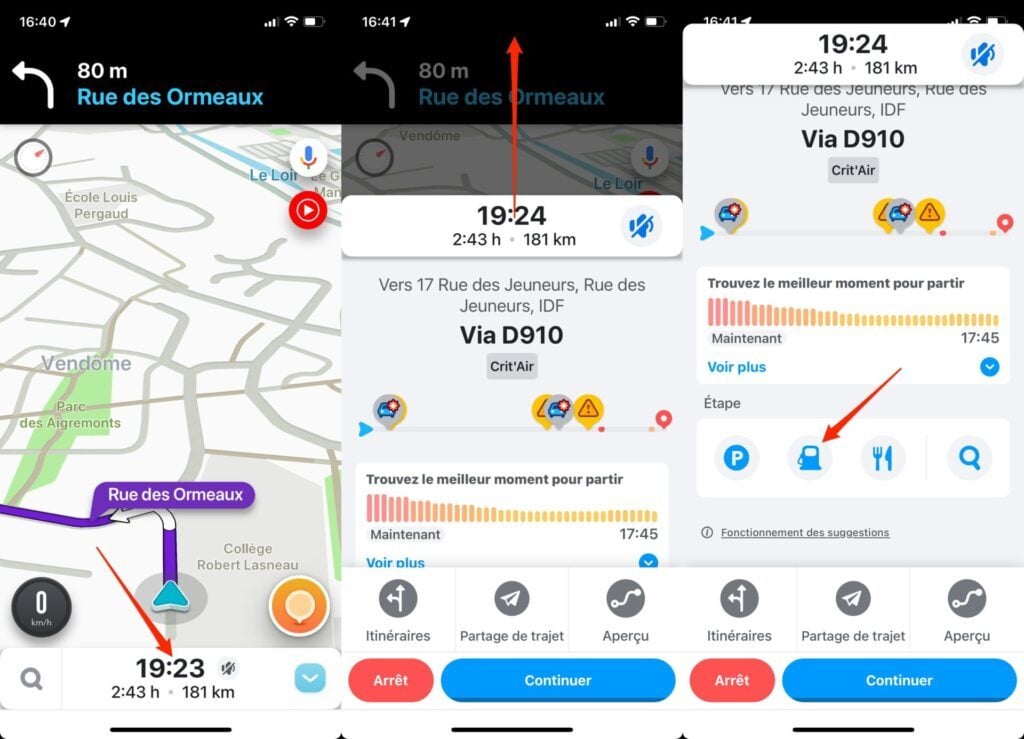
Second possibility, if you have already launched a route in Waze, press the arrival time displayed at the bottom of the screen then fully expand the pane that is displayed to open it in full screen. You should then see a box labeled Step.
Touch the icon with a petrol pump to start searching for a station on your way.
Then select the establishment of your choice and press Go, then Go there.
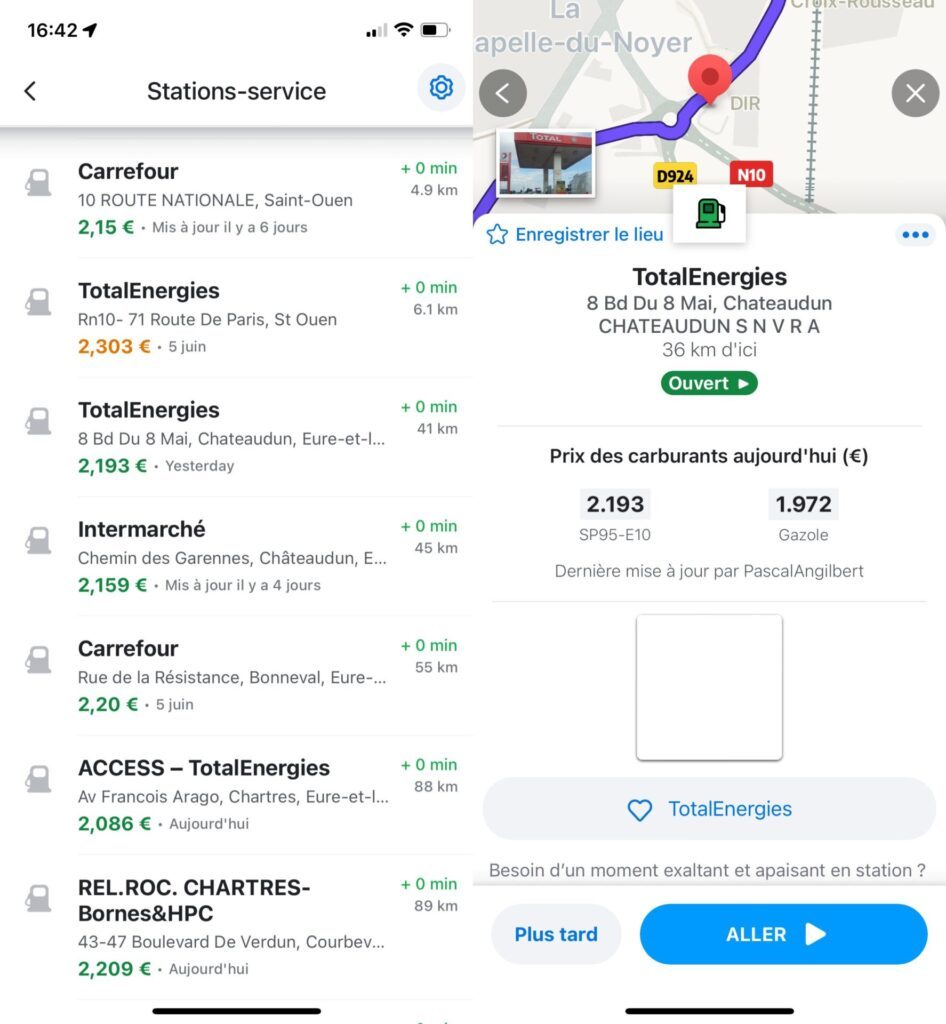
Waze will then keep your original route, but add a stage to it. You can then refuel and resume your journey without having to re-enter your final destination.