
With an adblocker you disable unwanted advertisements on websites. Adblock Plus is a free and open source adblocker that you can use as an extension for your browser.
By: Dennis Gandasoebrata
The program supports all major browsers (such as Chrome, Edge and Safari), but also includes plugins for smaller players, such as Opera and Yandex Browser. In addition, there are mobile apps available for Android and iOS.
In the settings window you indicate which ad types you want to block. This way you can not only block banners, but also, for example, cookie warnings. You can also suppress general push messages. You don’t necessarily have to block all ads, but you can also allow “acceptable ads”. This is useful to still support useful websites in generating their necessary advertising revenue. You can add websites that are always allowed to show advertisements to a whitelist.
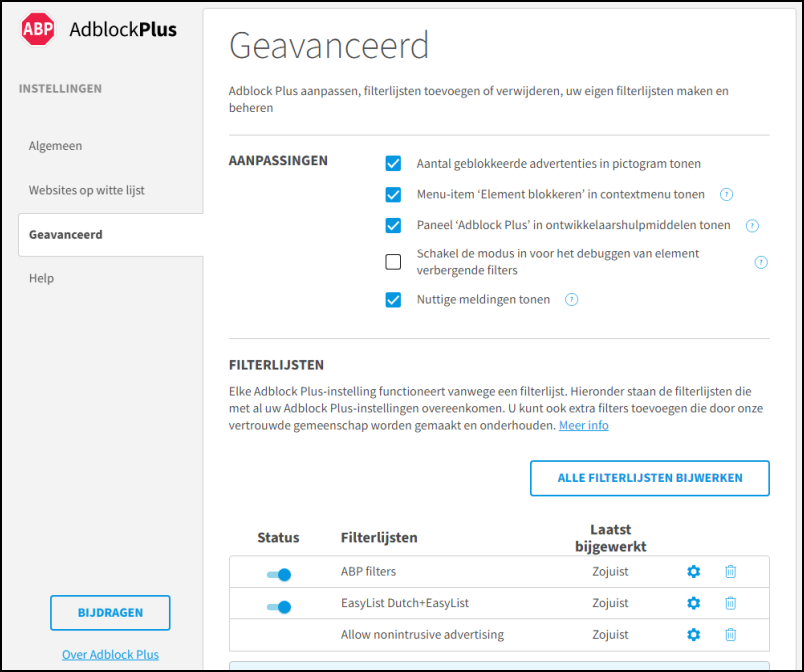
We also find an extensive section with advanced options, in which you can, among other things, indicate which filter lists you want to use. To improve the way the filters work, you can install additional languages. Besides in the form of an extension, you can also use the Adblock Browser. This browser is based on Chromium and is intended for Android.
Product: Adblock Plusadblockplus.org

Price: free
System requirements: Windows 10, Windows 11
Language: English