

Google has just integrated a new security option on its My Google Activity page. You can now enable additional validation to lock down access to your data.
During its annual Google I/O conference, Google presented many new features designed to strengthen the protection of personal data, particularly on Android.
This week, the Mountain View company unveiled a new option on the My Google Activity page, which consolidates the history of all of your activities on Google applications and services. At present, when your Google account is logged into your browser, access to the My Google Activity page is done immediately without any confirmation being required from you, thus leaving the possibility for any soul ill-intentioned, to be able to furtively consult your activities when you leave your machine unattended.
However, the American giant wants to change this mode of operation by notably strengthening the security of the process of access to this precious data. You can now activate a new option requiring you to enter your account password to validate access to your Google history. Here’s how.
Also see video:
1. Go to My Google Activity
Open your favorite browser, go to the page My Google Activity and sign in using your Google account. If you are already logged in to your Google account, the page automatically displays the various sections and information related to your use of Google applications and services.
2. Activate the password
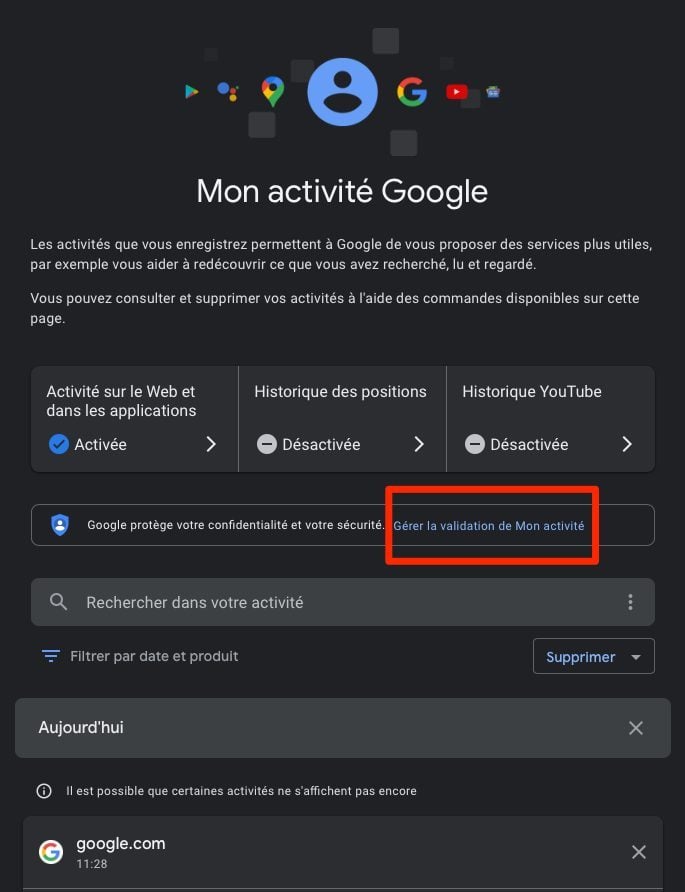
From the main My Google Activity page, click the Manage My Activity verification link.
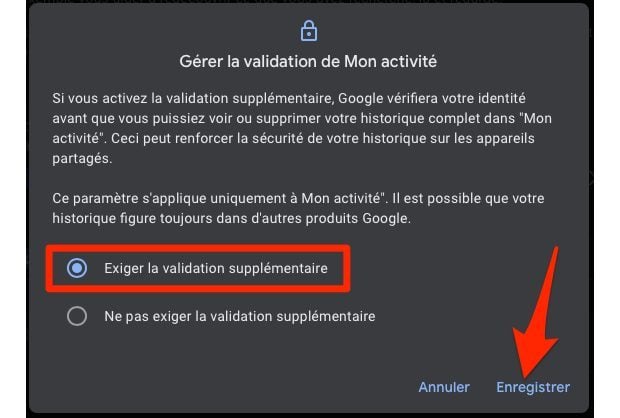
In the pop-up that appears on the screen, choose the Require additional validation option and click Save.
Access to information about your use of Google apps, services, and products is now secure.
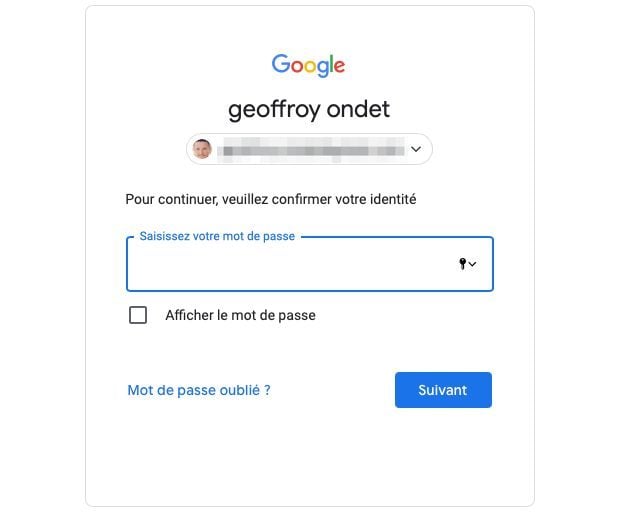
From now on, each time you visit this page again, you will have to re-enter your Google Account login password to access the content of the My Google Activity page.