
Don’t let recruiters miss your first or last name by adding their pronunciation directly to your LinkedIn profile.
Are you also one of those people whose first or last name is constantly scratched by strangers? To no longer have to suffer this affront when meeting a recruiter, LinkedIn has integrated into the profile of its users an option allowing them to add the pronunciation of their surname and their baptismal name with their own voice.
Once set up, people who contact you and then meet you in real life won’t have to hesitate when approaching you. Here’s how to set it up on your profile.
1. Go to your profile
Despite the presence of the option on the Web version, you can only make this modification from the mobile application of the social network.
Download LinkedIn for Android (Free)
Download LinkedIn for iPhone (Free)
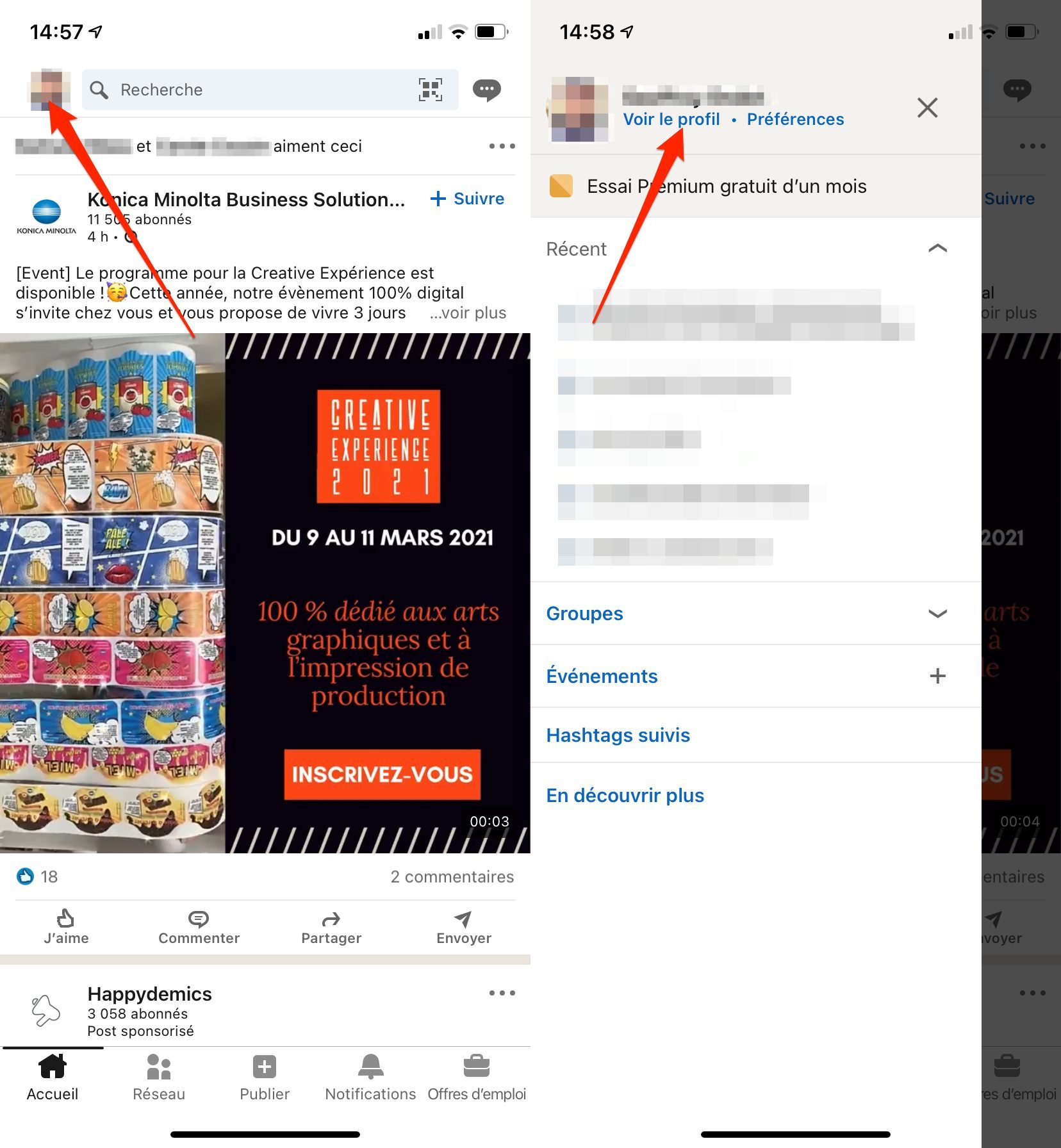
From the app’s main page, tap your profile picture in the top left and tap View Profile.
2. Edit your profile
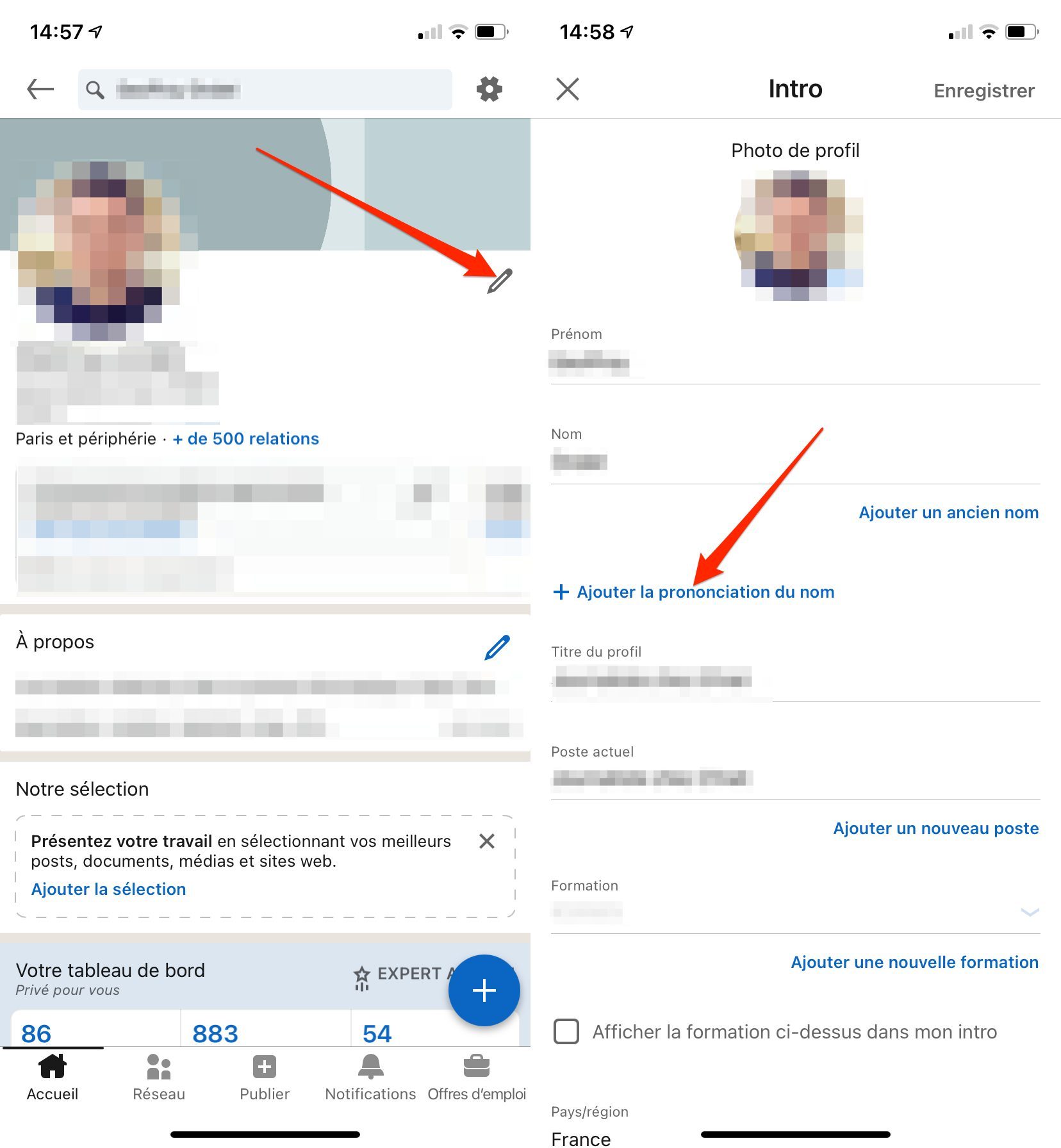
At the top right of your profile page, click the pencil button to edit your information.
In the Intro window that appears, tap Add name pronunciation.
3. Record the pronunciation of your first and last name
A pop-up should appear at the bottom of the screen. Keep your finger pressed on the blue button surmounted by a microphone and pronounce aloud and clearly your first and last name, as they appear on your profile.
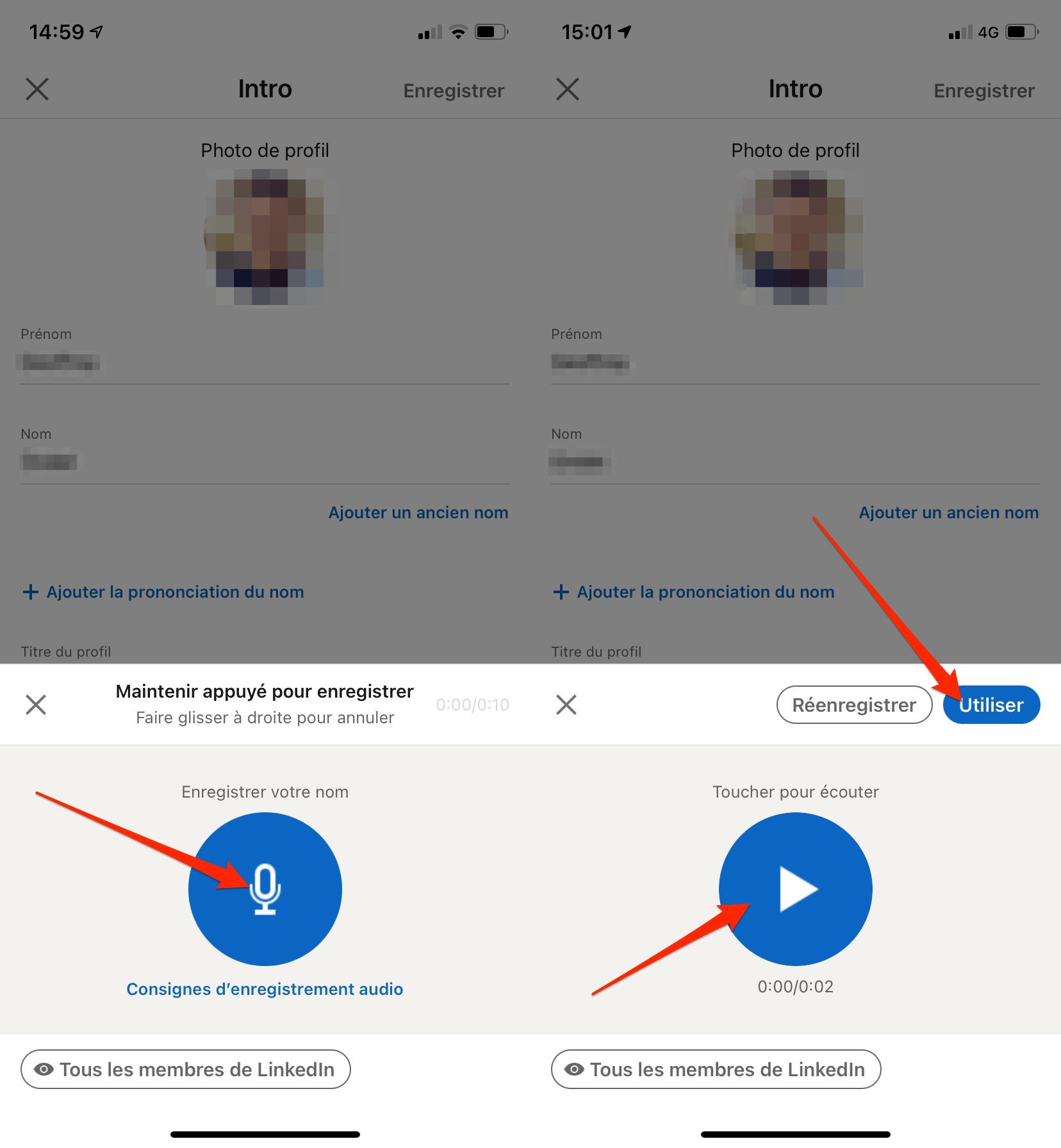
Once the recording is done, you can listen to your pronunciation again. If you are satisfied with the result, you will only have to press on Use to integrate it into your profile and validate your modifications by pressing on Save. Don’t forget to choose the audience that will be authorized to listen to the pronunciation of your first and last name (by default, All LinkedIn members) by clicking on the dedicated button.
On the other hand, if what you hear does not suit you, you can completely Re-record the pronunciation by pressing the appropriate button.
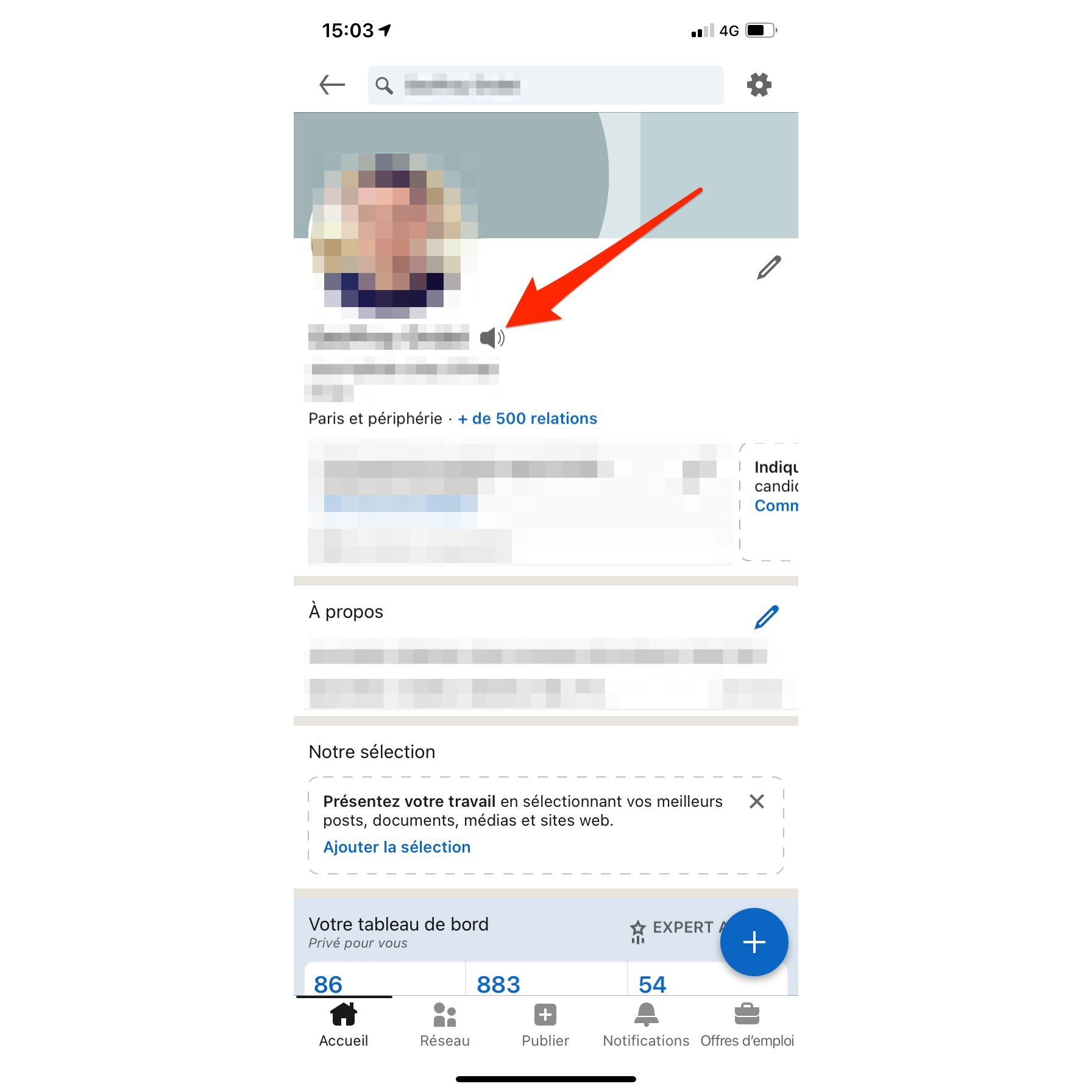
After configuring the pronunciation of your first and last name on your profile, other users will only have to press the icon representing a speaker to hear you pronounce them. You can also edit or delete this element of your profile at any time.