
01net.com –
Change your email settings to stop receiving notifications when a new contact has just signed up and to stop creating new conversations in your inbox.
With WhatsApp’s new terms of service in place, you may have recently taken the plunge and left Facebook’s messaging app in favor of an alternative like Signal or Telegram.
If you are in this case, you have probably noticed that each of these applications have the annoying tendency to send you a notification as soon as a new contact present in your address book registers. Worse still, when a new contact arrives, a new conversation is automatically created, relegating your usual conversations several rows below. Here’s how to put an end to it.
Download Signal for Android (Free)
Download Signal for iPhone (Free)
Download Telegram for Android (Free)
Download Telegram for iPhone (Free)
1. Turn off new contact notifications on Signal
Open the app and tap on your avatar. Then go to the Notifications menu to deactivate the option A contact has joined Signal there.
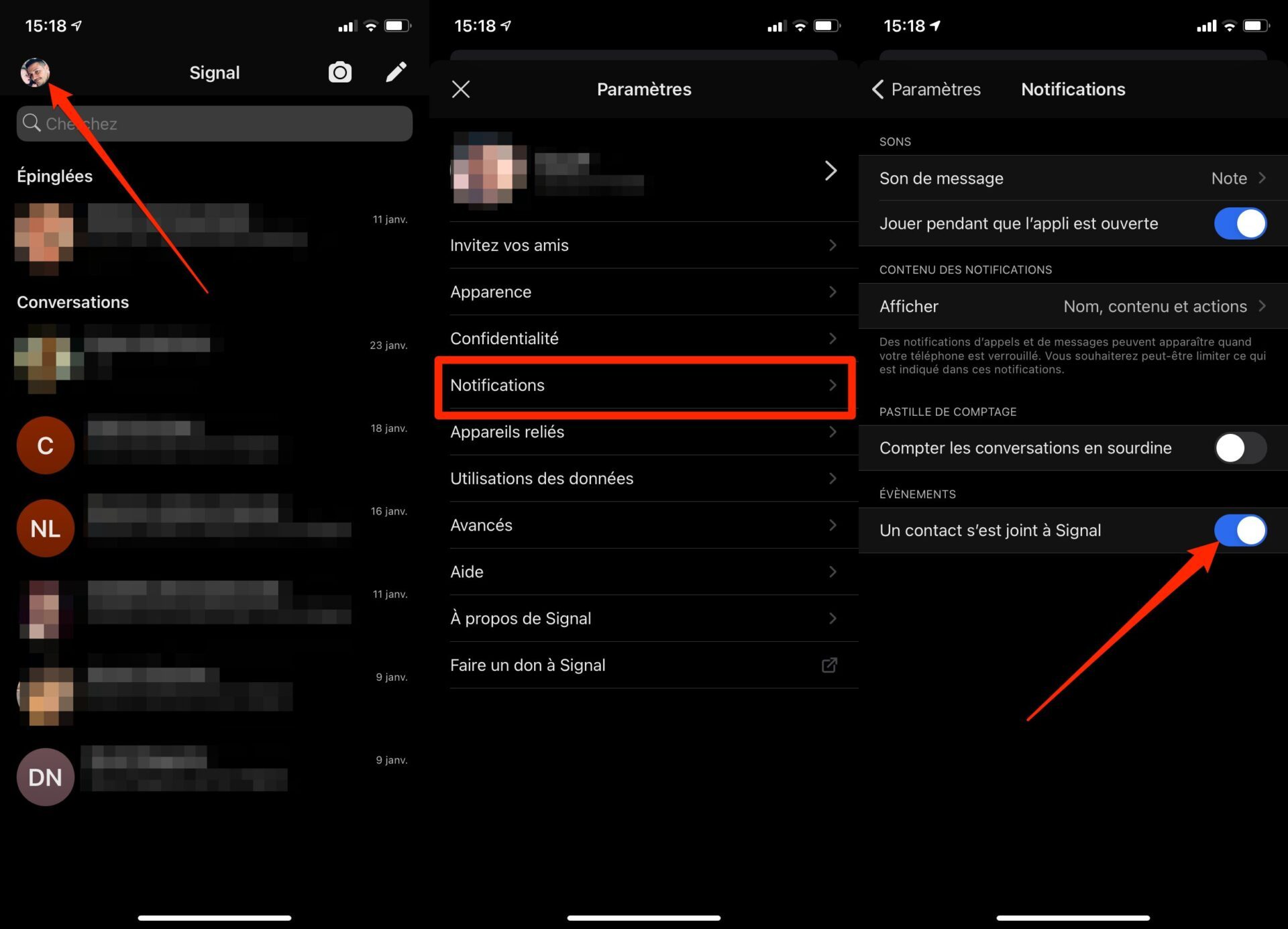
Once decommissioned, you should have no notification when a new contact joins Signal, or new conversations opened on your main page.
2. Disable notifications of new contacts on Telegram
Open Telegram and go to Settings app. Enter the Notifications and sounds menu, scroll through all the options and deactivate the New contacts (iPhone) or A contact has joined Telegram (Android) option.
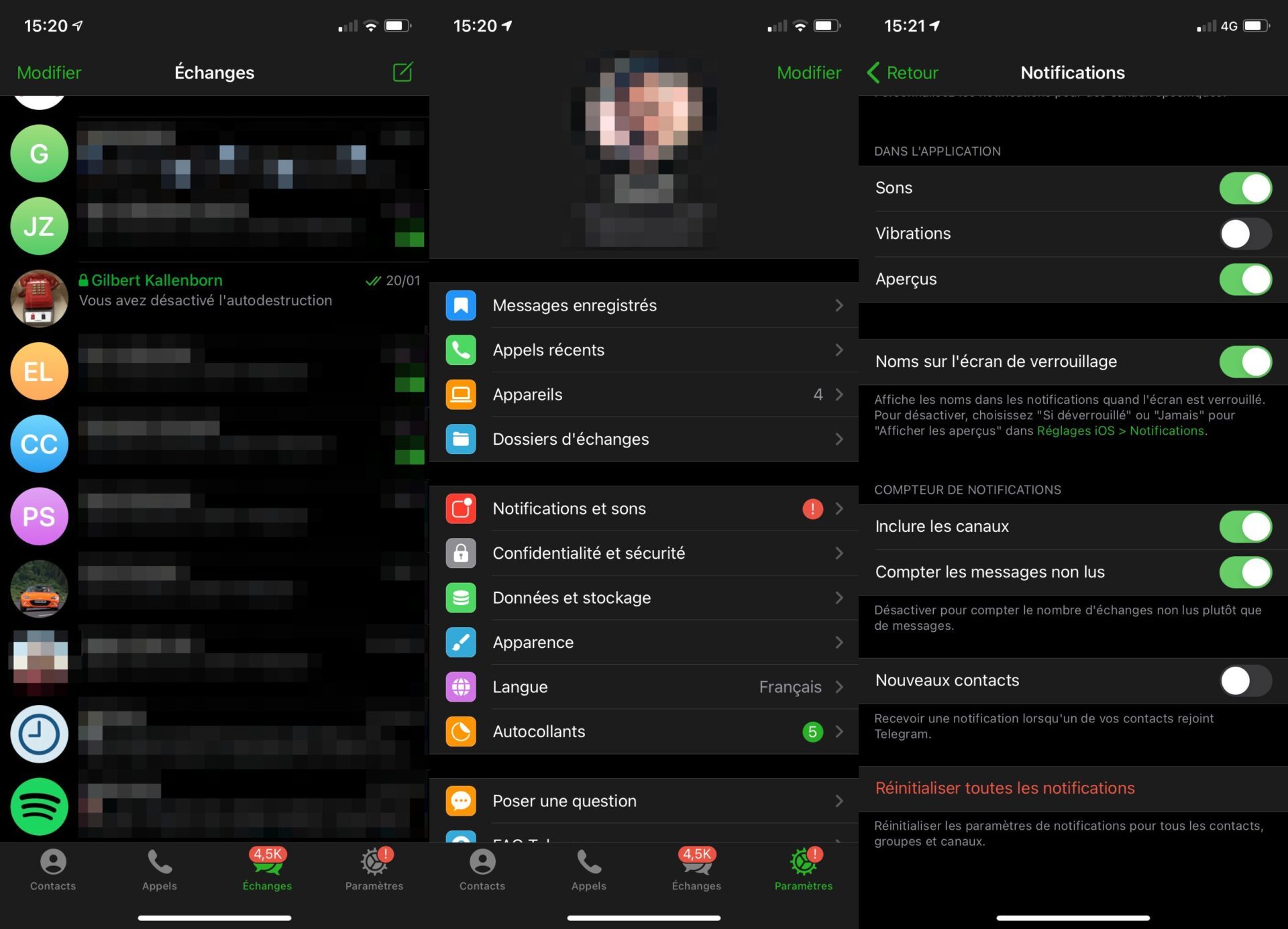
You should now no longer be disturbed by receiving notifications and creating new conversations in messaging.