
01net.com –
Configure your conversations within instant messaging so that the messages you send self-destruct after being read.
If you’ve recently left WhatsApp for an alternative like Signal, you should have no trouble finding your way around. Secure messaging incorporates a large number of features that already exist on WhatsApp and are just as easy to set up. This is, for example, the case of ephemeral messages.
Very practical for deleting all traces of messages that you may publish, the ephemeral messages function is activated individually for each conversation and allows you to automatically delete messages read by your correspondent after a certain period of time. Find out how to activate them on iOS and Android.
Download Signal for Android (Free)
Download Signal for iPhone (Free)
1. Access a conversation’s settings
Open the app on your device and go to the conversation for which you want to enable ephemeral messages.
On iOS, tap the name of your correspondent (or group) to access the settings and activate the option Ephemeral messages. Then move the slider that appears to determine the time after which read messages will be automatically deleted.
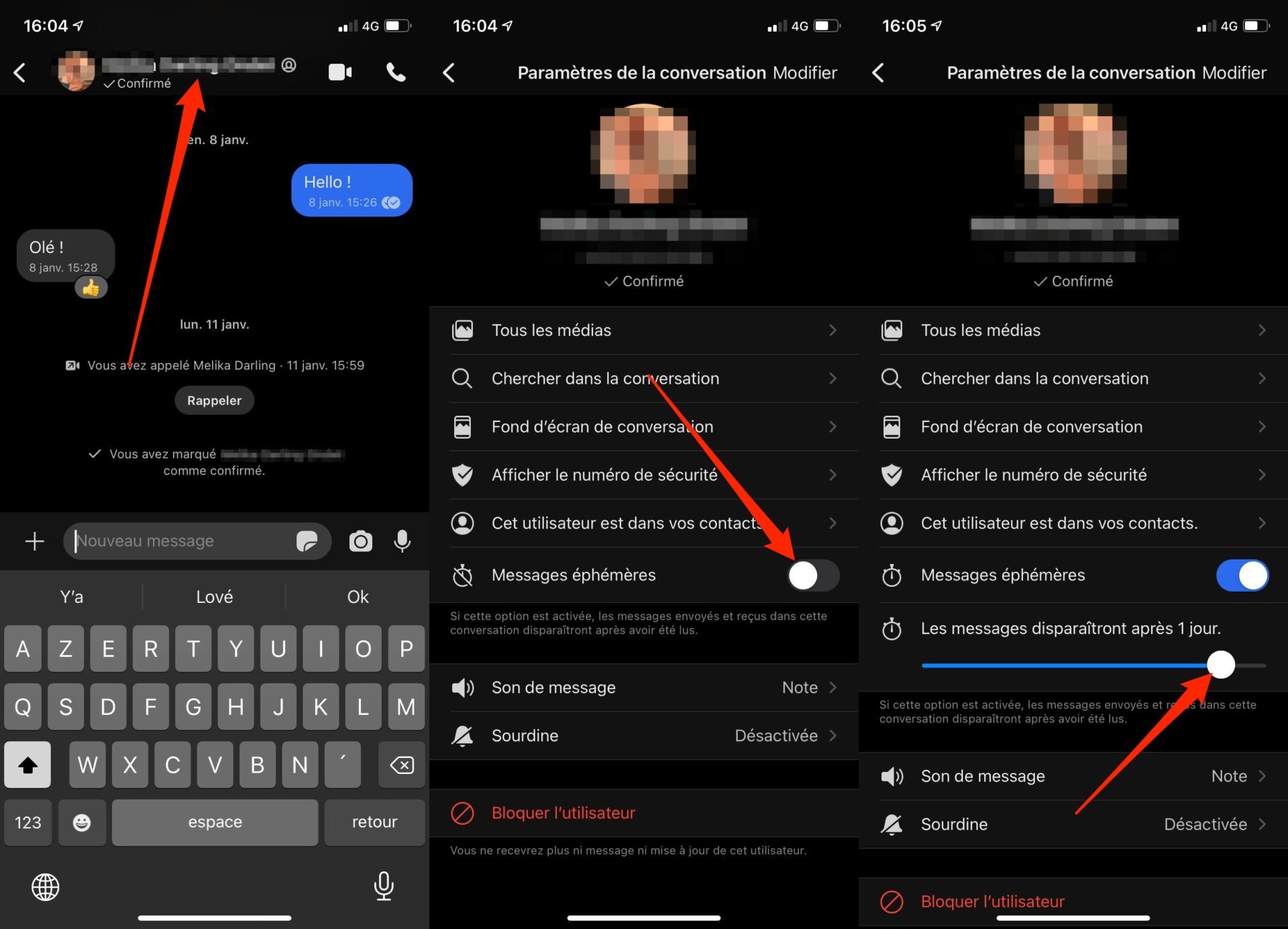
On Android, open the conversation for which you want to enable ephemeral messages and press the options button represented by three small dots. Then tap on Ephemeral messages, then in the pop-up that opens on the screen, choose the duration after which the read messages will disappear.
2. Send messages
Now return to the main chat window. An alert stating that You have set the expiration of ephemeral messages to x minutes should have been displayed.
You will also be able to see immediately if the option is activated in the conversation thanks to the icon representing a stopwatch, displayed just under the name of your interlocutor.
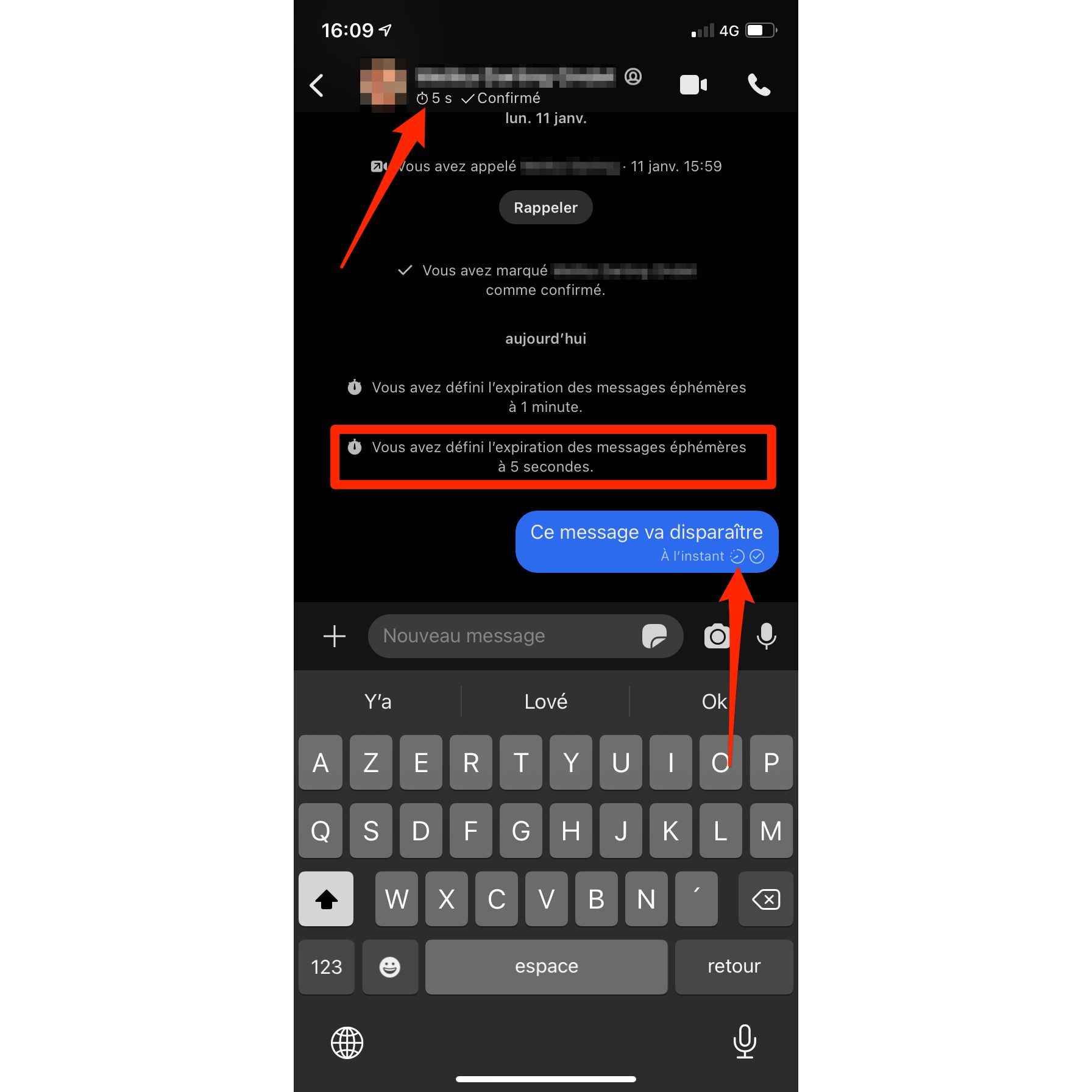
When you send an ephemeral message, it automatically disappears from your screen after the duration you set. As long as your message is not read by your correspondent, it remains in the conversation. As soon as your interlocutor opens the conversation and reads your missive, the message disappears from the conversation on his screen once the time you set has elapsed.