
01net.com –
Automatically send emails from correspondents stuck in the trash as soon as they are received in the iOS Mail application.
If you use Mail, the native email client of iOS, you may have already tried to block the receipt of emails from unwanted senders.
Whether they are people you know or spammers, the blocking system offered by Apple does not completely block the receipt of emails from these senders. Messages still arrive in your inbox, and are simply marked as sent by a sender you’ve blocked.
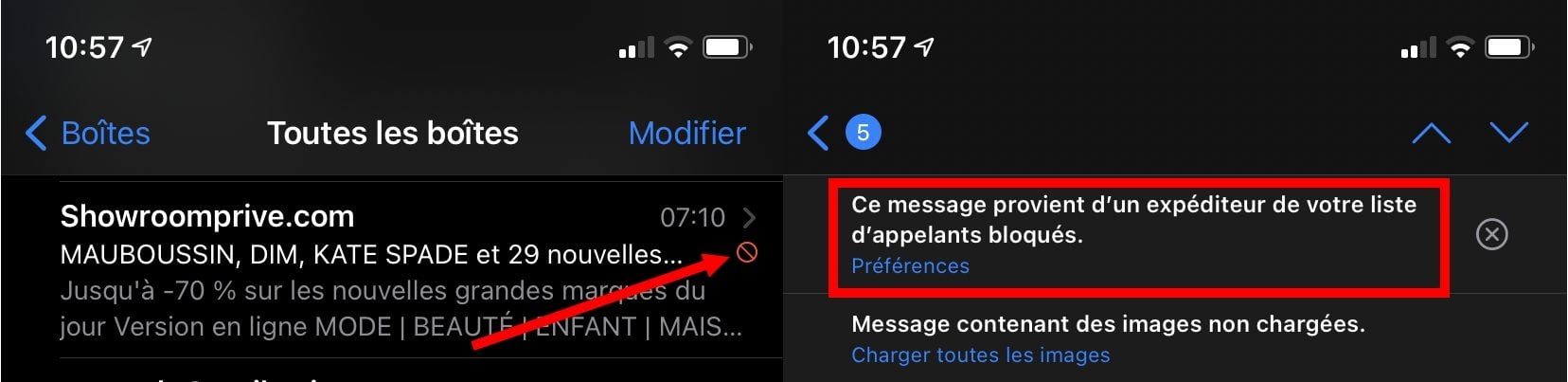
To stop seeing your inbox polluted by these messages that you will not read, it is possible to force Mail to automatically delete all emails from blocked contacts. Here’s how.
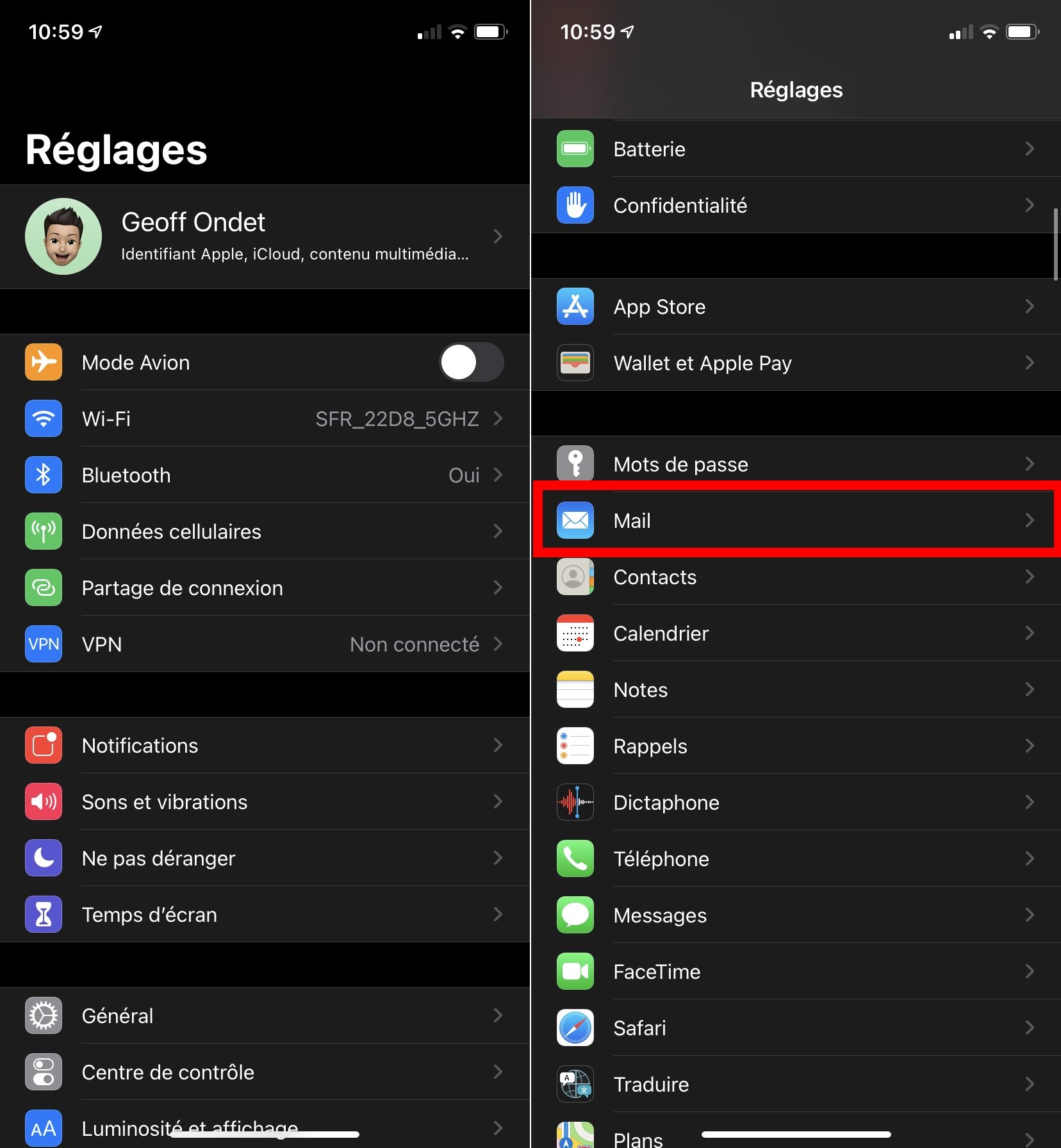
1. Go to Settings
Start by opening Settings on your iPhone or iPad. Scroll through the options and enter the menu dedicated to the Mail application
2. Change options for blocked senders
Now go down in the options displayed to reach the section dedicated to Threads.
Then enter the Options menu for blocked senders and change the setting to Move to Trash in the Actions section
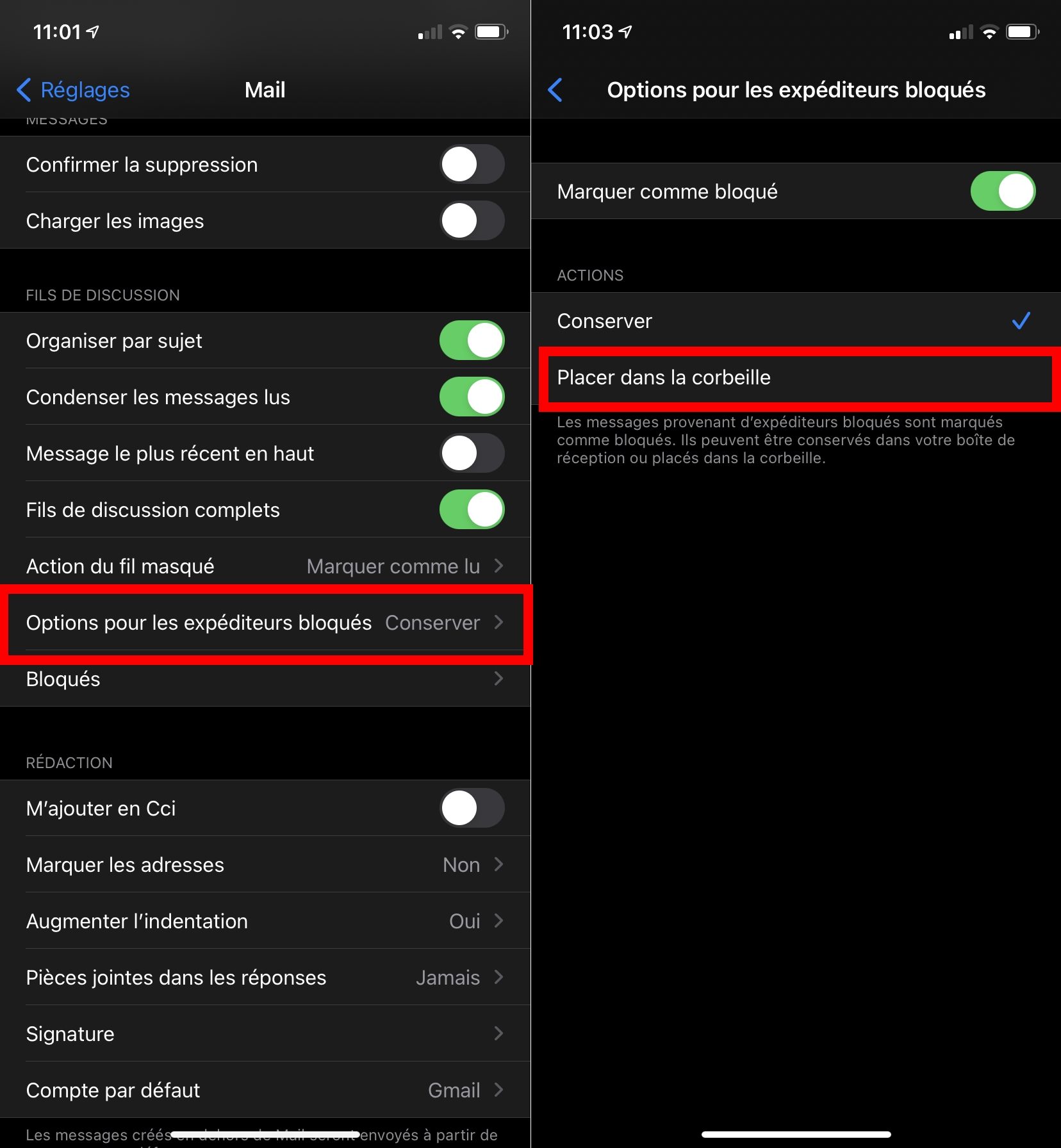
Now, all emails from blocked senders will automatically be trashed in the Mail app, so they won’t appear in your inbox anymore.