The iDeal payment system has been used by many people and online shops for years. iDeal will now expand with a new payment page and its own iDEAL profile for users to make online ordering and payment easier.
For many people, iDeal has become the standard payment system to buy something online from a webshop. In the Netherlands you have been able to pay with iDeal since 2005 and iDeal thinks it’s time to change things for a better and faster online payment experience. According to iDeal, the way online payments are changed, mobile payments and convenience play a major role in the ordering and payment process. For example, iDEAL will be expanded with a new payment page and its own iDEAL profile for users. This makes iDEAL even easier to order and pay online.
iDEAL user profile
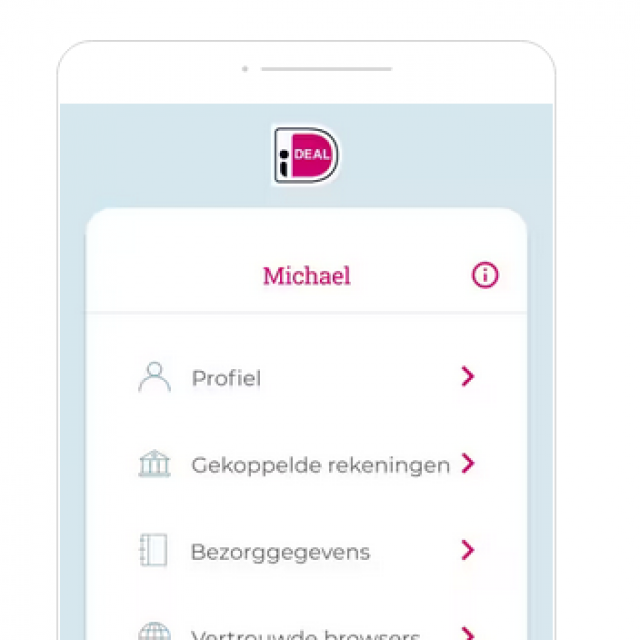
To be able to use the new options, you create an iDEAL user profile once. After this you can pay faster and easier. The use of an iDEAL profile is optional, paying with the (old) iDEAL system remains available and the new iDEAL does not cost you anything extra as a customer. In this user profile you specify, among other things, your bank with which you want to pay online. So you will no longer see a whole row of banks, but the bank you have specified, which is so easy.
iDEAL Fast payment
However, you do not only specify your bank preference, you can also indicate a preferred account in the iDEAL profile. At checkout, your profile will be recognized and immediately forwarded to your bank to approve the payment. You choose how you approve the payments: on the iDEAL payment page via the QR code or with only a confirmation in your Internet banking app, for example the Rabo App.
iDEAL Order quickly
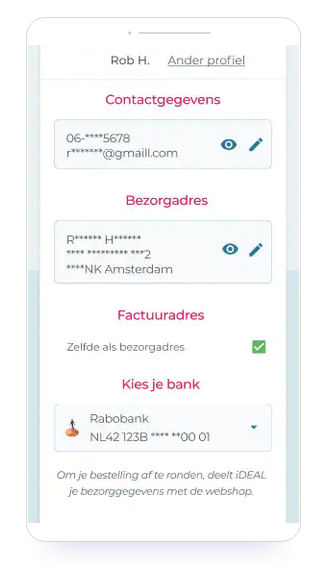
This is ordering and paying in one step and this is also possible with your own iDEAL profile. In this profile, in addition to a preferred account, you also enter your contact details and delivery address. Your details are filled in automatically at checkout: you no longer have to enter those details yourself. You will then be forwarded to your bank to approve the payment. Your address details may only be stored after you have given permission.