
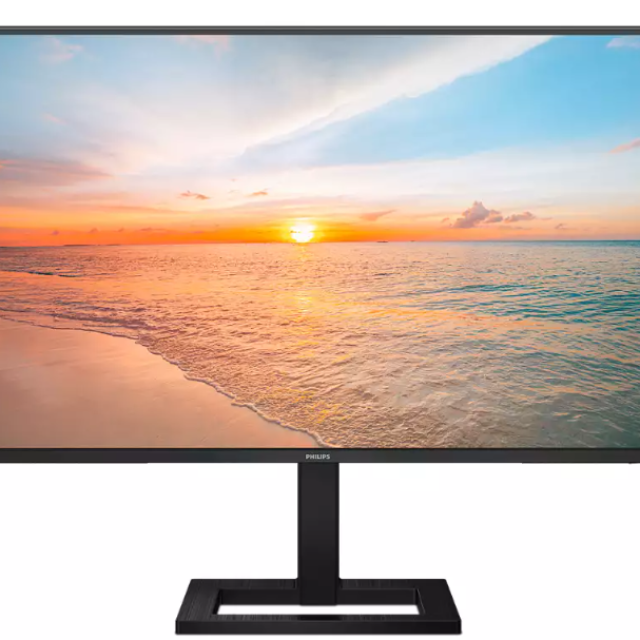
Suppose you want a 27-inch monitor for everyday use, but you don’t want to pay too much. Is the Philips 27E1N1300AE a good choice? Read our review here.
Aad Munsterman and Rob Coenraads
The Philips 27E1N1300AE is a low-priced 27-inch full HD monitor. It is primarily intended for expansion as a second screen for a laptop or as a first and additional screen for a desktop. When connecting the monitor to a laptop via USB-C, the laptop’s power adapter is no longer necessary, making connection very simple and clear with just one cable.
Design and screen
The monitor consists of a black plastic frame with narrow edges and a square base. The matte screen is of the IPS type, which is known for correct color reproduction in combination with good viewing angles. The resolution is full HD (FHD) or 1920 x 1080 pixels and it has a standard aspect ratio of 16:9. FHD on a 27-inch screen gives a nice large display, but it sacrifices some sharpness and display surface compared to QHD (QHD (Quad High Definition or 2560 x 1440 pixels). The brightness of the screen is 250 nits and that is fine for use. indoors or office.
We measured the color coverage and found it to be 94% sRGB and 77% DCI-P3. This makes this monitor suitable for everyday office automation, but less suitable for serious image processing.
The refresh rate of 100 Hz and the fast pixel rate give the screen smooth display of the image, even during games. The adaptive synchronization FreeSync is available for communication with a video controller that supports that protocol, and prevents tearing and stuttering of the image in games.
USB hub and sound connections
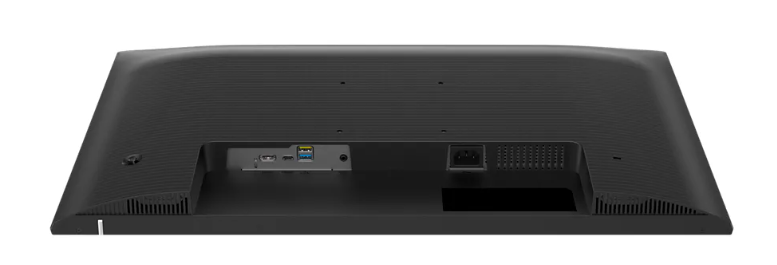
A USB-C 3.2/5 Gbps hub is built in that can be used to control the screen (DisplayPort 1.2 Alt mode) and supply voltage (Power Delivery 65W) to maintain the battery of a laptop. The hub has two USB 3.2/A outputs for universal use. In addition to the USB-C port, there is an HDMI 1.4 video connection for connection to a system. The sound produced by the monitor is rather economical and sounds quite hollow.
(article continues below the image)
On Screen Display (OSD)
The OSD settings are controlled by a handy joystick on the right rear side. After some getting used to it, it is quick to use and provides access to activating the standard settings and also Adaptive Sync, LowBlueMode, etc.
Ergonomics
The screen is on a fixed base. The entire foot must therefore be moved before turning. The height adjustment is 10 cm and that is 4 cm for the bottom of the screen to 14 cm from the desktop. For the combination of a laptop and this monitor on a shallow desktop, the height adjustment is inadequate, because the laptop then partly covers the lower part of the monitor. The tilting options of the screen are sufficient. There is a VESA connection for wall mounting on the back.
Conclusion
The Philips 27E1N1300AE is an all-round monitor for standard office automation tasks and also has some aspirations for games that do not place too high demands on the monitor. The specifications leave something to be desired here and there, but that is the reason for the low price.
All in all, a cheap all-round 27-inch full HD monitor for everyday use that receives a score of 7, or 3.5 stars.
Philips 27E1N1300AE 27”/FHD monitor
Recommended retail price: €199 / €179
Rating: 3.5
Plus points
+ USB-C hub with Power Delivery
+ low price
Negatives
– limited ergonomic settings
– FHD at 27” and limited color coverage