
On the Android smartphone, since last year’s version 11, you can hide and protect your files so that no one but you can see them. A safe feeling. Read here how to set it up.
Niels Brouwer
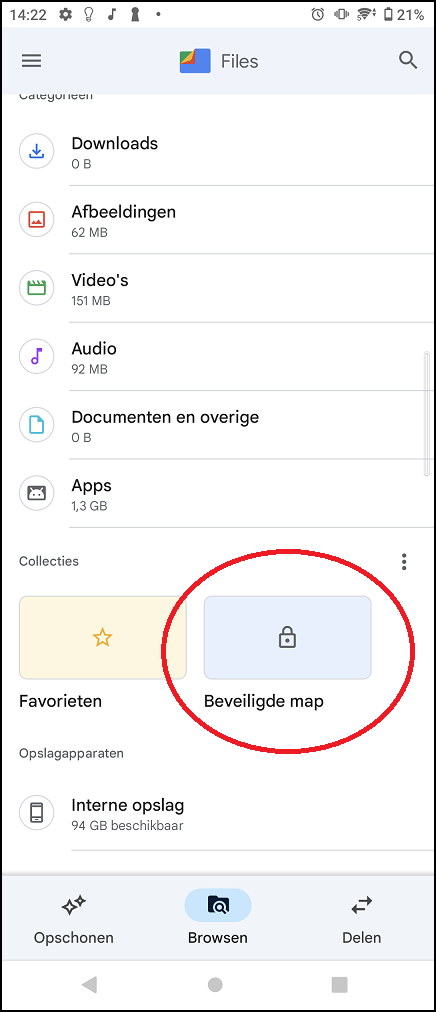
 In May 2020 we wrote online how you can secure access to your Android smartphone and protect yourself against harmful apps (pcactive.nl/update/4895-smartphone-beveiligen-tips-en- Veel-telefoons-niet-beveiligd). However, since Android 11 you can also protect the files on your phone. These are files that are located in the default Files app. Please note: on the phone we use for this article, a Sony Xperia 5 III, but also on most other Android phones, the app is called Files.
LOCK OPTION
You can protect the Secure folder in which you place the files with personal information using a PIN code. Open the Files app. At the bottom you see the tab Browse stand. Click on it to All categories to be able to see. Then click at the bottom Collections to get started with your lock option. You can choose a four-digit PIN or create a pattern. To do this, you connect five points. Make your choice, enter your desired code or pattern and click Next one† Click again Next one to confirm the code definitively. Make sure you remember the code or pattern, because once you forget it, you won’t be able to access your locked files.
TRANSFERRING FILES
Go back to your Files app and click . again Browse† Press and hold the file or files you want to transfer to select them. Then click on the three dots at the top right of the screen. click on Move to Secure Folder† Then enter your chosen PIN or pattern. To find the files again, go to your Files app, click on the locked folder and re-enter your PIN or pattern.
HIDE FOLDER
A special option is that you can also hide the map from prying eyes. You can let such a person use your smartphone without fear of encountering your personal files. To do this, go to the Files app, tap at the bottom Browse and then on the three dots next to Collections† Click now Hide Secure Folder†