

With AdGuard Home you can prevent unwanted advertising and marketing tools such as trackers block in your network.
By: Dennis Gandasubrata
Of course, such solutions are also available for the individual devices in the network, but with AdGuard Home you have none clientprograms are needed more and every device is ‘automatically’ well protected.
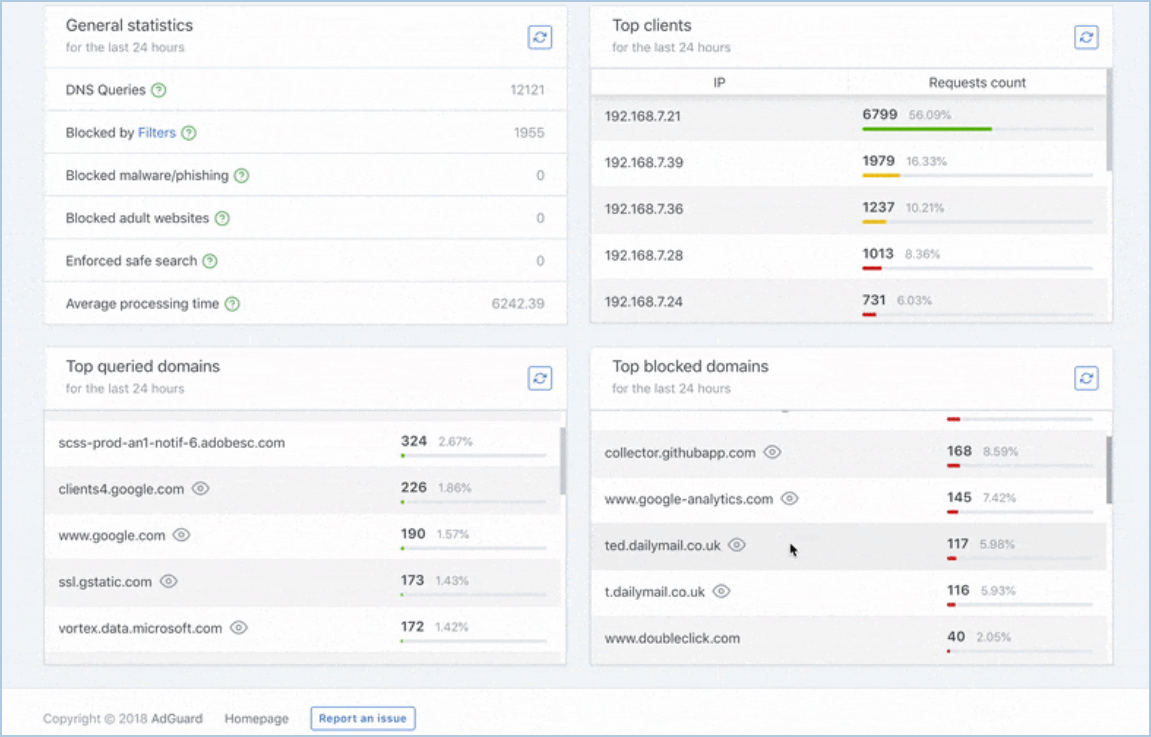
The most important settings are displayed via a central dashboard. For example, you can see in graphs how many attacks have been blocked and which threats there are. AdGuard Home protects the devices within the network against various influences. For example, there is protection against malware and phishing attacks and you can block access to specific websites by default. You can install AdGuard Home on a variety of devices, including a Raspberry Pi. The advantage of this is that the network check is then continuously active and you keep the electricity costs to a minimum. After installing the software, open the browser and navigate to AdGuard Home’s IP address to further configure the settings. The service uses a handy wizard, which takes most of the configuration work out of your hands. You then determine how many additional settings you can adjust yourself. Finally, you adjust the DNS settings in your router, so that all connected devices automatically go through the security of AdGuard Home.
 Product: AdGuard Homehttps://adguard.com/en/adguard-home/overview.html

Platform: Windows
Pros:
* wizard for configuration
* support for multiple platforms
* security for all devices on the network
Negatives:
* brief explanation for advanced configuration