
If you want to know more about the contents of your computer, you can use CPU-Z. This program collects important data about the machine and displays it in a clear way.
By: Dennis Gandasubrata
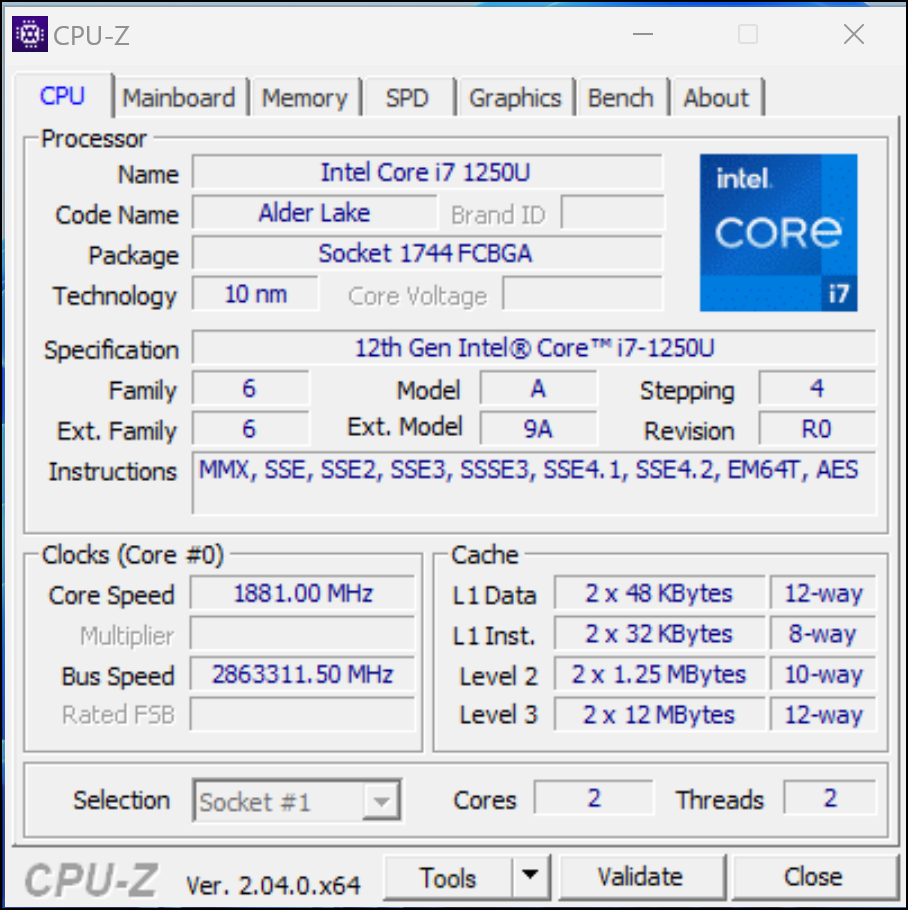
The software focuses on key components of the computer, such as the processor, motherboard, memory, and graphics card. Do not expect extensive information: the software is intended for users with a reasonable knowledge of hardware. CPU-Z is also useful for troubleshooting, for example if you want to quickly find out which parts are being used.
The compact program consists of a number of tabs. At the bottom we also find a button Tools. This allows you to save the results as a txt file, among other things. Don’t feel like installing the software? The makers also offer one standalone version on, which works without having to install the program.
The various shortcuts are useful, with which you can perform an action. This way you can press F5 take a screenshot, which is automatically saved in the program folder as a bmp file. You can also press F6 copy the contents of the open program window to the clipboard, after which you can process it in a Word document, for example.

Product: CPU-Z www.cpuid.com/softwares/cpu-z.html

Platform: Windows,Android
Pros:
* compact program
* standalone version available
* hotkeys for sharing information
Negatives:
* limited explanation