

With EssentialPIM you get a program with which you can structure various information.
By: Dennis Gandasoebrata
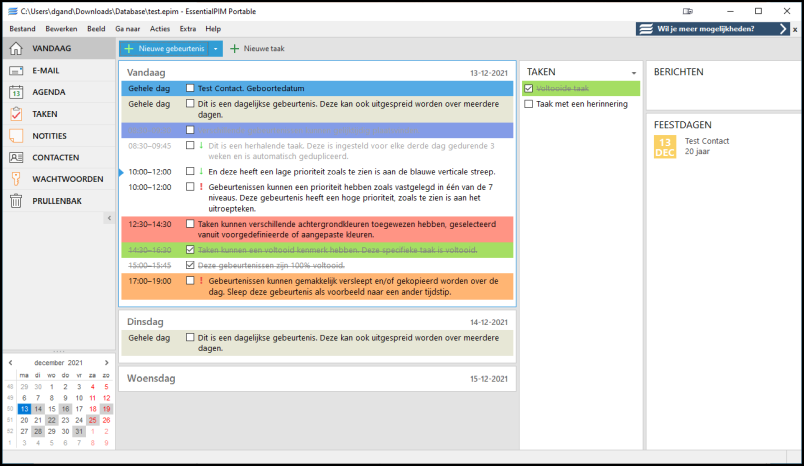
EssentialPIM keeps an overview of, for example, this program keeps an overview of your contacts, appointments and correspondence. There is a free and a paid version available, we look at the free edition.
The software is presented as an alternative to a program such as Microsoft Outlook. It consists of several parts. First of all, you can use it to keep track of your appointments. You can also print the built-in calendar and save it as a website. Unfortunately, the free version is somewhat limited: we only find other common options (such as being able to filter or adjust the calendar view) in the paid edition. You can also keep to-do lists with EssentialPIM and be reminded of them. You can put structured and unstructured information in the notes section.
Typically, EssentialPIM also comes with a password manager, although from the point of view of ‘information manager’ this is of course a logical choice. The makers also release some additions, with which you add specific tasks or extra functionality. A good example of this is EPIM-Outlook Sync, with which you can synchronize the databases of EssentialPIM with those of Outlook. There is also EPIM Archiver/DupeRemover, with which you can check the existing database for duplicates and remove them.
In addition to the desktop client, there are mobile versions available for Android and iOS.
Product: EssentialPIMessentialpim.com

System requirements: Windows, ANDroid, iOS
Pros:
*available in Dutch
* extra functionality via additions
* extensive forum for support
Cons:
* free version very ‘basic’