

Protect your sensitive conversations in instant messaging by enabling end-to-end encryption.
Contrary to what everyone seems to believe, Telegram does not encrypt conversations by default, unlike Signal. Therefore, new users of the messaging application naively think that their exchanges are protected when it is not. Whether individual or group conversations, end-to-end encryption must be activated manually by the user.
Here’s how, in a few quick steps, to protect all your conversations by enabling end-to-end encryption in Telegram.
Download Telegram for Android (apk) (Free)
Download Telegram for iPhone (Free)
Enable end-to-end encryption on iOS
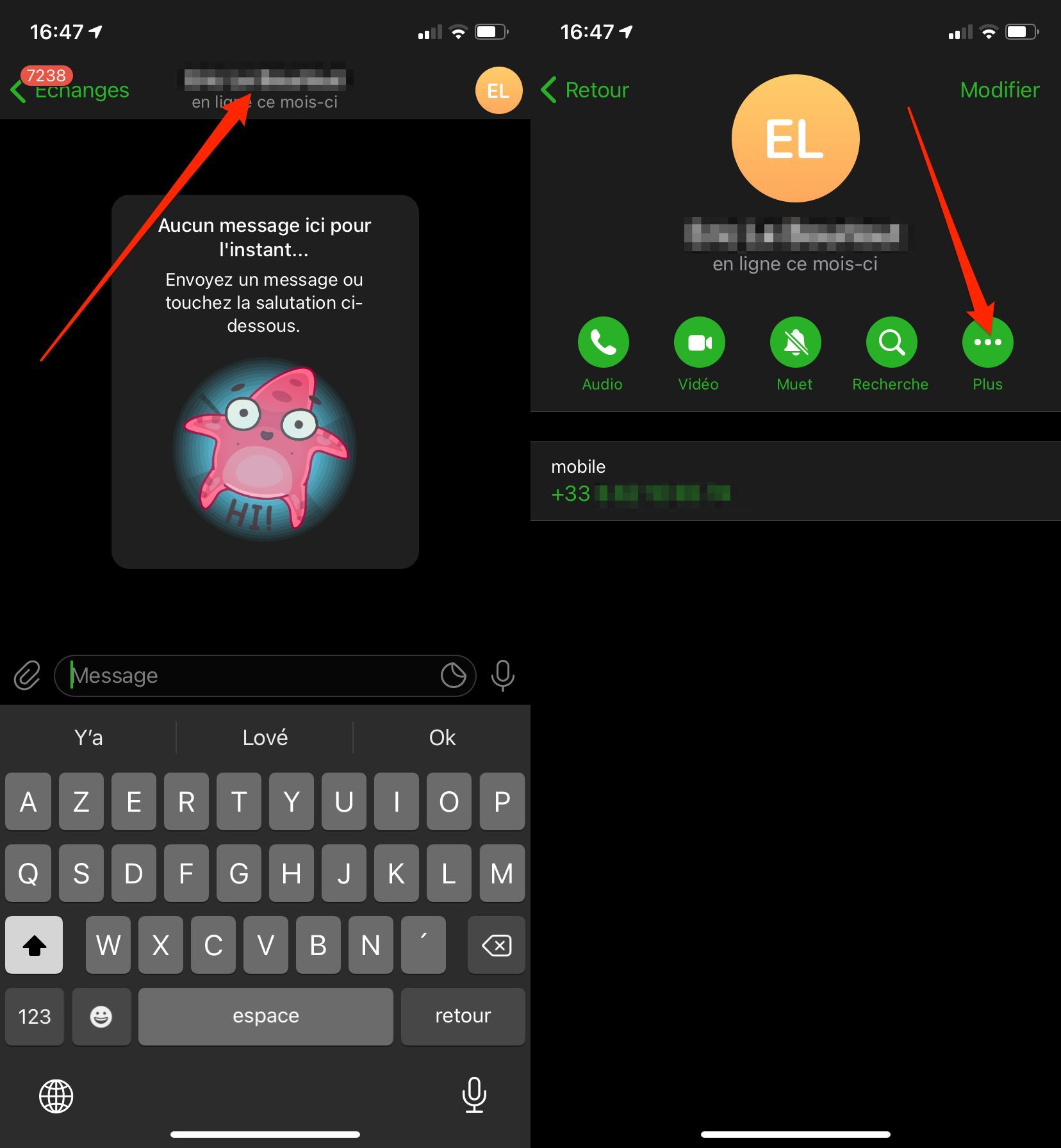
Launch Telegram and open a conversation you want to protect. Then tap the name of the correspondent or chat group to access the conversation settings, then tap the More button to display additional options.
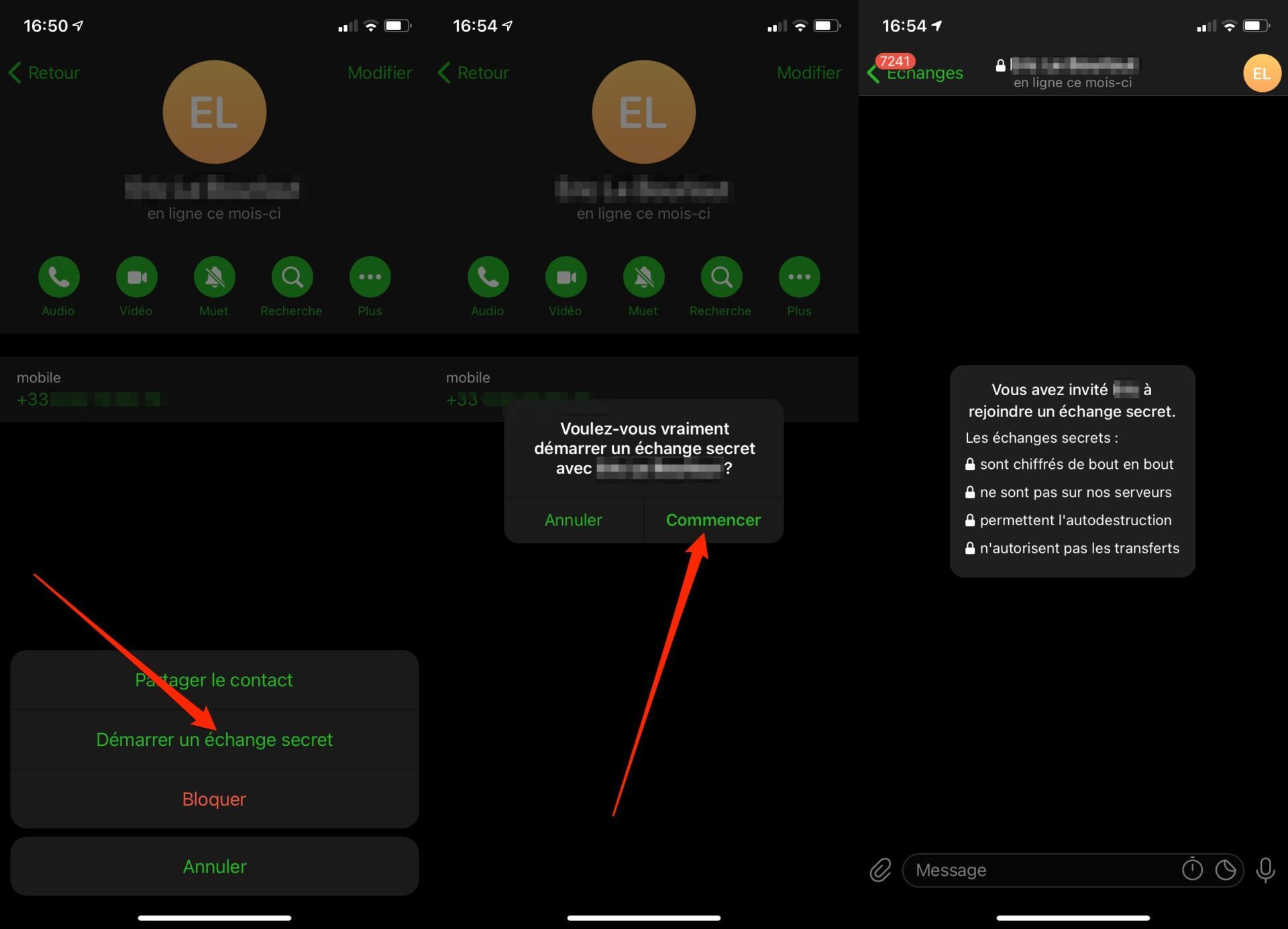
All you have to do is activate the Start a secret exchange option, and confirm your choice by pressing Start to open a new end-to-end encrypted chat window.
Enable end-to-end encryption on Android
Open Telegram and enter the conversation to be protected. Then press the name of your correspondent, then the option button, represented by three small dots.
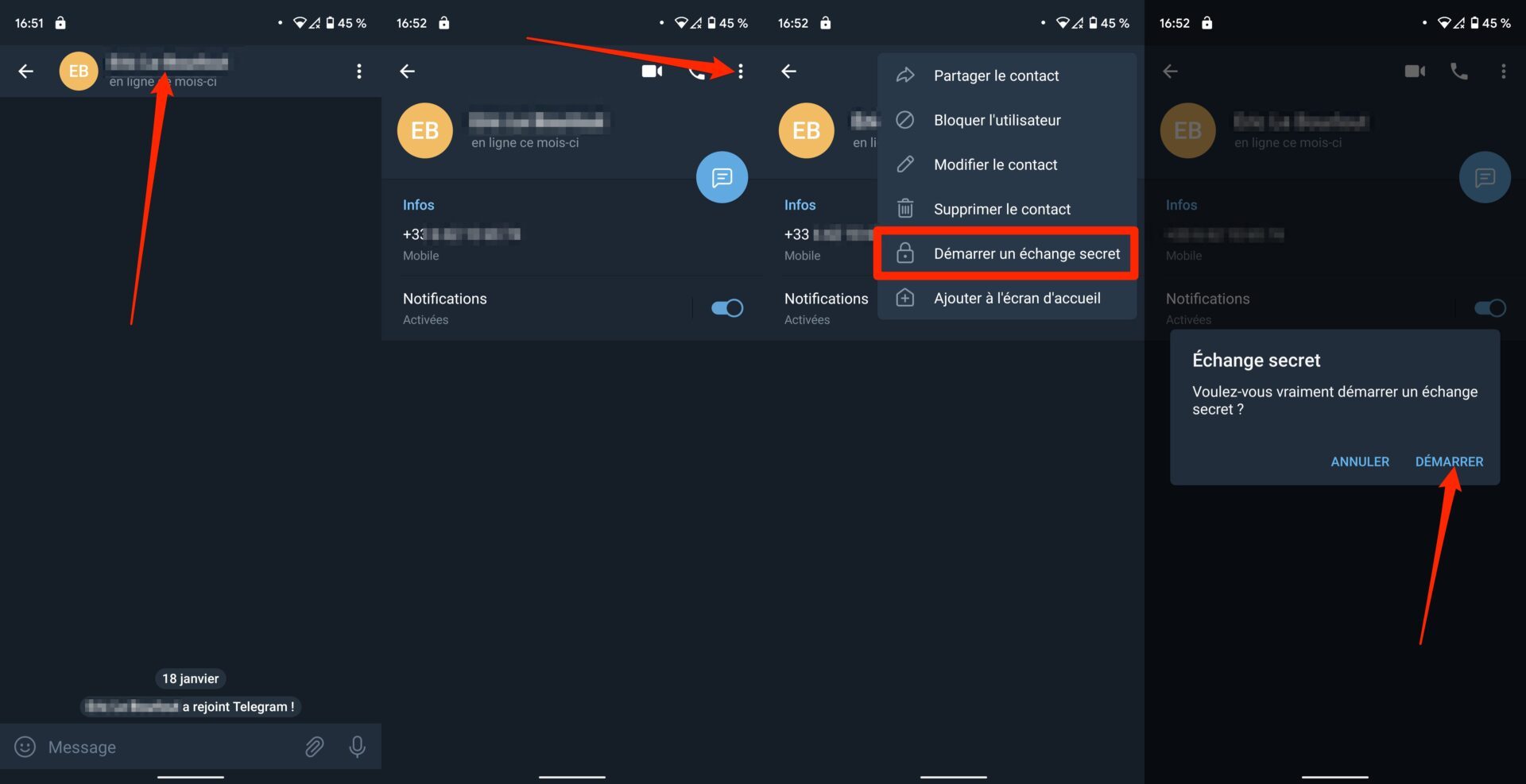
You can then start a secret exchange. Then confirm your choice by pressing Start to open a new secure chat window.