
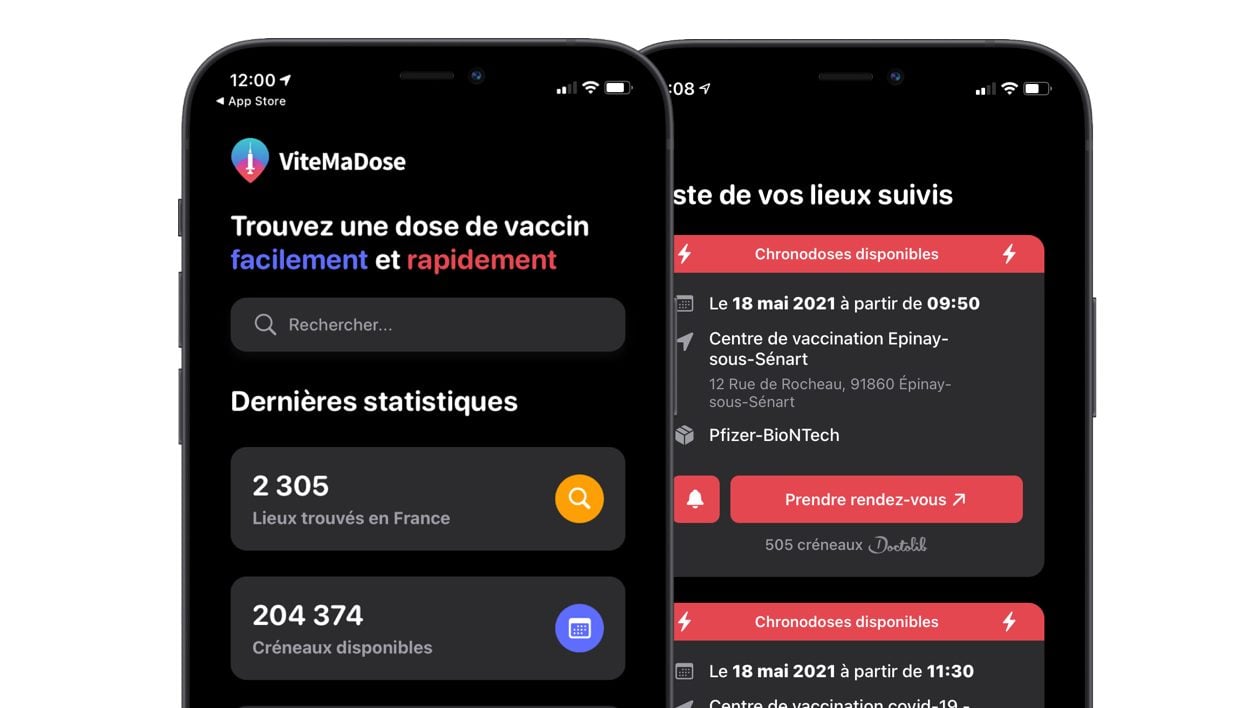
Quick My Dose app! recently integrated a functionality allowing to reserve a dose of vaccine that has not found a buyer within the authorized priority public, for the same day or the next day. Find out how to configure the application to be alerted in real time as soon as a dose is available near your home.
While the vaccination campaign against covid-19 began several months ago for the priority public, a new race is underway for the rest of the population considered as non-priority.
Since May 12, vaccination appointments that have not been booked by the target public are open to the entire population, without age limits, for the same day or the next day.
Doctolib, Maiia, KelDoc, mapharma.net or even Ordoclic, the various platforms that make it possible to reserve these unallocated slots, were very quickly overwhelmed by requests.
To save you from spending hours researching each of these services individually, the Vite Ma Dose application, developed by Guillaume Rozier, offers to find an appointment for you by simultaneously querying all these platforms.
For the past few days, Vite ma dose has made it possible to search for “chronodoses”, those doses of vaccines that have not found a buyer, and to configure alerts to receive notifications when last-minute doses are available in the centers of vaccination near you.
Also see video:
1. Download Quick My Dose!
If you haven’t already done so, start by downloading the Vite Ma Dose application to your iPhone or your smartphone android. Offered free of charge, it uses the functionalities of the online service of the same name by offering you the possibility of finding a vaccination appointment near you if you are part of the eligible public, or of finding a “chronodose” if you are not part of it. priority people.
2. Find centers near you
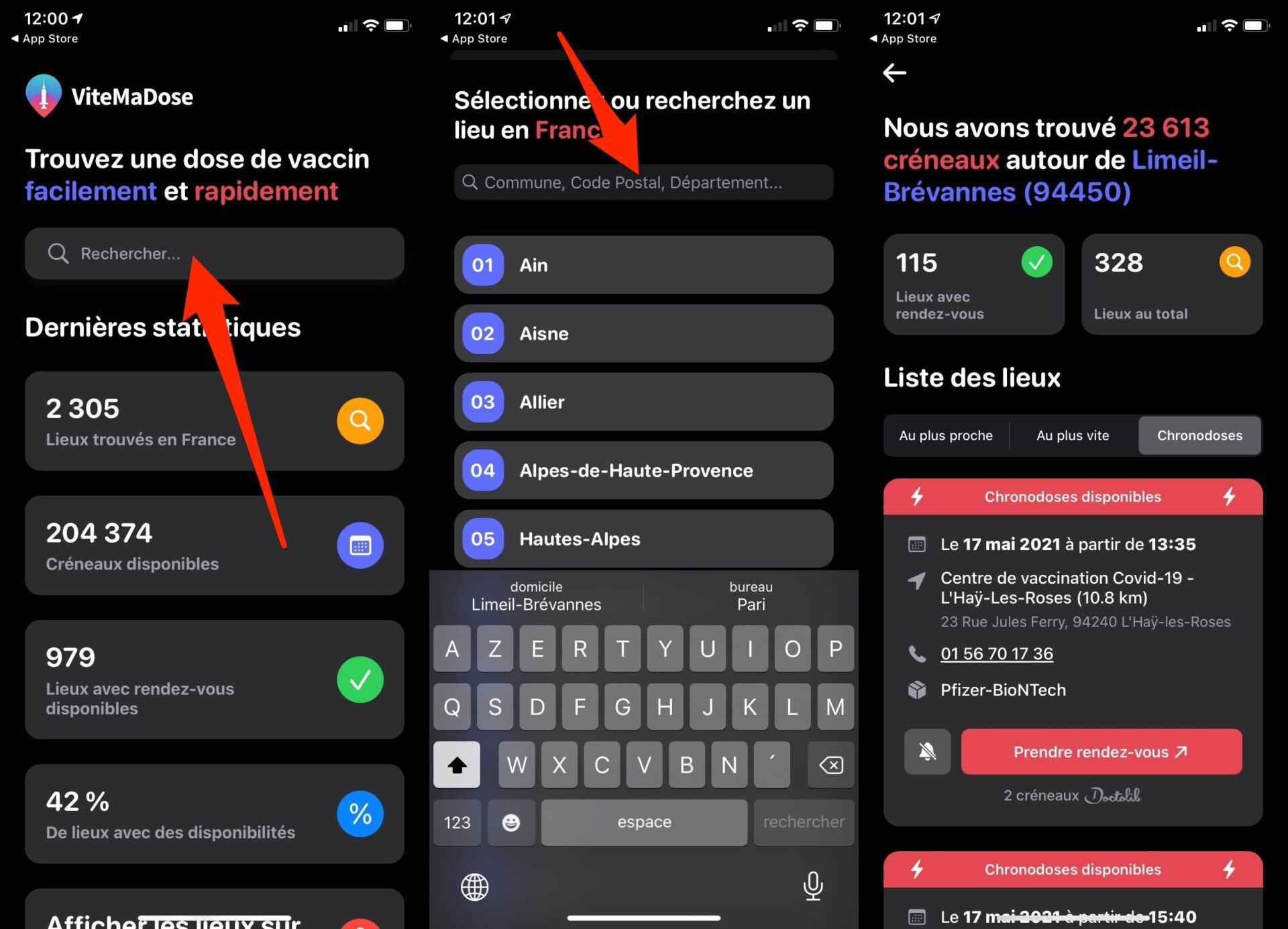
Open the application, then in the Search field, enter the name of your city, your postal code, or your department number.
Quickly my dose automatically displays the List of places offering doses of vaccines As soon as possible. You can also display the places offering doses of vaccines Nearest, or those offering Chronodoses.
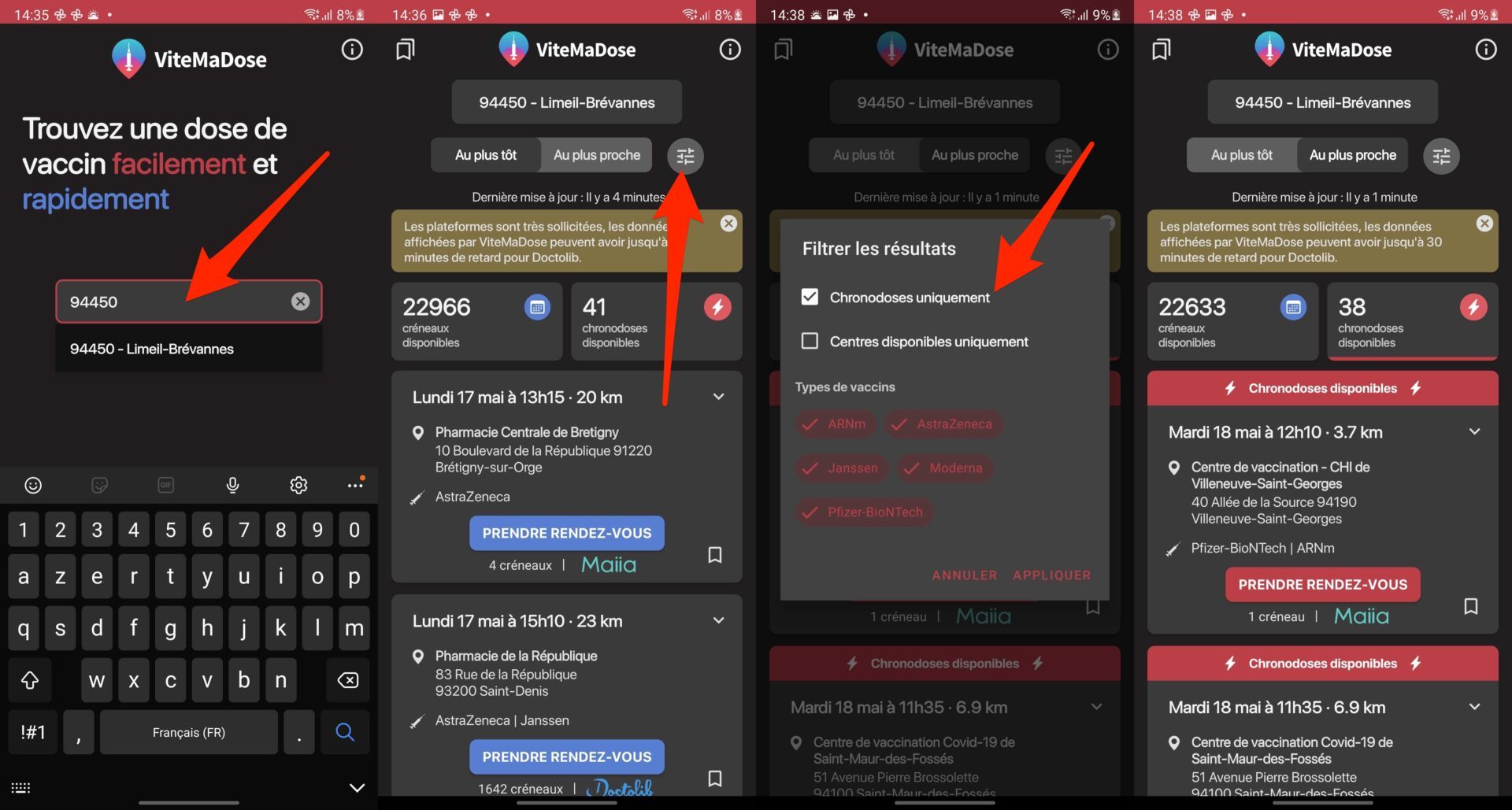
On Android, the application only displays the Earliest and Nearest vaccination centers. To display only the centers offering chronodoses, press the filter button on the right and check the Chronodoses only option.
3. Enable notifications for chronodoses
If you are not yet part of the priority public to be vaccinated, you can fall back on Chronodoses, these doses of vaccine which have not found takers and which can be used by the entire population without age limits, for the same day or the next day.
To not miss any, it is possible to configure specific alerts for the availability of chronodoses. On iOS, these alerts can be configured in each of the three Nearest, Fastest, or Timed Doses tabs.
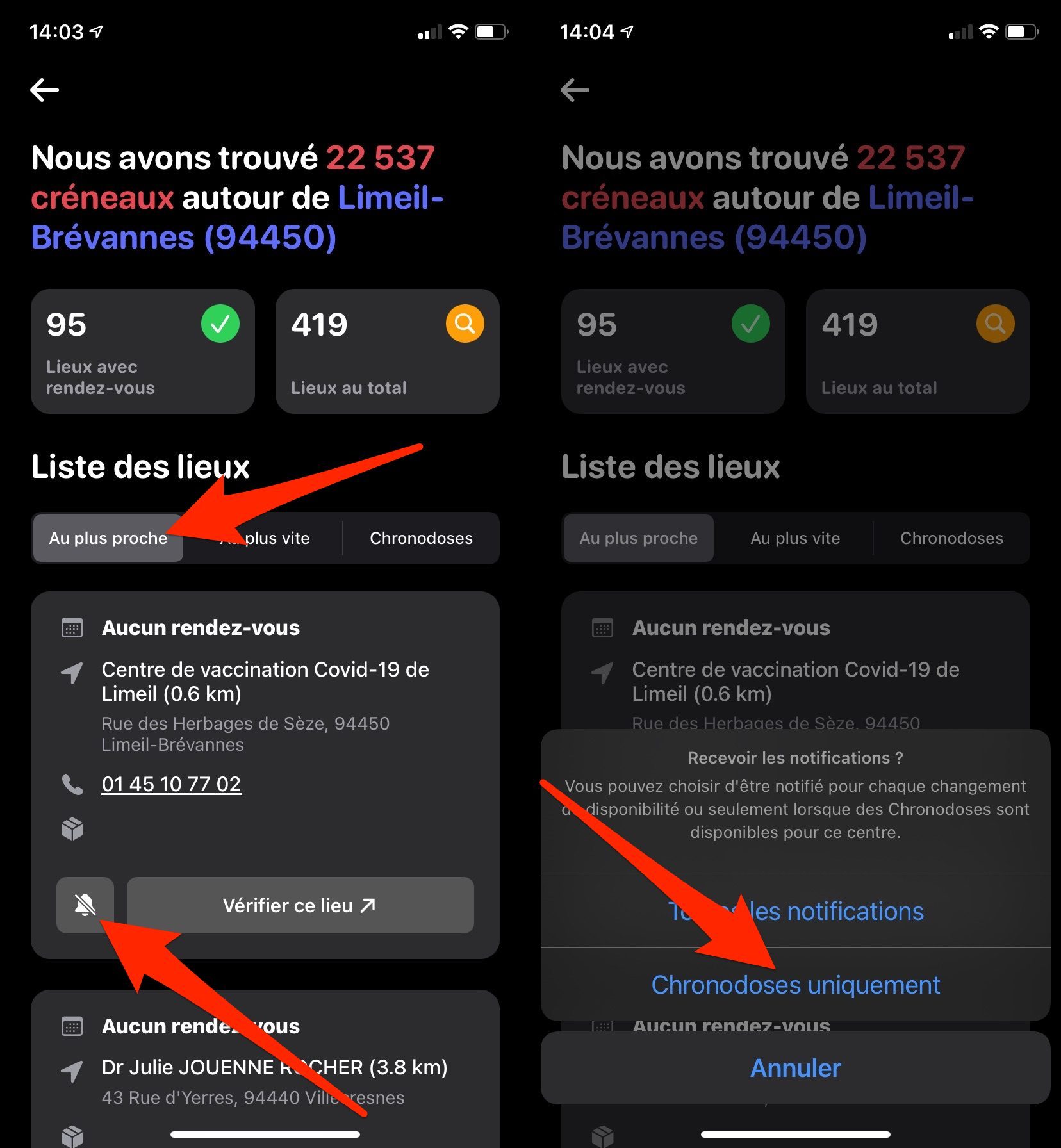
To be sure to monitor the right vaccination centers, those that are closest to your home, or the most easily accessible, go to the Nearest tab.
In the list of vaccination centers displayed, tap the crossed-out bell icon to access the notifications options, then in the menu that appears, tap Chronodoses only.
On Android, go to the Nearest tab, and press the Activate notifications button, represented by a bookmark. In the menu that appears, tap on the Tracking chronodose notifications option.
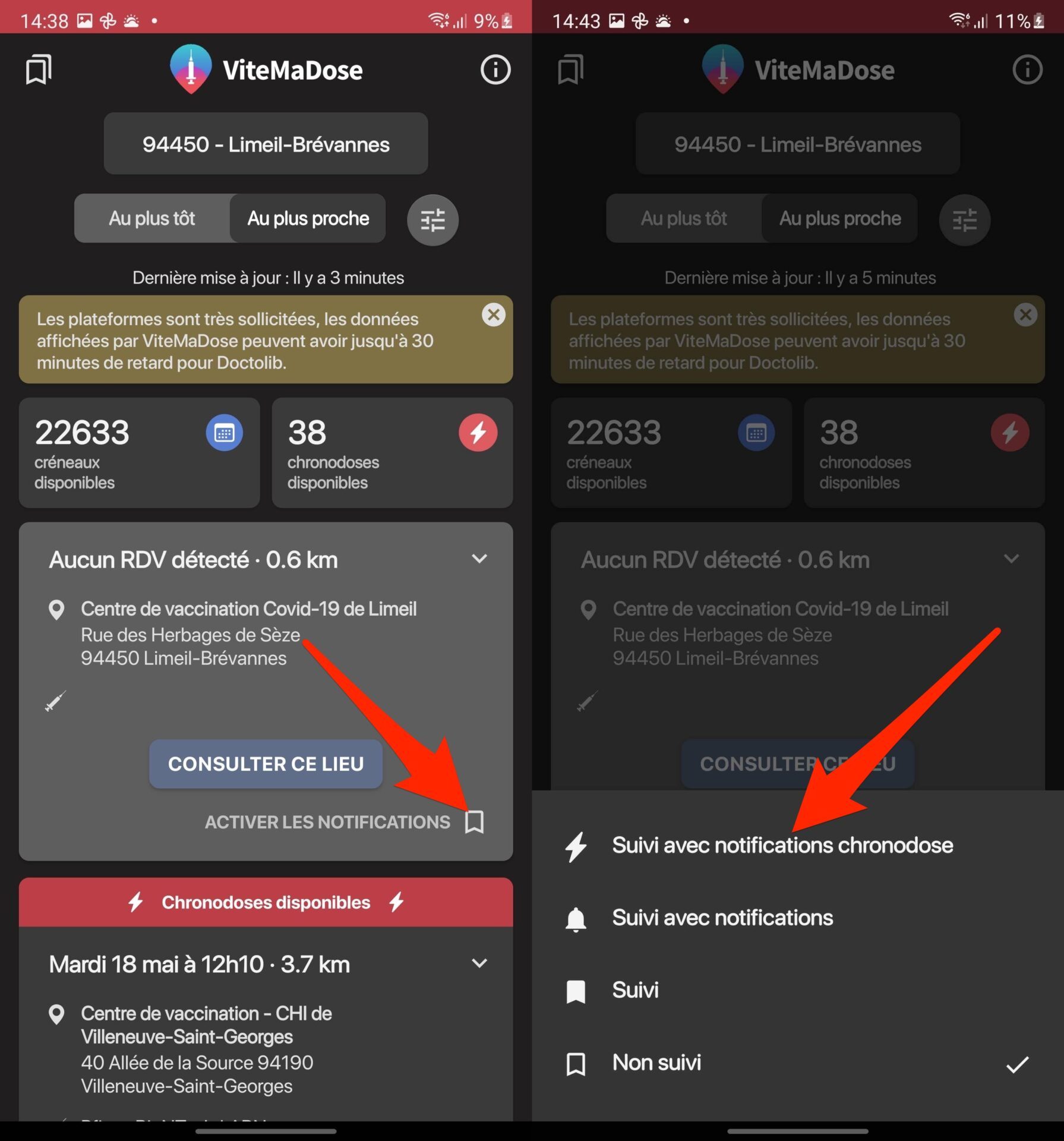
Repeat the operation for each vaccination center for which you wish to be alerted when a chronodose is available.
4. Access the list of chronodoses available around you
When new chronodoses are available in the vaccination centers you monitor, Quickly my dose will automatically send you a notification on your smartphone.
However, you can manually view and update the list of centers you follow offering Chronodoses. On iOS, open the application and go to My centers followed.
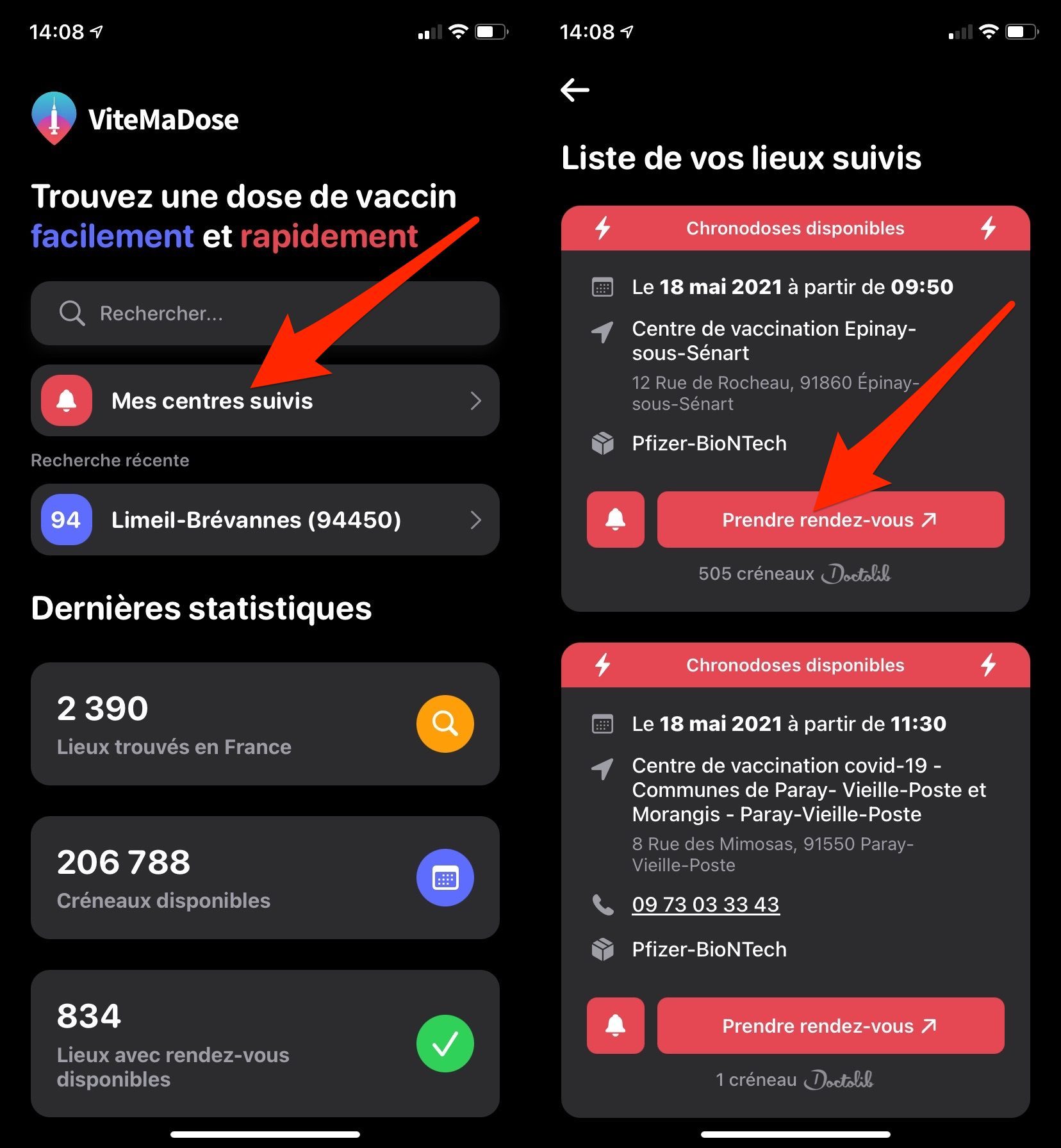
On Android, open the app, and tap the bookmark icon at the top left of the interface to access your Tracked Centers.
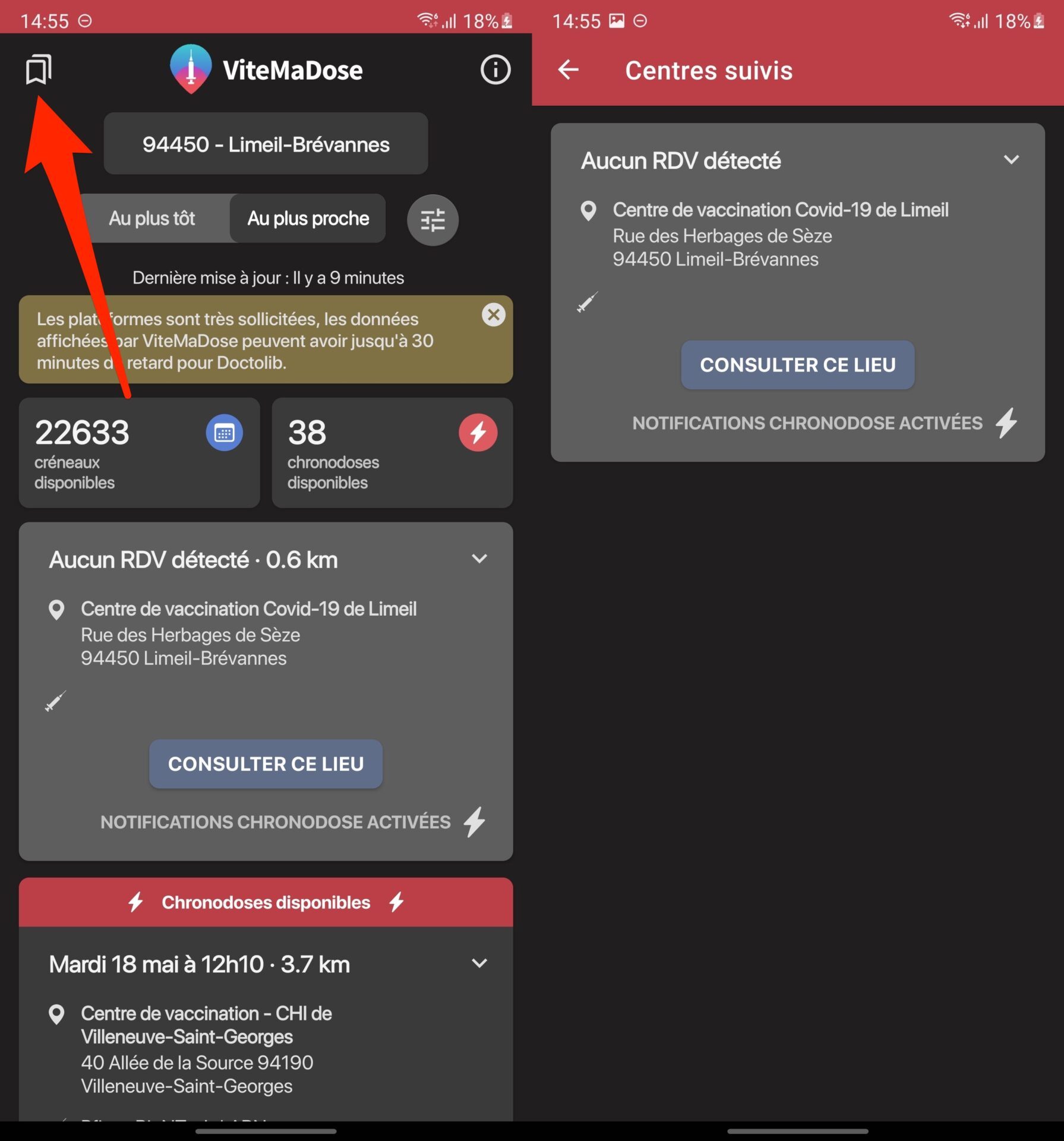
You will only have to click on the Make an appointment button to be redirected to the online appointment booking platform, hoping that no one has had time to do it before you…