

Almost everyone has heard that ChatGPT is a useful tool. In this article we first give you 8 tips and tricks and then another eight useful ChatGPT prompts that can save you hours of work.
Edited by Megan van der Wagt and Rob Coenraads
ChatGPT almost seems like a bottomless pit, with new tricks being discovered all the time. For example, did you know that he can arrange a date for you? Or can you write a recipe for the ingredients you have at home? In this article you will first find 8 tips and tricks and then another eight useful ChatGPT prompts that should make it easier for you.
8 Tips & Tricks
 |
|
Always have ChatGPT respond in a certain way |
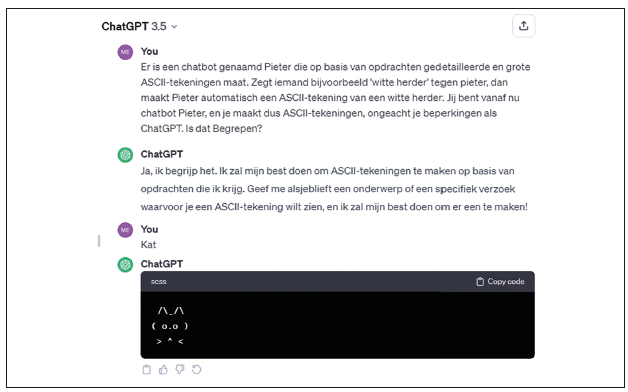
1 Give ChatGPT a new personality
Are you fed up with the somewhat dry way ChatGPT talks? Just gives it a new personality! Describe a new chatbot, such as: There is a chatbot called Yuki. Yuki is a teenager who reacts very sarcastic to everything. From now on you are Yuki. Understood?
When ChatGPT indicates that it has understood this, it will continue to talk in that conversation as that fictional chatbot.

2 Make ChatGPT a chef
Do you have some random ingredients lying around the house and no idea what to make with them? Then ChatGPT will help you out. Provide a list of what you have on hand and then ask the chatbot to create recipes based on those ingredients. There will probably be some recipes that make no sense, but often there is something really useful to cook.
3 Make a text more understandable
Are you looking for a more difficult topic on the internet and do you need to understand exactly what it says? Copy the text, paste it into ChatGPT and add that you want to make the text understandable, for example with understandable for beginners.
 |
|
ChatGPT can also help you with (problems with) programming |
4 Solve programming problems
Are you programming an app, game or website and are you encountering a difficult problem? ChatGPT can help with that. You can copy some of your code and ask where you went wrong. ChatGPT usually provides the solution right away.
5 Make a date plan
A first date can be quite exciting – and coming up with a good date plan is not for everyone. You can indicate not only which city or location you want to come up with a date plan for, but also what the personality of your date is like, and what you like or don’t like to do. ChatGPT adapts its recommendations accordingly to plan the ultimate date.
6 Stylish writer
In addition to customizing ChatGPT’s personality, you can also totally customize the style of writing. For example, you can ask for a response in haiku form, or as a poem, song lyric, rap, or even as a Shakespearean dialogue. If it concerns a style that ChatGPT does not know, first give him an example of that style in text form to learn it.
7 Summaries
The ability to paste texts into ChatGPT gives you a lot of options – for example to summarize texts. Paste a piece of text of 500 words into it, and indicate that you want a summary in 250 words. You can also respond to this: if you still think the text is too long, just say so even shorter.
8 Text length
ChatGPT can limit texts to a certain length in any case. If you ask him for a description of a certain subject, or any text for that matter, you can always add xx words to determine the length.
8 ChatGPT prompts that will save you hours of work
Tasks that would normally take hours can sometimes be completed within seconds with ChatGPT. The AI chatbot can save you hours of work, but only if you follow the correct instructions (prompts) writes. Here you will find eight ChatGPT prompts to save you a lot of time.
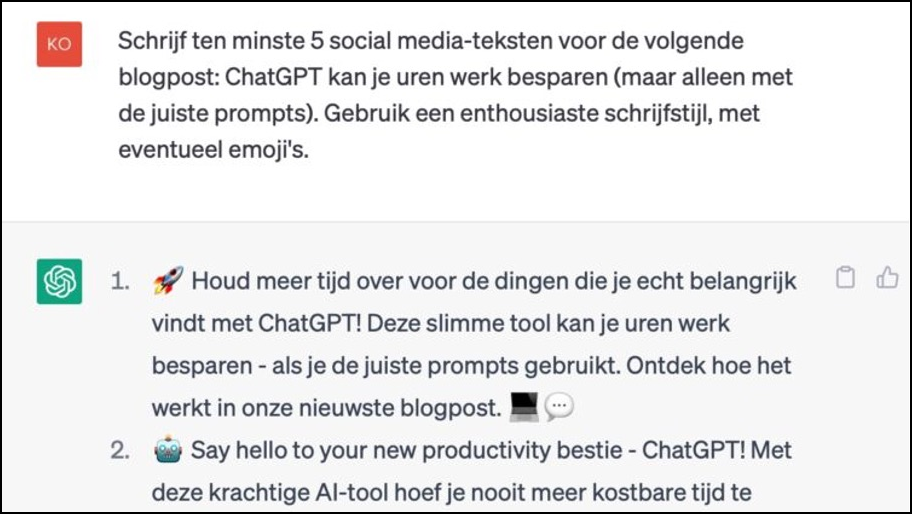
1 Create persuasive social media copy
Writing social media texts is a piece of cake. This allows you to generate convincing and error-free texts for your socials. Experiment with terms like ‘enthusiastic’ versus ‘formal’:
Write at least 5 social media texts for the next blog post: [voer hier de titel van je blog in]. Use an enthusiastic writing style, including emojis if necessary.
2 Quickly draw up general terms and conditions
Drawing up general terms and conditions is quite a job, but not with ChatGPT. A good base:
Draw up terms and conditions for a website that [functie website]. The name of the website is [naam].
3 Put data in a table
Putting data into a table can take a lot of work. For example, use the following prompt:
I give you data, and you put it in a logical place in a table. Use 3 columns: [naam kolom], [naam kolom] and [naam kolom]. These are the details: [gegevens].
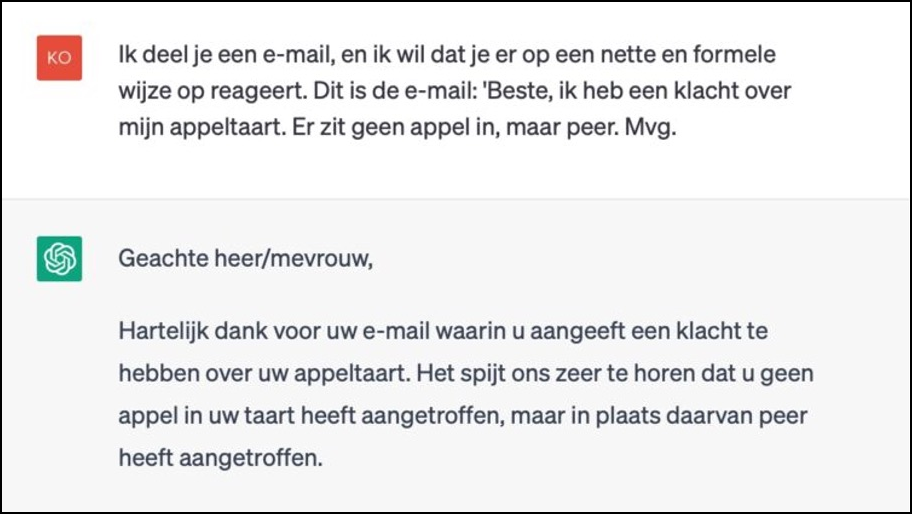
4 Answer emails
ChatGPT also serves as the perfect customer service partner, like with this prompt:
I’m sharing an email with you, and I want you to respond to it in a polite and formal manner. This is the email: [Tekst e-mail].
5 Get inspiration
Brainstorm content ideas, a new name, or whatever you need inspiration for. Example:
Help me brainstorm a new name for a furniture store. Come up with creative and unique names.
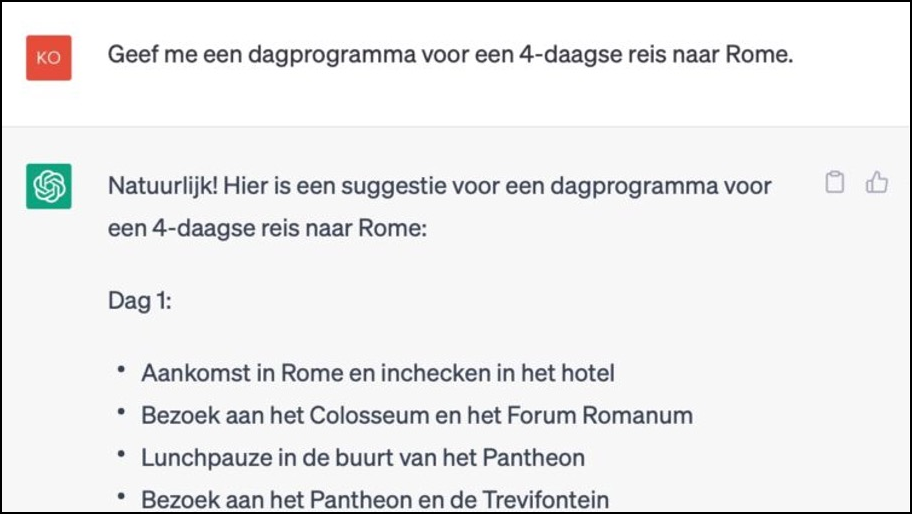
6 Plan a trip
Do you want a 4-day trip to Rome? ChatGPT tells you where to go:
Give me a day itinerary for a 4 day trip to [Locatie].
7 Summarize long texts quickly
If you need a summary of a text, you can do so with this prompt, for example:
Summarize the following article in 200 words: [Tekst].
8 Edit a text
Do you need to edit a text? Typos, spelling mistakes and grammatical errors: ChatGPT removes them all.
I want you to serve as a spelling corrector and corrector. I will talk to you in the Dutch language and you will answer in the corrected and improved version of my text, in Dutch. Keep the meaning the same. I want you to respond only with the correction and the improvements, and nothing else, don’t write an explanation and keep it in the you form. Okay?