
We’ve collected 5 iPhone tips that may not be new, but that no one should miss – take advantage of them!
5 useful iPhone tips everyone should know
These 5 iPhone tips will come in handy sooner or later, so it’s always useful to know them in advance!
1. Use a timer for media playback
Do you often watch a series or listen to music or a podcast when you go to bed? Then you have probably experienced falling asleep and waking up in the middle of the night because the playback has still not stopped. You can easily prevent this by setting a timer. This is how it works:
- Open the Clock app;
- Tap ‘Timers’ at the bottom right;
- Tap ‘When timer ends’ and choose ‘Stop playing’;
- Set the desired time and tap ‘Start’.
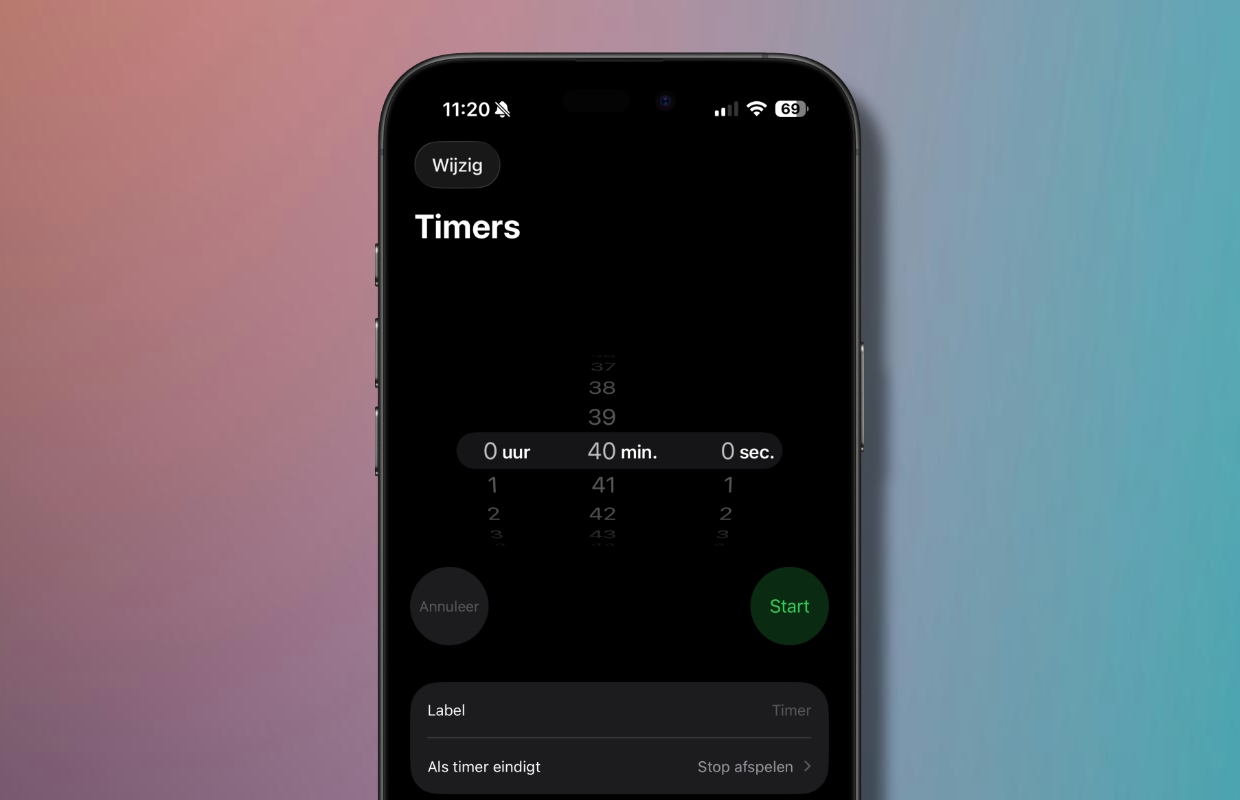
You can now watch or listen with confidence. Playback will stop automatically after the set time.
2. Set an alarm in the Reminders app
The Reminders app has been around for years, but only since iOS 26 has it been possible to add an alarm clock to a reminder. Setting up is very simple:
- Open the Reminders app;
- Create a new reminder or edit an existing one;
- Enable the ‘Date’, ‘Time’ and ‘Urgent’ options;
- Set the desired date and time and save the reminder.
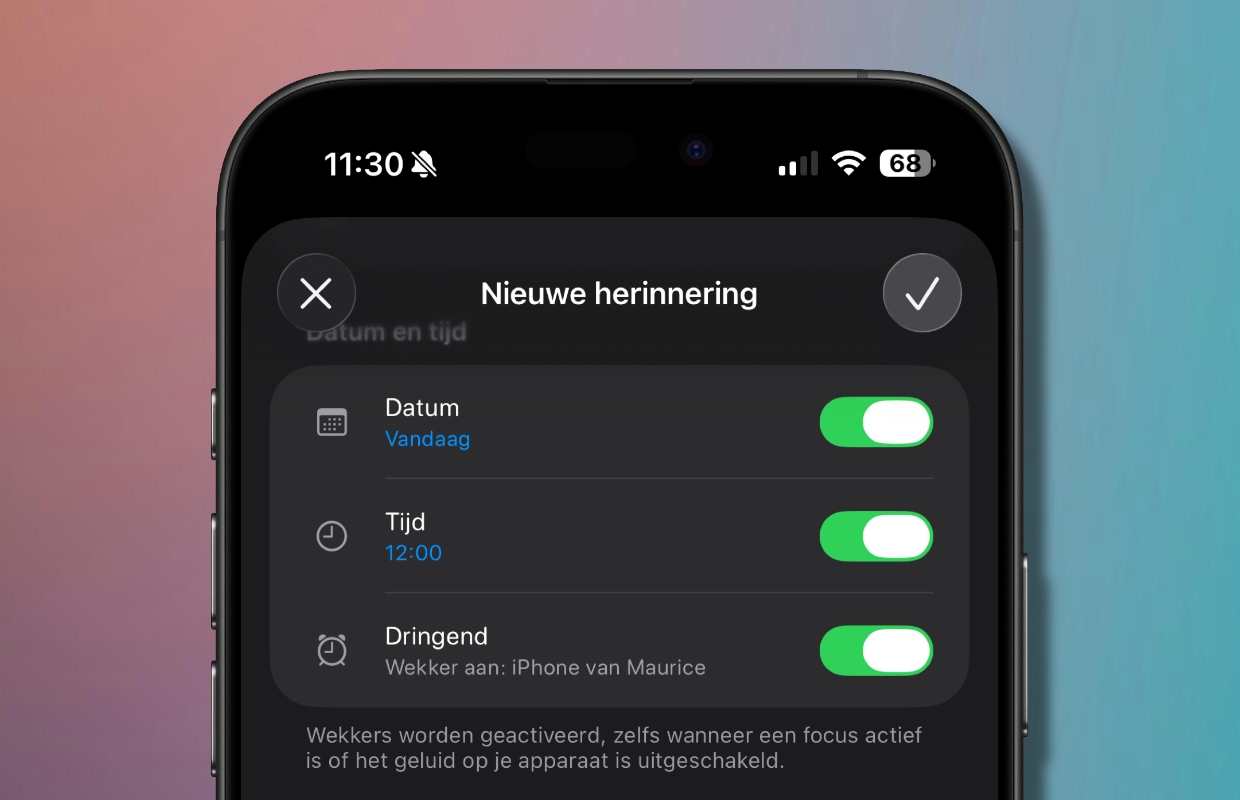
The set alarm clock is always activated. Even if you have set a focus or the sound on your iPhone is turned off.
3. Ping your Apple Watch
Do you regularly lose your Apple Watch? Then this iPhone tip is for you. By adding the ‘Ping my Watch’ control to the Control Center, you can easily make your Apple Watch play a sound. So you can find it again in no time! This is how you set it:
- Open Control Center (swipe down from the top right of the screen);
- Tap the plus sign at the top left;
- Select ‘Add a controller’ below;
- Scroll down and choose ‘Ping my Watch’.

From now on, when you open Control Center, all you have to do is tap the Watch icon and your Apple Watch will immediately play a sound.
4. Avoid ending a call with the side button
Do you regularly experience that you accidentally press the side button during a telephone conversation and immediately end the conversation? You can easily prevent this as follows:
- Open the Settings app;
- Tap ‘Accessibility’;
- Tap ‘Touch’;
- Enable the option “Prevent “Lock to stop call”.

5. Merge duplicate photos
Without noticing, your iPhone regularly saves photos twice, which of course takes up an unnecessary amount of storage space. You can easily merge these duplicate photos. This is how you do it:
- Open the Photos app;
- Tap ‘Collections’ at the bottom;
- Under the ‘Other’ heading, tap ‘Duplicate items’;
- Now tap ‘Merge’ behind the found duplicate photos.

More iPhone tips?
Did you find these iPhone tips useful and want more? On iPhoned you can read useful tips and tricks for your iPhone every week. Check out the most recent tips below!
-
These are 5 useful iPhone tips that everyone should know
-
This hidden feature makes Safari work much better (on your iPhone and iPad)
-
Annoying problem with the iPhone alarm clock: this is how you prevent you from oversleeping
-
iOS 26.1 vs iOS 26.3: this Apple app gets a useful feature
-
This way you prevent Meta AI in WhatsApp from remembering all your messages