
iPadOS 26.2 brings two useful features to your iPad, one of which Apple initially removed – this is what you can expect from the update.
iPadOS 26.2 brings back two features
At the time of iPadOS 18 you had two useful features on your iPad. For unknown reasons, Apple decided to remove one of those features with the arrival of iPadOS 26. Apparently many people were not happy with that, because Apple is bringing that feature back with the update to iPadOS 26.2 that is almost here.
The features in question are Split View and Slide Over. Thanks to these features, you can now simply drag and drop apps from your dock and have them snap into place. So you no longer have to manually adjust the windows to the desired size.
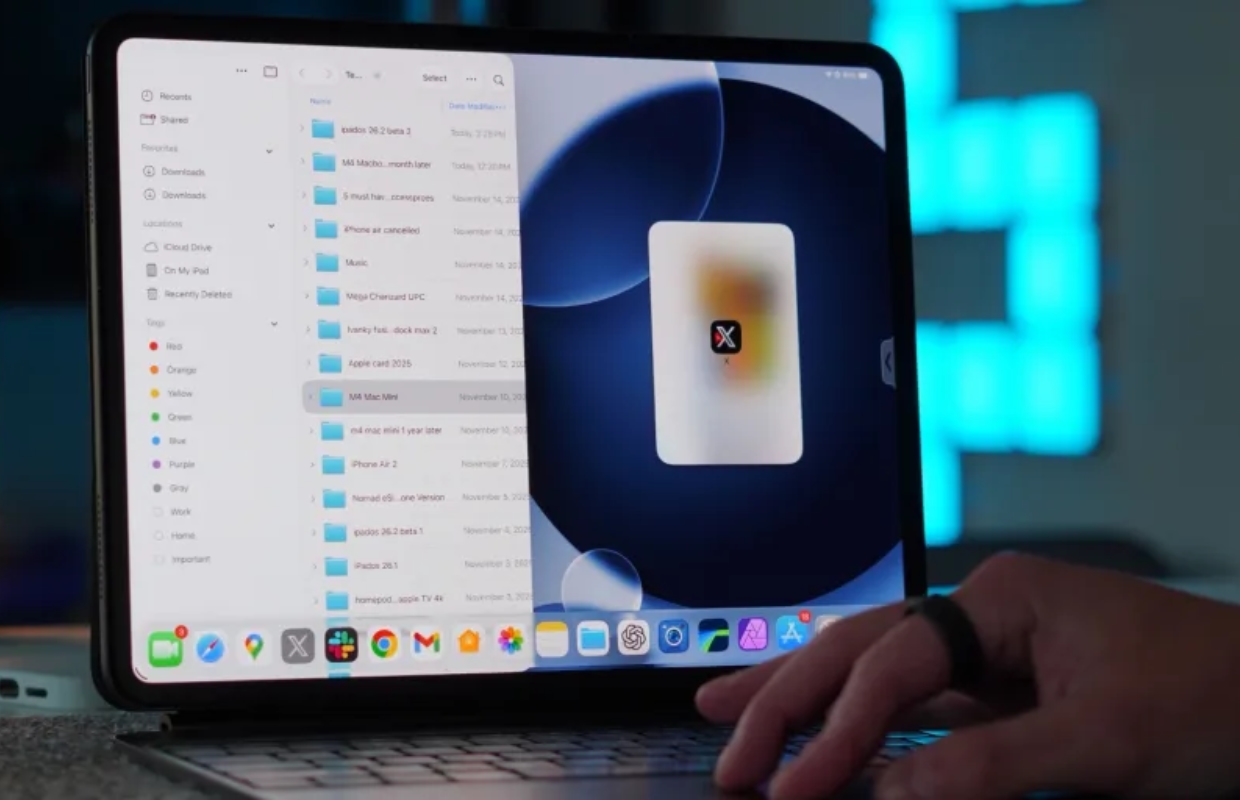
Slide Over
When Apple unveiled iPadOS 26 on WWDC25they announced an entirely new window system for the iPad, without Slide Over. This made the device look much more like the Mac. App windows had red, yellow, and green buttons at the top left, and you could resize them. You could also overlap windows and you didn’t necessarily have to use Stage Manager.
Apple has restored Slide Over to some extent in iPadOS 26.1, but you still have to tap the colored buttons to put the app into Slide Over mode. You can’t just drag and drop like before.
Fortunately, iPadOS 26.2 will be released soon and with that update the same features for opening apps in Split View and Slide Over will be back on your iPad. It works almost exactly the same again, except you still can’t stack multiple apps on Slide Over like you used to.
Don’t want to miss any of the upcoming software updates and other news from Apple? Then sign up for our newsletter and we will automatically keep you informed from now on!

Download the iPhoned app
