
One of the most important AirTag 2 features doesn’t necessarily work with all iPhones and Apple Watches – only these models are supported.
AirTag 2 feature only for these iPhones and Apple Watches
One of the most important new features of the AirTag 2 is a greater range for Accurate Search. With the AirTag 2, Precise Search works up to 1.5 times further away compared to the original AirTag. Unfortunately, this does not apply to all iPhones and Apple Watches, because only the latest models support the improvement.
On a new one support page Apple states that Precise Search on the Apple Watch Series 9 and later and Apple Watch Ultra 2 and later works with the AirTag 2. On the iPhone, an iPhone 15 or newer is required for this greater range. Are you curious whether your device works with the new function of the AirTag 2? These devices support the extended range of Precise Search:
iPhone:
- iPhone 15
- iPhone 15 Plus
- iPhone 15 Pro
- iPhone 15 Pro Max
- iPhone 16
- iPhone 16e
- iPhone 16 Plus
- iPhone 16 Pro
- iPhone 16 Pro Max
- iPhone 17
- iPhone 17 Pro
- iPhone 17 Pro Max
- iPhone 17e
- iPhone Air
- iPhone 18 (expected)
- iPhone 18 Pro (expected)
- iPhone 18 Pro Max (expected)
Apple Watch:
- Apple Watch Series 9
- Apple Watch Ultra 2
- Apple Watch Series 10
- Apple Watch Ultra 3
- Apple Watch SE 2025
- Apple Watch Series 11
It is the first time that the Apple Watch works with Precise Search with the AirTag. With watchOS 26.2.1, Precise Search became available on the Apple Watch Series 9 and newer for the AirTag 2. The first generation of the AirTag does not work with precision search on the Apple Watch. Apple has not stated why this feature doesn’t work with the original AirTag. It is true that the new AirTag is equipped with Apple’s second generation Ultra Wideband chip. The original AirTag has Apple’s first generation Ultra Wideband chip.
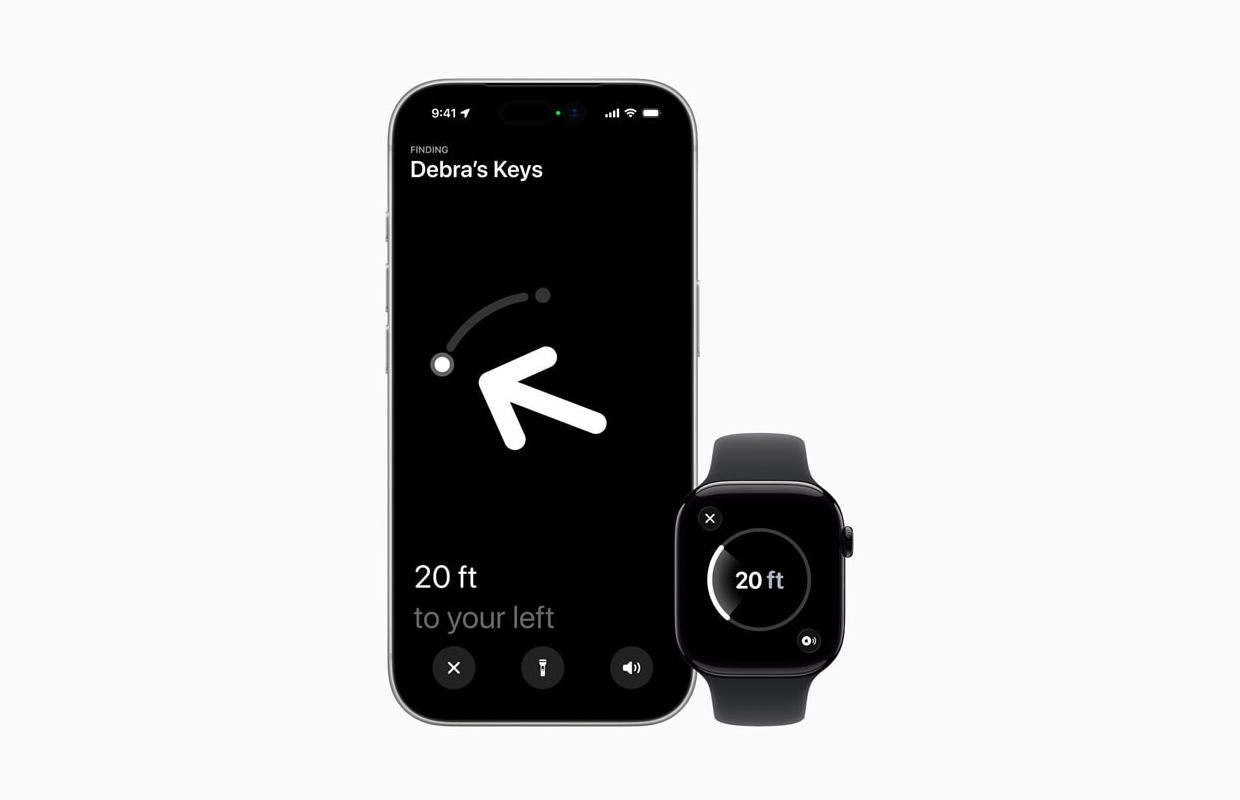
Accurate Search
Precise Search can guide you to the exact location of an item with an AirTag by showing you a directional arrow and your distance from the AirTag on a compatible iPhone and now on a compatible Apple Watch.
The feature already existed on the above Apple Watch models for finding an iPhone 15 or later, but until now Precise Search on the Apple Watch was not possible for finding an AirTag. Unfortunately, the function on the Apple Watch still does not work with the first generation AirTag released in 2021.

That’s how it works
To use Precise Search to find a second-generation AirTag with a compatible Apple Watch, the watch must be running watchOS 26.2.1 or later.
How to set up the feature, according to Apple:
- On your Apple Watch, go to the Control Center (press the side button);
- Scroll down and tap ‘Edit’;
- Tap the plus sign at the top left;
- Scroll down and tap ‘Find Objects’;
- Tap ‘Search AirTag’;
- Now tap ‘Choose’ and select an object;
- Tap the Done button, then tap Done.

How to use the feature, according to Apple:
- On your Apple Watch, go to the Control Center;
- Scroll down and tap the ‘Find AirTag’ button;
- Follow the on-screen instructions and then walk around until your Apple Watch connects to the AirTag.
- Track distance and direction information on your Apple Watch. When you are near your AirTag, the watch screen turns green.
On iPhone 15 and newer, Precise Search works via Apple’s Find My app. Go to ‘Objects’ there and tap on the AirTag. Select ‘Search’ to see the precise distance between you and the AirTag. On the iPhone 11 and newer you will see Precise Search with both the AirTag 1 and 2, on the Apple Watch Precise Search only works with the AirTag 2. Are you planning to get the AirTag 2? See here where you can get the tracker:

View AirTag 2 at MediaMarkt

View AirTag 2 at Bol.com

View AirTag 2 at Coolblue
