
It’s sour when you pay too much, but it’s much worse when you give money to scammers. And unfortunately: online there are numerous scams. For which scam how does it go, how do you recognize and avoid them, and what if you have already been taught them?
Show Van Dale
 |
|
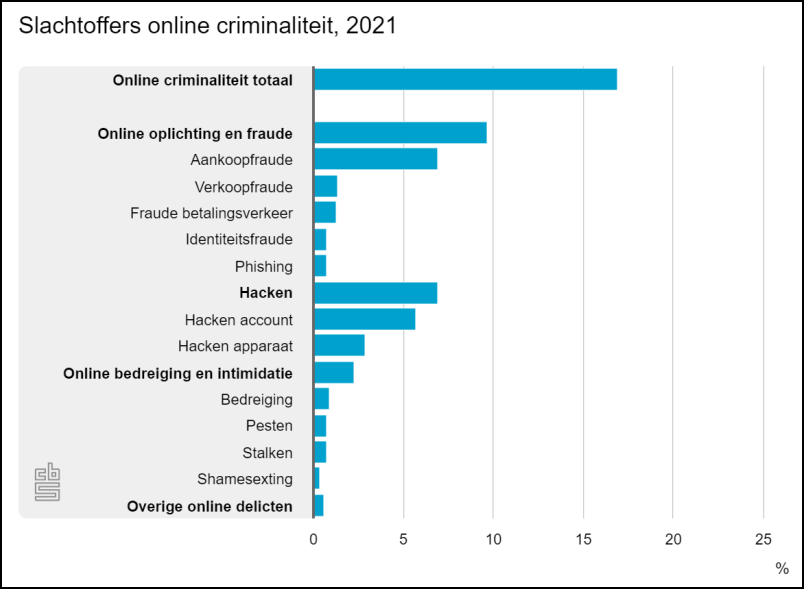
Staggering figures from Statistics Netherlands about online scams in the Netherlands |
According to the Central Bureau of Statistics, in 2021 about 17 percent of the Dutch aged 15 and older (these are almost 2.5 million people) were victims of cybercrime, including fraud and transaction fraud. These figures have only increased in recent years and the expectations for 2022 are unfortunately no different.
 |
|
Online scammers try to get your personal information out of all kinds of ways |
Typical scenarios
Online scammers frequently use it phishing. Criminals ‘fish’ for your payment details or other personal information, such as a pin code or a password. This is usually done via email, but it can also be done via SMS (smishing), social media (a message on e.g. WhatsApp or Facebook) or even by phone (voice phishing in other words vishing).
Often they use excuses to lure you into a trap: your data is no longer up to date and you need to update it, you are entitled to a refund and so on. Usually you get a link that leads to a – fraudulent – site, but it also happens that scammers post a false advertisement from your bank on social media.
A related scam is where a criminal contacts you via WhatsApp and pretends to be an acquaintance. It may even happen that he has hijacked that acquaintance’s WhatsApp account and found voice recordings on social media to completely convince you. Often the scammer then hangs up a story where your acquaintance has lost his phone and urgently needs money.
‘Popular’ is also marketplace fraud. Rogue (re)buyers do not send the promised product or they do not make the payment. Or they will use your data to scam others. It also happens that the fraudulent ‘seller’ has you transfer money to another seller who then unsuspectingly sends the product in question to the fraudster.
How to recognize?
Thus, phishing is one of the most common techniques used by online scammers, and it is usually done via email. It would therefore help a lot if you could recognize phishing emails more accurately. Instructive is the ‘false messages quiz’ on www.fraudehelpdesk.nl/quiz/valse-messages-quiz where you have to point out suspicious elements in various e-mails
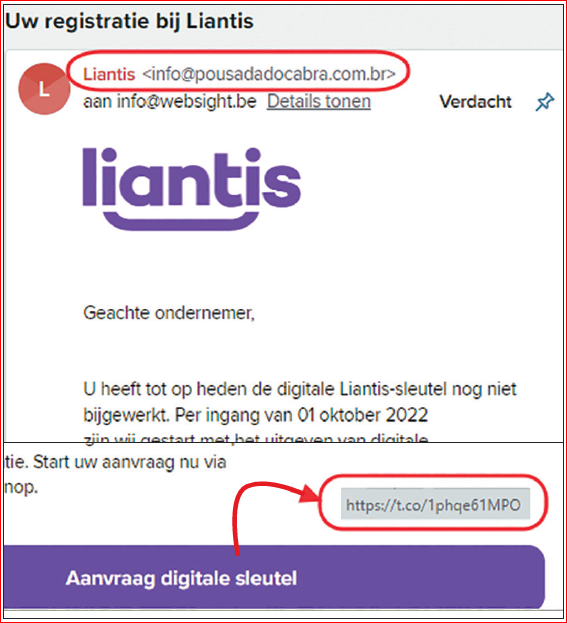 |
| Many phishing emails have addresses (email or web) often the only point of recognition
|
Such a phishing email often starts with an impersonal salutation (such as Dear customer), while you would expect a more personal salutation in banking and related matters. Unfortunately, the latter also gives no guarantees: at spear phishing the scammer uses captured personal data, such as your name.
Linguistic and typing errors or a questionable layout are usually also a good indication of a scam attempt, although more and more phishing e-mails use a beautiful design and neat language. Sometimes it matters clone phishing: a copy of an authentic mail is then made, but supplemented with malicious links or attachments.
Also pay attention to the tone of the message: if you are talked into a sense of urgency, there is often something empty, such as ‘respond within two days to avoid higher costs or sanctions’.
Often the sender’s address does not match with the alleged sender (for example something like mkr@cbnet.ru for an e-mail from post.nl). However, keep in mind that cunning scammers can forge such an address (spoofing), to make it look like it came from the alleged body.
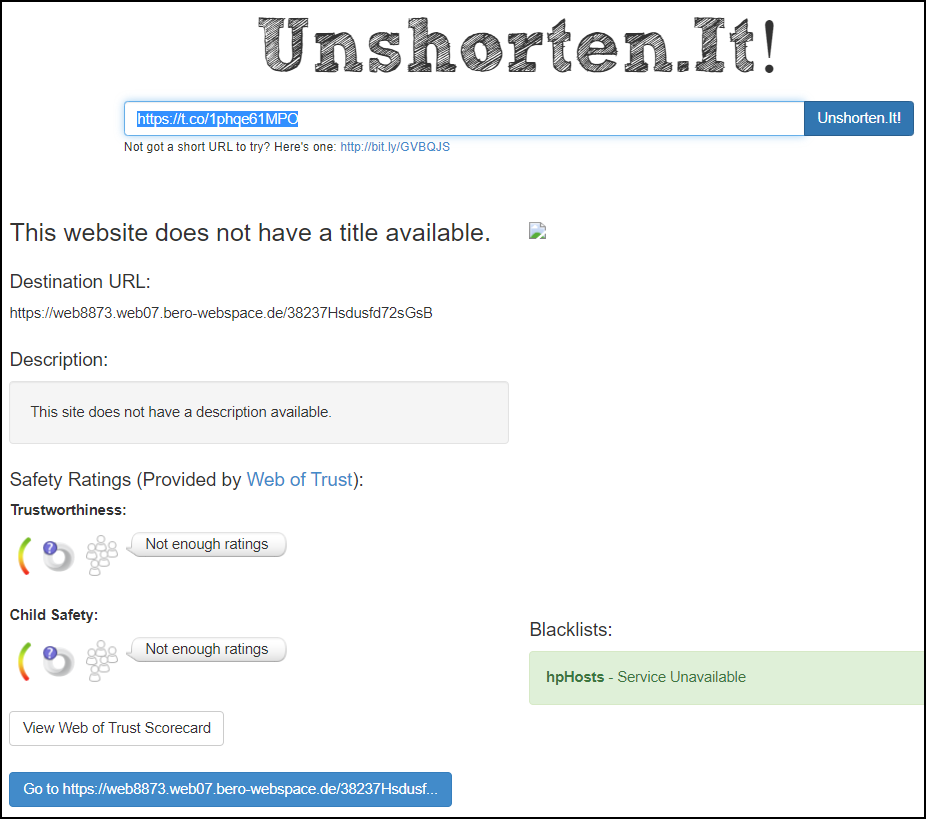
Track downIf you have the slightest suspicion that the link does not point to a trustworthy site, never click on it! If necessary, you can try to find out who is behind the registration of the corresponding domain name via a so-called whois request. For domain names with .nl, this can be done at www.sidn.nl/whois (for example, enter mijnbank.nl here). For others, such as .com, this can be done at https://who.is. Scammers often also use a so-called ‘shortened URL’ so that the underlying web address can remain invisible. For example, such a URL could look like https://t.co/1abc2def34, https://tiny.cc/mijnbank or https://bit.ly/1aBcD2e. To find out where such a URL actually leads, you can safely type it in at sites such as https://unshorten.it or https://checkjelinkje.nl.
|
Fraudulent links
Perhaps the main feature of phishing emails are links to fraudulent web pages. That is why it is important that you never just click on a link in an email and first check where such a link leads exactly!
On a PC or laptop, you do this by hovering over a link with the mouse pointer. The corresponding web address will appear at the bottom left or near the mouse cursor. On a mobile device, press and hold the link until a window with the web address appears.
 |
|
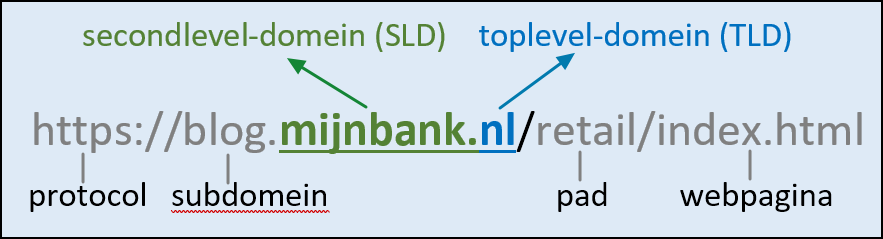
Check web address? In this example it is really only about mijnbank.nl |
Check whether the web address belongs to the alleged sender, such as your bank or other institution. watch out for typosquatting (www.robabank.nl instead of www.rabobank.nl for example) or for other cunning adjustments such as www.ing.nl-klanten.tk or www.login-ing.nl instead of www.ing.nl. In fact, only the two ‘domain names’ just before the first, single slash (/) are important: https://login-ing.nl/ then concerns login-ing.nl and www.ing.nl-klanten .tk/ om nl-klanten.tk and in both cases it is not about (the bona fide domain name) ing.nl.
Many users also make the mistake of seeing an address as trustworthy if it begins with https:// instead of http://. This only means that the web traffic with that site is encrypted, it does not (necessarily) mean that it is a bona fide site!
Dos and don’ts
Never just click on links in (suspicious) e-mails or text messages is therefore essential, but there are still things you should pay attention to. For example, it is a good idea to create favorites in your browser that refer to sites of, for example, your bank and other authorities. Always use these favorites instead of clicking on a link.
Also, never just open attachments from unknown e-mails, especially if they have file extensions such as zip, exe, js, lnk, wsf, scr or jar. After all, these file types can contain malicious code.
 |
|
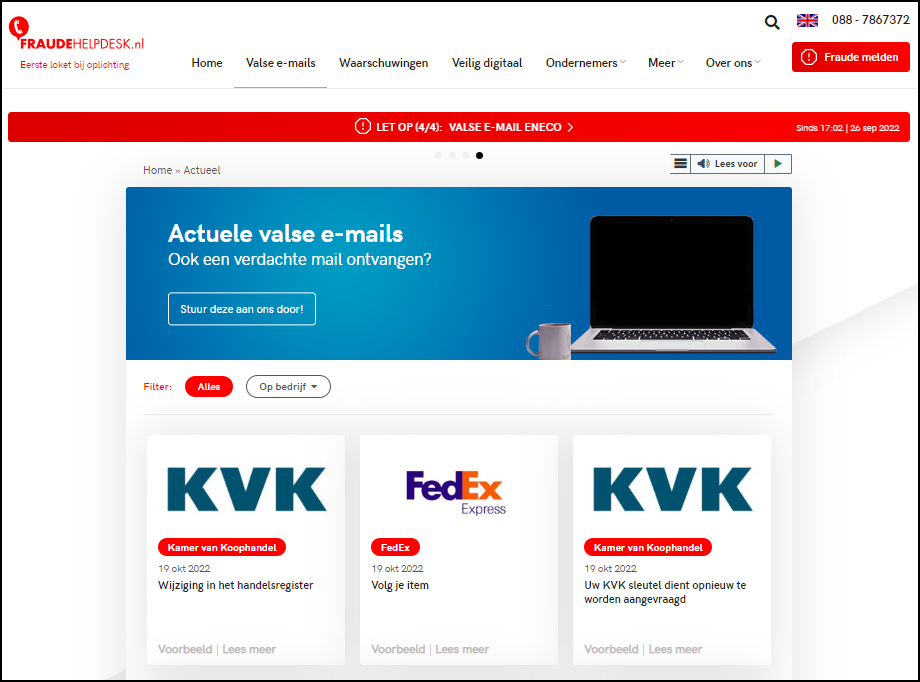
Here you can look up recent phishing emails and report them yourself |
If you are not sure whether it concerns a phishing e-mail, you can also check on sites such as https://oplichting.avrotros.nl/alerts and www.fraudehelpdesk.nl/actueel/valse-emails or the relevant message if phishing mail is flagged. Also, do not call any telephone numbers listed in the email. If in doubt, call the relevant bank or institution yourself. You can definitely find this number on the official website.
Of course you also keep Windows, your applications and your antivirus program up to date.
What now?
Despite your precautions and a good dose of common sense, you still fell for it and, for example, you clicked on a wrong link in a phishing email. This doesn’t have to be a disaster, as long as you haven’t entered an email address, passwords or credit card details on that (rogue) site.
If you have entered an e-mail address or personal details such as your name or address, you can probably expect more spam, or the scammers use that information to approach you or your acquaintances in a more targeted way (via spoofing or spear phishing). Once you have entered your mobile number, please check www.payinfo.nl and unsubscribe from unwanted payment services.
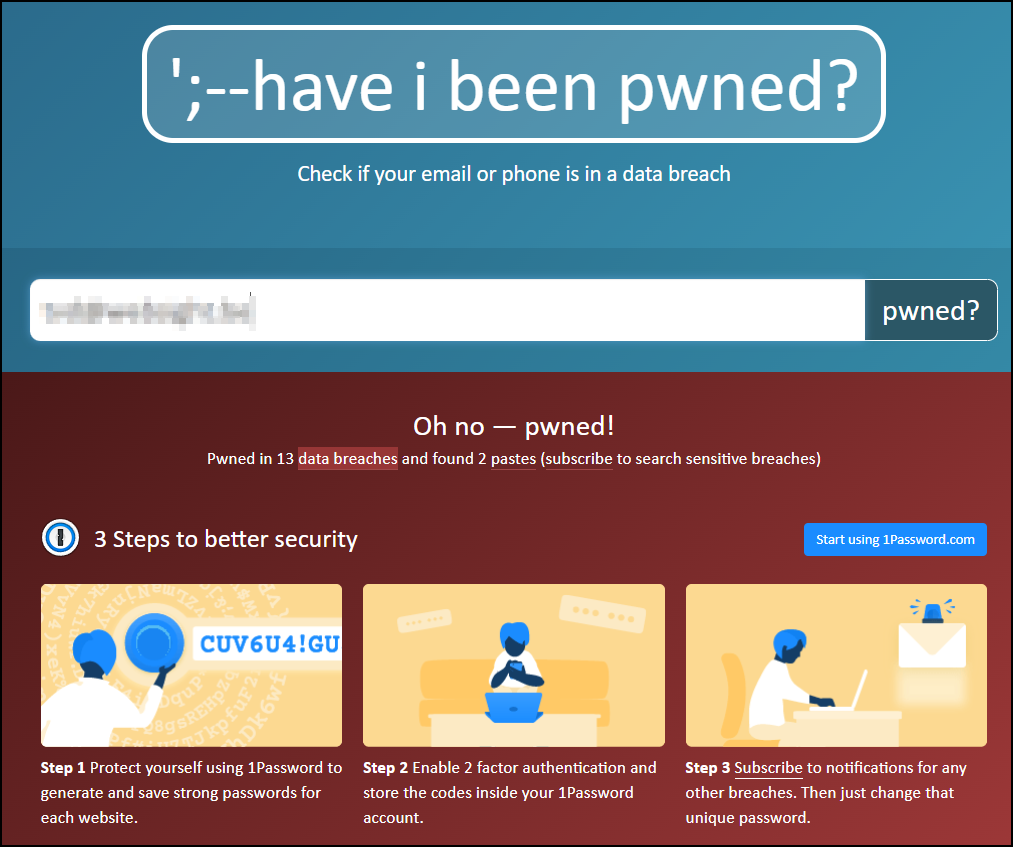
If you have entered passwords, change them as soon as possible, also on other sites where you use the same password. You can also always check whether your email address or phone number was in a database that has since been hacked. You just have to fill this in at https://haveibeenpwned.com
 |
|
You should also regularly check whether your e-mail address appears in a leaked database |
If you have disclosed information about your credit card, please contact your credit card company immediately to block your card. You can also visit www.creditcard.nl/faq/creditcard-blokeren or https://cardstop.be/nl/home/ik-wil-blokeren.html. It is also wise to inform your bank.
You can, as indicated, upload received phishing emails to sites such as www.fraudehelpdesk.nl, but if you have actually been scammed during a transaction, please also report this to www.politie.nl/informatie/slachtoffer-van-internetoplichting-doe declaration.html. In Belgium, this can be done at https://meldpunt.belgie.be or directly at https://meldpunt.belgie.be/meldpunt/nl/vragen/1 if it concerns phishing.
Additional options
In addition to the bank account or credit card that you have linked to Apple Pay, you can also increasingly store all kinds of tickets in Apple’s Wallet app. You can think of travel tickets, entrance tickets and discount coupons. Your real wallet is becoming increasingly redundant as a result. You just have to make sure that your iPhone doesn’t run out of power if you don’t use an Apple Watch. If you can’t keep a ticket in the wallet, you can always drag it to the notes app, after which you can retrieve it on all your Apple devices.
From the Wallet app you can add a maximum of twelve payment cards or credit cards via the plus sign in the top right corner to pay with Apple Pay from now on. On older iPhones and on the MacBook, you can add up to eight cards. You can indicate per card which card you want to pay with as standard, so that you do not always have to choose a card for contactless payments.
 |
|
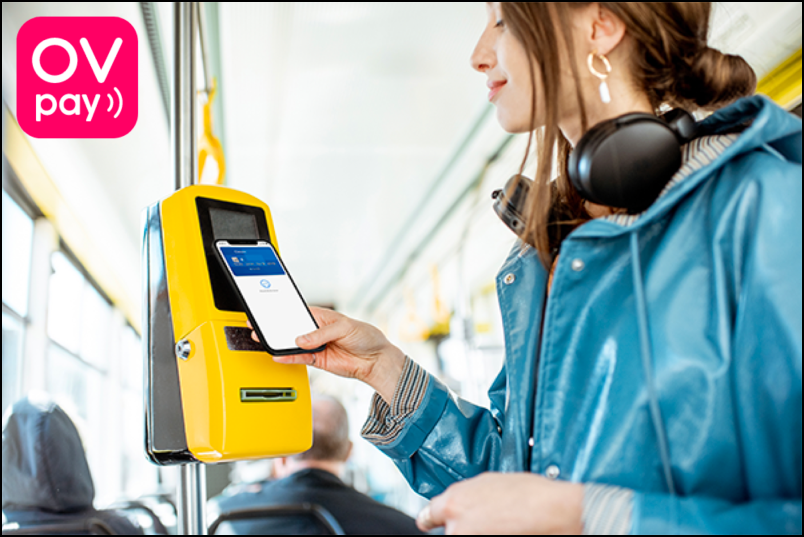
In 2023, log in and out everywhere with Apple Pay at public transport gates with the OVpay logo |
OVpay will soon also be available with Apple Pay
In many other countries, you can use Apple Pay to travel on public transport. Tests are already being carried out on a small scale in the Netherlands to log in and out with your debit card or credit card instead of the public transport chip card. The 60,000 check-in and check-out points will be adjusted and perhaps people can stop using the OV chip card in 2023. At the Arriva city buses in Delft, Zwolle, Zaanstreek, Groningen, Gooi- en Vechtstreek, Voorne-Putten and Rozenburg, Lelystad and Haaglanden and a few other regions, you can already check in and out at the gates with your iPhone or Apple Watch this year with the OVpay logo. The amount with description NLOV will be debited the next day.
Via https://reisoverzicht.ovpay.nl/ you can request a specified travel overview with the debited amount and the 14 numbers and letters in the description behind NLOV. At the moment, you still need verification with Face or Touch ID when scanning in and out with your iPhone. In the long term, it is expected that via express ov you can use public transport with your iPhone without this verification. Express public transport is then probably only possible with a credit card and a number of special debit cards. The Maestro debit cards now common in the Netherlands cannot be used for this.
Billion dollar fine for shielding NFC chip?According to the European Commission, Apple abuses its market power by not allowing their NFC chips to work together with payment apps from other companies. Under the new Digital Markets Act, Apple faces a fine of up to 10 percent of its global revenue and may even require a company to be split up. With such a sword of Damocles hanging over its head, it is not surprising that Apple has said in a response that it wants to continue working with Brussels to ensure that European consumers have access to the payment options of their choice in a secure environment. |